User’s Manual
13
OPERATING INSTRUCTIONS
GENERAL INSTRUCTIONS
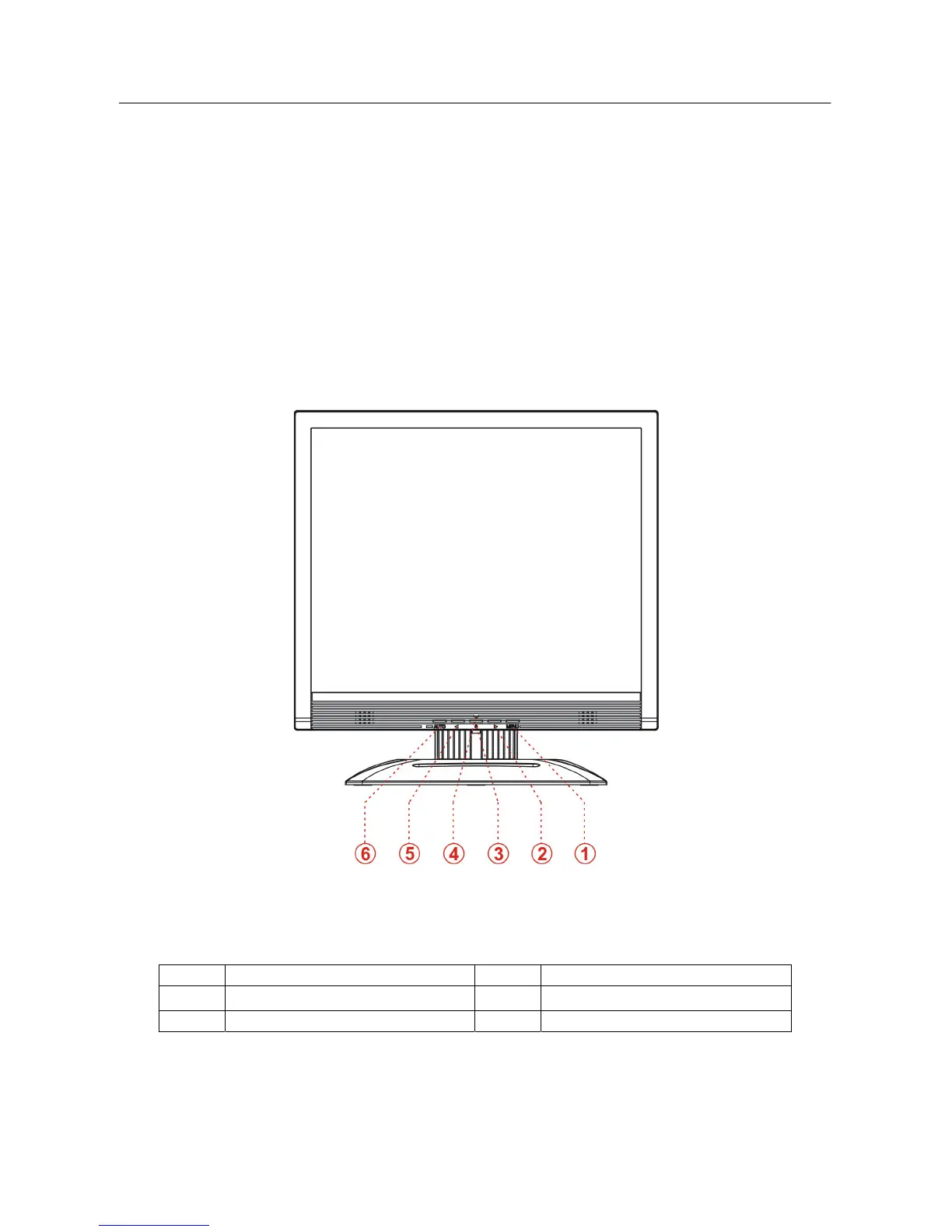
Press the power button to turn the monitor on or off. The other control buttons are located at
front panel of the monitor (See Figure 4). By changing these settings, the picture can be
adjusted to your personal preferences.
• The power cord should be connected.
• Connect the Signal cable from the monitor to the VGA card.
• Press the power button to turn on the monitor position. The power indicator will light up.
Figure.4. External Control Button
EXTERNAL CONTROLS:
1. Menu / Enter 2. Volume >
3. Power Button 4. Power Indicator
5. Volume < 6. Auto Adjustment


 To Next Page
 Loading...