
 Need help?
Do you have a question about the HANNspree HC270HCB and is the answer not in the manual?
This document is a user's manual for the HANNspree HC270HCB(HCW) (HSG1419) LCD Monitor. It provides comprehensive instructions and information for operating, maintaining, and troubleshooting the device.
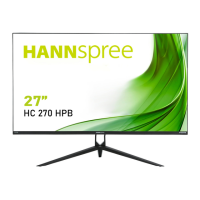
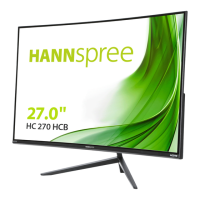
The HANNspree HC270HCB(HCW) is a 68.6cm / 27" wide-screen TFT color LCD monitor designed to provide a crisp and clear display for various applications, including Windows environments. It is equipped with an internal universal power supply, allowing operation in both 100/120V AC and 220/240V AC voltage areas without requiring user adjustment. The monitor supports multiple input sources, including VGA and HDMI, making it versatile for connecting to different types of computers and digital devices. It also features built-in audio output, delivering rated power of 2.0 W rms per channel. The monitor is designed with VESA DDC2B capabilities, enabling it to communicate its identity and display capabilities to the host system. This ensures proper functionality and optimal display settings when connected to a compatible PC.
The monitor offers a range of features to enhance user experience and display customization. Its ergonomic design allows for adjustment of the viewing angle, with a tilt range from -4° to 11°, ensuring optimal viewing comfort. The compact case design also contributes to space-saving.
Control of the monitor is managed through a set of buttons located on the front panel. These include a Power Button for switching the monitor on/off, a Menu/Enter button for navigating and confirming OSD (On-Screen Display) menu options, and Up/Down adjustment buttons. The Up/Down buttons serve multiple purposes: they adjust brightness and volume when the OSD is off, and they navigate through adjustment icons or modify function values when the OSD is active.
The OSD menu provides extensive options for customizing the display. Users can adjust Brightness and Contrast to suit their preferences. The Active Contrast feature automatically detects dark and light areas of an image and enhances contrast for a clearer, sharper picture, particularly useful for high-contrast images or videos. Preset Mode allows users to select optimized display settings for different content types such as PC, Movie, Game, or Eco, depending on the model.
For input management, the Input Setting option allows switching between analog (VGA) and digital (HDMI) sources. Models with digital inputs may also feature an Auto Search function to automatically detect the active signal.
Color Setting options include predefined color temperatures like Warm, Nature (6500K), and Cool, or users can customize the color balance by adjusting the Red, Green, and Blue levels individually under the User option.
Image Setting features include Auto Adjust, which optimizes horizontal and vertical position, clock, and phase for VGA input. The Aspect Ratio function helps correct distorted screen images, offering "FULL MODE" for full-screen display or "FIT MODE" for scaling by the proportion of original images, which may introduce black bands. Other image adjustments include H-Position and V-Position for shifting the screen image, Clock to reduce vertical flicker, Phase to reduce horizontal flicker, and Sharpness to adjust image clarity. The Video Mode allows selection between "VIDEO MODE" and "PC MODE" for video transmission, with "PC MODE" recommended for HDMI input to view complete images without cut-off. Some models also offer Response Time settings (Minimum, Intermediate, Maximum) to optimize display response.
OSD Setting allows customization of the OSD itself, including Language selection, H-Position and V-Position for OSD placement, Transparency to adjust OSD visibility, OSD Time-Out to set how long the OSD remains on screen, and OSD Color to choose its color combination.
Under System settings, Audio Input can be set to HDMI or PC, ensuring sound output when using HDMI. The Volume can be adjusted, and a Mute function is available. The DDC/CI option allows switching this function on or off. A Factory Reset option is provided to restore all settings to their default values. Finally, the Information section displays details such as horizontal frequency, vertical frequency, and resolution.
The manual emphasizes several maintenance guidelines to ensure the longevity and optimal performance of the monitor.
The manual also provides a troubleshooting section with common problems and their solutions, such as issues with the power LED, "No Plug & Play" messages, display darkness/brightness, picture bouncing, missing colors, incorrect centering/sizing, color defects, resolution adjustment, and no sound output. It also includes an addendum for Windows 7/8/10 display problems, recommending driver updates and specific display resolutions.
 General
| Screen Size | 27 inches |
|---|---|
| Refresh Rate | 60 Hz |
| Response Time | 5 ms |
| Brightness | 250 cd/m² |
| Contrast Ratio | 1000:1 |
| Aspect Ratio | 16:9 |
| Power Consumption | 30 W |
| Resolution | 1920 x 1080 |
| Ports | HDMI, VGA |
| Viewing Angle | 178° (H) / 178° (V) |


 To Next Page