EasyManua.ls Logo

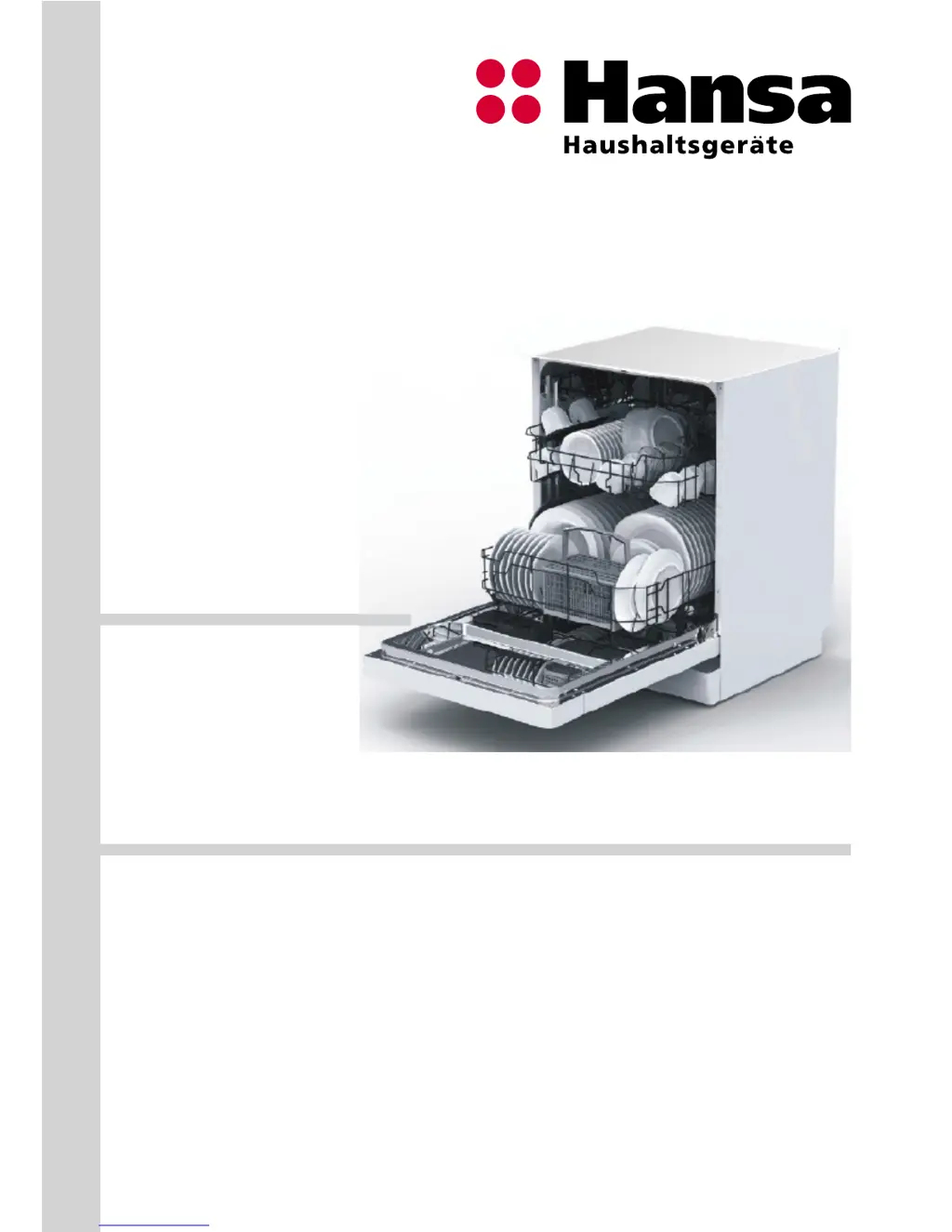
Hansa ZIM 676 H - User Manual

Hansa ZIM 676 H
32 pages
Print Icon
To Next Page IconTo Next Page
Loading...
DISHWASHER
Please carefully read these Operating Instructions before using the appliance!
OPERATING INSTRUCTIONS EN
ZIM 676 H

Questions and Answers

  • K
    katelyn41Aug 14, 2025
    Why are there white spots on my dishes after using my Hansa ZIM 676 H?
    • L
      laurasmithAug 14, 2025
      If white spots or streaks appear on the dishes after using your Hansa Dishwasher, it might be due to using too little detergent or a low dose of rinse aid. Also, check if you are using special salt.
  • W
    Wanda ZimmermanAug 17, 2025
    Why does food residue remain on dishes after washing in my Hansa ZIM 676 H Dishwasher?
    • R
      richardsonpaulAug 17, 2025
      If food residue remains on the dishes after a wash cycle in your Hansa Dishwasher, several factors could be at play. The dishes may be improperly loaded, preventing water from reaching all surfaces, or the basket might be overloaded. Ensure dishes aren't touching each other. Also, check if you're using enough detergent and that you've selected an appropriate wash cycle. Inspect the spray arm for clogs and ensure the filters are clean and correctly fitted. A clogged drain pump could also be the culprit.
  • J
    Julia VelasquezAug 21, 2025
    Why does my Hansa Dishwasher stop during a washing programme?
    • C
      candiceturnerAug 21, 2025
      If your Hansa Dishwasher stops mid-cycle, it could be due to a power failure or a disruption in the water supply. It's also possible that the program was simply paused.
  • D
    dianepetersonAug 25, 2025
    What to do if my Hansa ZIM 676 H programme won't start?
    • D
      Daniel PorterAug 25, 2025
      If your Hansa Dishwasher won't start, ensure the plug is properly inserted into the wall outlet and check the fuses in your electrical system. Verify that the water supply valve is open and the dishwasher door is fully closed. Also, make sure the dishwasher is turned off and on again using the On/Off button and that the water supply filter and dishwasher filters are clean.
  • P
    Patricia WoodAug 27, 2025
    How to stop clinking noises in my Hansa Dishwasher?
    • H
      Heather MorrisonAug 27, 2025
      If you hear clinking noises inside your Hansa Dishwasher, it's likely that the dishes are arranged incorrectly or the spray arm is hitting the dishes. Rearrange the dishes to prevent contact and ensure the spray arm can rotate freely.
  • C
    Christopher GarciaAug 31, 2025
    What to do if there is water in my Hansa ZIM 676 H Dishwasher after the programme completes?
    • K
      Kristopher SharpAug 31, 2025
      If there is water in your Hansa Dishwasher after the program completes, the water drain hose may be clogged or kinked, or the filters could be clogged. It's also possible that the program hasn't fully completed yet. Check these components to ensure proper drainage.
  • M
    Monica BaileySep 3, 2025
    Why don't the indicators go out after washing in my Hansa Dishwasher?
    • W
      woodtroySep 3, 2025
      If the indicators on your Hansa Dishwasher do not go out after washing, you may not have pressed the On/Off button. Also, check if there is residue detergent in the dispenser or if detergent was added to a wet dispenser.
  • J
    Jimmy HarrisSep 6, 2025
    What to do if the Glass light flickers on my Hansa ZIM 676 H Dishwasher?
    • J
      joelcastilloSep 6, 2025
      If the Glass light flickers on your Hansa Dishwasher, it indicates an overflow. This is likely due to a leak somewhere within the dishwasher. Contact qualified personnel to inspect the appliance.
  • R
    Randall AndersonSep 10, 2025
    Why is the Rapid light flickering on my Hansa ZIM 676 H Dishwasher?
    • M
      Michael WestSep 10, 2025
      If the Rapid light flickers on your Hansa Dishwasher, it indicates a longer inlet time. This can be due to the faucets not being fully opened, a restriction in water intake, or low water pressure. Ensure the faucets are open and there are no obstructions in the water supply.

Summary

Safety Instructions for Use

Before Installation and First Use

Check for transport damage, grounding, rating plate, and plug before operating the appliance.

Child Safety and Supervision

Guidelines for children's safety, detergent handling, and supervision around the appliance.

Safe Daily Operation and Maintenance

Safe practices during daily use, door safety, avoiding solvents, and basic maintenance.

Efficiency Tips and Unsuitable Items

Advice on saving energy/water and a list of items unsuitable for dishwashing.

Care for the Environment

Recycling and Disposal Guidance

Information on recycling packaging and proper disposal of used appliances.

Install the Appliance

Appliance Placement and Preparation

Choosing the installation location, unpacking, and ensuring proper clearances.

Water Supply and Drain Connections

Connecting water inlet and drain hoses, checking pressure and hose length.

Electrical Connection Requirements

Grounding, voltage, fuse, and safe plug usage for electrical connection.

Features and Components

Appliance Components Overview

Identification and description of the dishwasher's main internal and external components.

Control Panel Functions and Indicators

Explanation of buttons, lights, and symbols on the control panel.

Prepare the Appliance for Operation

Initial Setup and Salt Refill

Steps for first-time use, checking rating plate, and filling the salt dispenser.

Detergent and Rinse Aid Dispensing

How to fill detergent and rinse aid dispensers and adjust settings.

Water Hardness Settings and Detergent Use

Water hardness table, setting adjustment, and general detergent usage advice.

Load Dishes into Dishwasher

Basket Loading Techniques

Proper placement of dishes, cups, utensils in upper and lower baskets.

Basket Element Adjustment and Cutlery

Folding shelves, lower basket elements, and cutlery basket loading.

Standard Load Capacity and Test Results

Details on place settings, detergent use, and test program specifications.

Turn On the Appliance and Select Programme

Appliance Start-up and Programme Selection

Steps to turn on the dishwasher and choose a wash program.

Programme Interruption and Change

Handling programme pauses, resumption, and changing programs mid-cycle.

Table of Programmes

Cleaning and Maintenance

Routine Cleaning of Components

Cleaning door seals, interior, spray arms, filters, and hose filter for optimal performance.

Error Codes and Troubleshooting

Interpreting Indicator Lights and Errors

Understanding status lights and error codes for diagnostics.

Troubleshooting Programme Start and Operation

Diagnosing and resolving issues with program start, interruptions, and noises.

Resolving Washing Quality Issues

Addressing problems like food residue, spots, or streaks on dishes.

Practical Advice and Useful Information

Troubleshooting Drying and Corrosion

Solutions for dishes not drying properly and corrosion on cookware.

Manufacturers Declaration of Conformity

Statement confirming compliance with relevant European directives.

Product Fiche

Install the Appliance in a Cabinet

Cabinet Installation Site and Clearances

Selecting the installation location and ensuring required clearances within the cabinet.

Front Panel Preparation and Attachment

Preparing the front panel according to dimensions and attaching it to the dishwasher door.

Door Tension and Installation Steps

Adjusting door spring tension and carrying out general installation steps.

Connecting Services and Securing

Connecting water, drain, power, condensation strip, and securing the unit.

Final Leveling and Stability

Ensuring the dishwasher is level and stable using adjusting feet.

Hansa ZIM 676 H Specifications

General IconGeneral
CategoryDishwasher
TypeBuilt-in
Capacity12 place settings
Number of programs6
Noise level49 dB
Delay startYes
Child lockYes

Related product manuals