
 Need help?
Do you have a question about the Hantek DSO-2090 and is the answer not in the manual?
Details product warranty, covering repairs/replacements for faulty parts within one year, excluding user carelessness or natural disasters.
Explains process for services outside warranty coverage, including cost estimates, authorization, and billing for repair costs and return postage.
Advises users to carefully read 'Precautions for Safety' for long and safe use of the product.
States the product undergoes quality control and that malfunctions during normal use are covered under warranty.
Instructs users to contact headquarters or sales offices if product malfunctions occur.
Specifies the ambient temperature and relative humidity range (0-40°C, 10-80%) for normal product operation.
Explains the product is USB powered and warns against using voltages higher than prescribed to prevent shock or fire.
Advises on safe placement, avoiding liquids, dust, flammable materials, and direct sunlight to prevent damage or hazards.
States internal parts are not user-replaceable and opening the case voids the after-sales service privilege.
Lists compatible operating systems: Windows 98/ME/2000/XP/VISTA.
Details required Memory (128Mbyte) and Graphic Card (DirectX supported, 800x600 resolution, 16-bit color depth).
Guides users through inserting the installation CD, running Setup.exe, and proceeding through the installation wizard.
Details connecting the A-Type plug of the USB cable to the PC and the B-Type plug to the DSO-2090 USB.
Guides through the 'Found New Hardware Wizard' for automatic installation of the DSO-2090 USB DRIVER 1 and DRIVER 2.
Provides steps for manual .inf file installation when automatic detection fails in Windows 2000.
Details the initial calibration performed during manufacturing to obtain maximum performance.
Explains connecting a probe, using AUTOSET, checking waveform, and adjusting probe for correct compensation.
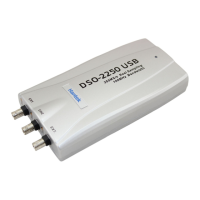
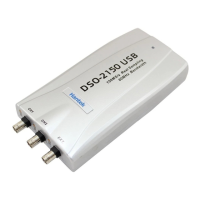
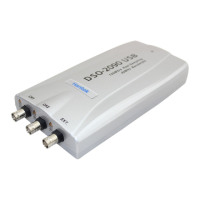
The DSO-2090 USB is a portable PC-based Digital Oscilloscope designed for ease of use and high performance. It connects to a computer via a USB cable, supporting plug-and-play functionality with a 12Mbps communication speed. A key advantage of this device is that it does not require an external power source, as it is bus-powered directly from the USB connection. This makes it highly convenient for various applications where portability and minimal setup are crucial.
The device is intuitive and easy to understand, making it accessible for a wide range of users. It offers a "Big screen" feature, allowing users to adjust the display size of the DSO-2090 USB screen as needed, enhancing visibility and user experience. Furthermore, the DSO-2090 USB supports various data format processing capabilities. Users can save waveforms in multiple formats, including text files, JPG/BMP graphic files, and MS Excel/Word files, which facilitates data analysis, reporting, and integration with other applications.
For safe and correct use, several precautions are outlined. The recommended usage environment for the product specifies an ambient temperature range of 0-40°C and a relative humidity of 10-80%. Users are warned against inputting excessive power voltage, as the product's input power capacity is fixed to prevent electric shock and/or fire. It is crucial not to use a voltage higher than prescribed. When measuring voltage, users must check the probe attenuation, as voltages exceeding the maximum input can damage the device and pose a risk of electric shock, especially with high voltage measurements. Users are advised to pay extra attention not to touch the terminal with their hands. All unused probes or tester leads should be eliminated to prevent contact with surrounding high voltage parts, and the PC's power source must be grounded.
Regarding handling, the probe ground lead is at ground potential and should only be connected to earth ground, never to an elevated voltage. For measuring floating potential, the differential motion method using CH1 and CH2 is recommended. Users should never connect or disconnect the product with the probe or test lead while it is connected to a voltage source. Operating the product in situations where there is a risk of dysfunction or shock is to be avoided. If any unusual smell, smoke, or sound is noticed, the product should be immediately stopped, and the USB connection removed from the computer. The product should be kept out of reach of children or those who cannot be trusted with its use. It should not be used with wet hands to prevent electric shock, and it should only be used for its stated purposes.
For optimal usage location, the product should be kept away from humidity, water, or dust to prevent short circuits, electric shock, or fire, especially if its crevices are exposed to electric conductors. It must not be used near gas or other flammable and/or explosive materials. Direct sunlight should be avoided for storage. The product should not be used in dirty environments, near other operating machines, or where there is a high level of electromagnetic waves. Placing the product on an unstable cart, stand, or tripod is also discouraged to prevent accidents and damage.
Maintenance and storage guidelines include removing the USB cable from the product if it will not be used for a long term. The recommended temperature and humidity for equipment storage are 25°C at 50% humidity.
After-sales service information emphasizes that there are no user-replaceable parts inside the product. Users should not attempt to replace parts or open the case themselves, as this can lead to electric shock, other safety accidents, and will void the after-sales service privilege.
The manual also provides a "Product Warranty Guide," urging users to read the "Precautions for Safety" carefully for long and safe use. It states that the product undergoes careful quality control and testing, and any malfunctions during normal use are covered under the "Certificate of Product Warranty." In case of malfunction, users are directed to contact the headquarters or sales offices.
The product's warranty covers a period of one year from the date of purchase, with faulty parts or functions (under normal use) repaired or replaced at no charge. However, malfunctions caused by user carelessness, inadequate maintenance, or natural disaster will incur a fee for repair or replacement services, regardless of the warranty period. If the product is unsuitable for an application, it can be returned for exchange or refund within 14 days, provided it is in good condition. A serial number must be provided when contacting for returns, and the customer is responsible for shipping costs. Warranty coverage is limited to products registered at the company's headquarters or branch offices, with repairs, replacements, or refunds issued at the manufacturer's discretion. For warranty services, purchasers can visit a headquarters or sales office, or send the product with a detailed description of services required via postal service (purchaser responsible for packaging, postage, and insurance). Once repairs are complete, the supplier will return the product, covering return postage. If services are deemed outside warranty coverage, the purchaser will be contacted with an estimate of repair costs and authorization will be sought before work begins. In such cases, return postage and repair costs will be billed to the purchaser. The company does not warrant that the software and product are completely error-free or will function correctly in all operating environments, emphasizing that users must verify the software and product function to their requirements before relying on them or the generated data. The company disclaims responsibility for any loss or injury caused by product or software use, placing the responsibility on the user to ensure suitability for their application. The company will not be held legally liable for malfunctions from user carelessness, abnormal use, or natural disaster, even with prior notification of such dangers.
Probe calibration is a key maintenance aspect. The DSO-2090 USB is manually calibrated at manufacturing for maximum performance, and users may calibrate it again 5 or 6 months after purchase. Probe compensation is also crucial: a probe with more than 40MHz bandwidth is required for undistorted signals, and probes should be compensated every time they are connected for the first time. The process involves connecting the calibration signal to channel 1, pushing AUTOSET, checking the waveform shape, and adjusting the probe until the displayed waveform is compensated.
 General
| Channels | 2 |
|---|---|
| Input Coupling | DC, AC, GND |
| Display | TFT LCD |
| Vertical Resolution | 8 bit |
| Input Impedance | 1 MΩ |
| Interface | USB |
| Trigger Modes | Edge, Pulse, Video |
| Memory Depth | 4K points |


 To Next Page