overview
12_ overview
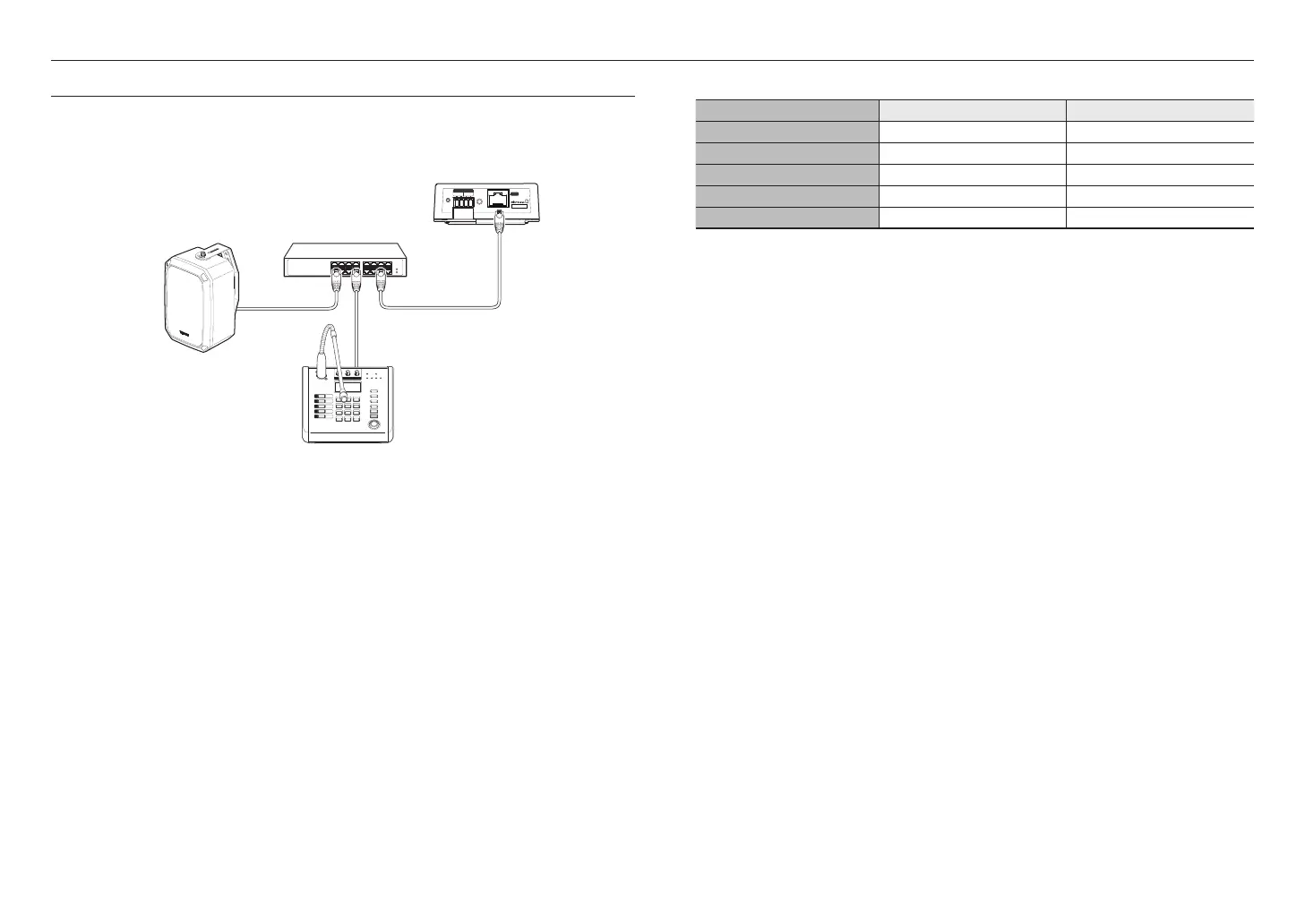
CONNECTING TO POWER AND A NETWORK
Connect the switching hub that supports PoE or PoE+ to the NETWORK port of the product using a network cable.
If you connect the product to a switching hub that supports PoE+ or PoE, you can use it without a separate power
source.
STATUS
RESET
PoE+
ALARM
IN OUT
1
2
3
4
5
1 2 3
4 5 6
7 8 9
*
0 #
VOLUME
MONITOR
MIC
TALK
PUSH
MAXMIN
AUX
MAXMIN
CHIME
MENU
PRESET
PREV
NEXT
CHIME
POWER
-6dB 0dB
NETWORK
+3dB +6dB
MAXMIN
ALL
Switching hub (PoE, PoE+ supported)
<IP audio module>
<IP microphone>
<IP Speaker>
J
`
Use PoE+ switch hubs that support the IEEE 802.3at standard.
`
Use PoE switch hubs that support the IEEE 802.3af standard.
Network Cable Specification
Item Contents Remark
Connector RJ45 (10/100BASE-T)
Ethernet 10/100BASE-T 10/100 Mbps
Cable Category 5e
Max Distance 100 m DC Resistance ≤ 0.125 Ω/m
PoE Support PoE+ / PoE



 To Next Page