4
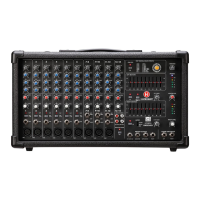
LP9800
POWERED MIXER
LP9800 Owner's Manual
TABLE OF CONTENTS
BASIC OPERATION
Welcome .............................................................................. 2
Important Safety Instructions .............................................. 3
Basic Operation ................................................................... 4
Front and Rear Panel Diagrams ......................................... 5
Front Panel ............................................................................ 6
Rear Panel ............................................................................ 11
Specifications ....................................................................... 12
Power Amplifier Diagram .................................................... 13
Output Block Diagram ........................................................ 14
Warranty .............................................................................. 16
• Ensure the LP9800’s AC power switch is turned off.
• Place the LP9800 on the floor, a table, or a sturdy stand.
• Turn down all Level, Monitor Level, and Main Level Controls.
• Plug speakers into the rear panel speaker jacks.
NOTE: Speakers should be placed in a location that
allows for unobstructed (line-of-sight) sound projection to
the audience. In many venues, it is beneficial to place
speakers on speaker stands for best results.
• Plug sources such as microphones, instruments, or CD/MP3 players
into the front panel jacks.
• Turn AC Power switch to “On”.
• Slowly turn the Main Level to 12 o’clock.
• Slowly turn the Level control on each input Channel up to the
desired volume level.


 To Next Page