EasyManua.ls Logo

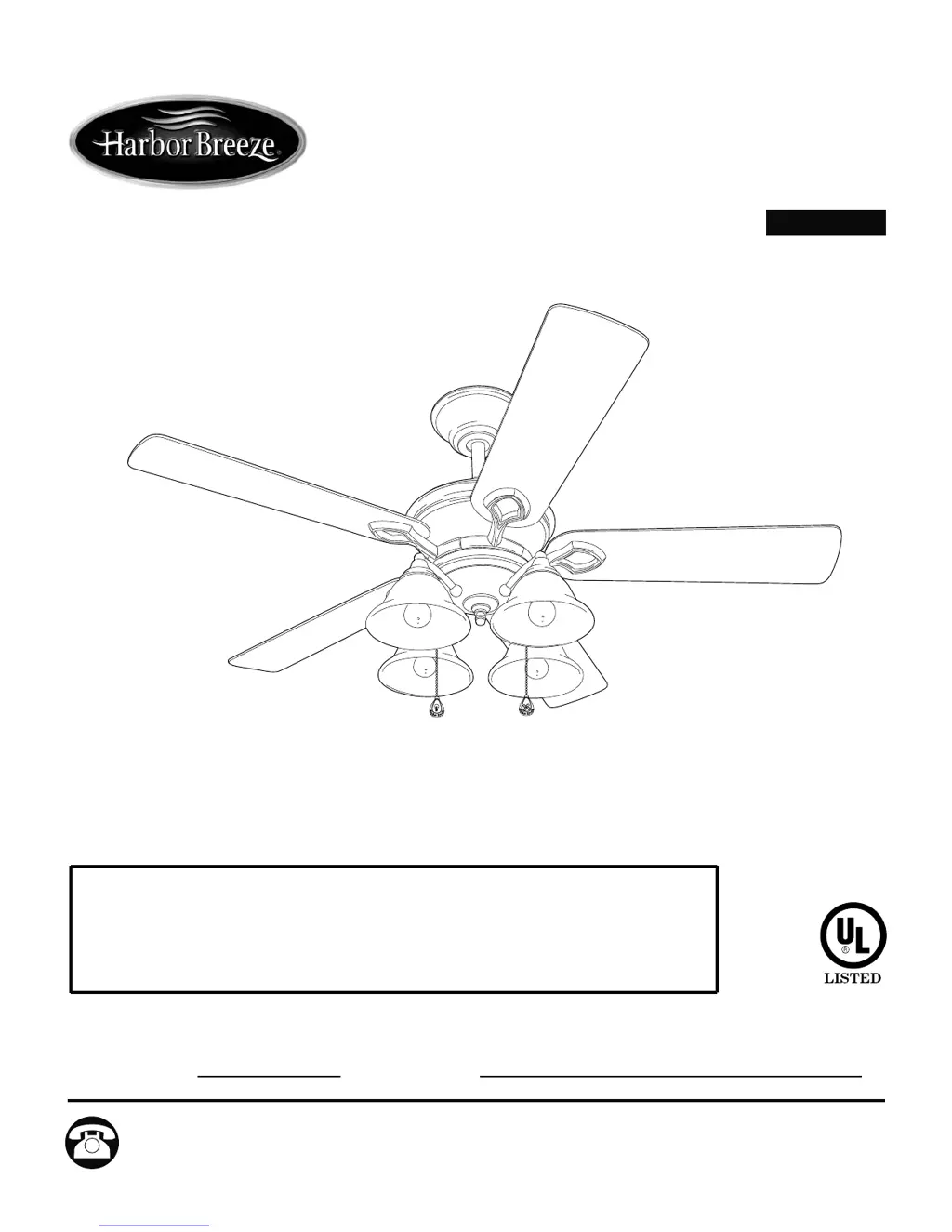
Harbor Breeze BELLHAVEN II E-BLHII52VPW5C4S - User Manual

Harbor Breeze BELLHAVEN II E-BLHII52VPW5C4S
40 pages
Print Icon
To Next Page IconTo Next Page
Loading...
Questions, problems, missing parts? Before returning to your retailer, call or contact our
customer service department at 1-800-527-1292, 8:30 a.m. - 5:00 p.m., CST, Monday - Friday.
Harbor Breeze® is a registered trademark
of LF, LLC. All Rights Reserved.
ATTACH YOUR RECEIPT HERE
Serial Number
Purchase Date
1
Federal regulations require ceiling fans with light kits manufactured or imported after
January 1, 2009, to limit total wattage consumed by the light kit to 190W. Therefore,
this fan is equipped with a wattage limiting device. If you lamp this fan's light kit with
bulbs totaling more than 190W, the wattage limiting device will reduce the watts
consumed to 190W.
ITEM #18039
MODEL #E-BLHII52VPW5C4S
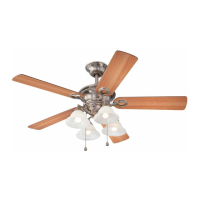
BELLHAVEN II CEILING FAN
español p. 20
E192641

Questions and Answers

  • A
    Amber MurphyAug 1, 2025
    Why does my Harbor Breeze Fan operate but the light fails?
    • R
      Raymond ReidAug 1, 2025
      If your Harbor Breeze Fan is running but the light isn't working, try these steps: 1. Bulb installation: Re-install the bulb(s) to ensure they are properly fitted. 2. Wiring in canopy: Check the wiring in the canopy and re-wire if necessary. 3. Wall switch: Ensure the wall switch to the fan is turned on. 4. Plugs: Verify that the male and female plugs in the switch housing are properly connected.
  • M
    mckinneyrachelAug 5, 2025
    What to do if Harbor Breeze BELLHAVEN II E-BLHII52VPW5C4S Fan does not move?
    • B
      Brian MccormickAug 6, 2025
      If your Harbor Breeze Fan isn't moving, here's what you can check: * Reverse switch: Ensure the reverse switch is fully engaged by pushing it firmly either left or right. * Power and fuse: Make sure the power is on, and check the fuse. * Wiring: With the power off, loosen the canopy and inspect all wire connections. * Plugs: Verify that the male and female plugs in the light kit fitter are correctly connected.
  • J
    Jonathan MathewsAug 10, 2025
    Why do the lights on my Harbor Breeze BELLHAVEN II E-BLHII52VPW5C4S appear dimmer than they should?
    • M
      Maria FrancisAug 10, 2025
      If the lights on your Harbor Breeze Fan appear dimmer than expected, it might be because the fan is lamped with bulbs exceeding 190W. The wattage limiting device reduces the light output in such cases. To fix this, use bulbs that total no more than 190W.
  • R
    Rachel CopelandAug 15, 2025
    Why is my Harbor Breeze BELLHAVEN II E-BLHII52VPW5C4S wobbling so much?
    • A
      Abigail NewtonAug 16, 2025
      If your Harbor Breeze Fan wobbles excessively, there are several potential causes: * Loose blades: Tighten all blade screws. * Incorrectly attached blade arms: Re-install the blade arms. * Unbalanced blades: Try switching a blade with one from the opposite side. * Insecurely mounted fan: Turn off the power, carefully loosen the canopy, and ensure the mounting bracket is secure. * Fan too close to vaulted ceiling: Use a longer downrod or move the fan to a different location. * Loose set screws on the motor housing yoke: Tighten the yoke set screws securely. * Loose set screw on the hanging ball: Carefully loosen and lower the canopy and verify that the set screw on the hanging ball is tightened securely.
  • S
    Stephen LopezAug 20, 2025
    How to fix a noisy Harbor Breeze BELLHAVEN II E-BLHII52VPW5C4S Fan?
    • L
      Lisa SmithAug 21, 2025
      If your Harbor Breeze Fan is operating noisily, consider the following: 1. Loose blades: Tighten all blade screws. 2. Cracked blade: Replace the blade. 3. Incompatible dimmer switch: Replace a full range dimmer switch with an approved speed control device. 4. New fan: Allow the fan a “break in” period of a few days, especially when running the fan at Medium and High speeds.
  • C
    Carolyn KruegerAug 26, 2025
    Why do lights dim when turning on my Harbor Breeze Fan?
    • D
      David DrakeAug 26, 2025
      If the lights on your Harbor Breeze Fan dim when turning the fan or lights on, and the fan is lamped with more than 190W, the wattage limiting device is resetting. No action is needed; the fan will automatically reset within 5 seconds after turning the wall switch back on.

Summary

Safety Information

Safety Warnings

Critical safety warnings to prevent fire, electrical shock, or personal injury during installation and operation.

Safety Cautions

Important precautions to take before installation to ensure electrical safety and proper fan setup.

Package Contents

Hardware Contents

Preparation

Initial Installation

Fan Mounting

Wiring

Final Installation

Operation Instructions

Care and Maintenance

Troubleshooting

Troubleshooting Fan Movement Issues

Addresses issues where the fan fails to operate, listing potential causes and solutions for troubleshooting.

Troubleshooting Noisy Fan Operation

Details common causes for fan noise and provides corrective actions to resolve the issue.

Troubleshooting Excessive Fan Wobbling

Explains reasons for fan wobbling and offers steps to ensure stable mounting and operation.

Troubleshooting Light Failure

Guides users on troubleshooting when the fan works but the light does not illuminate.

Warranty

Replacement Parts List

Harbor Breeze BELLHAVEN II E-BLHII52VPW5C4S Specifications

General IconGeneral
BrandHarbor Breeze
ModelBELLHAVEN II E-BLHII52VPW5C4S
TypeCeiling Fan
Blade Span52 inches
Number of Blades5
Motor TypeAC Motor
Light KitYes
Remote ControlYes
Reversible MotorYes
WarrantyLimited Lifetime
Light TypeLED
Mounting TypeDownrod
Blade ColorWalnut

Related product manuals