Operation
This metal detector distinguishes between ferrous and non-ferrous metals. Ferrous metals contain iron.
Non-ferrous metals do not (examples: gold, silver, copper, platinum, aluminum, lead, and zinc).
When the Metal Detector senses a metallic object, the meter reading changes and the detector might
sound a tone. The reaction depends on what metal is detected.
Turning On The Metal Detector:
1. Set the BATT TEST to OPERATE.
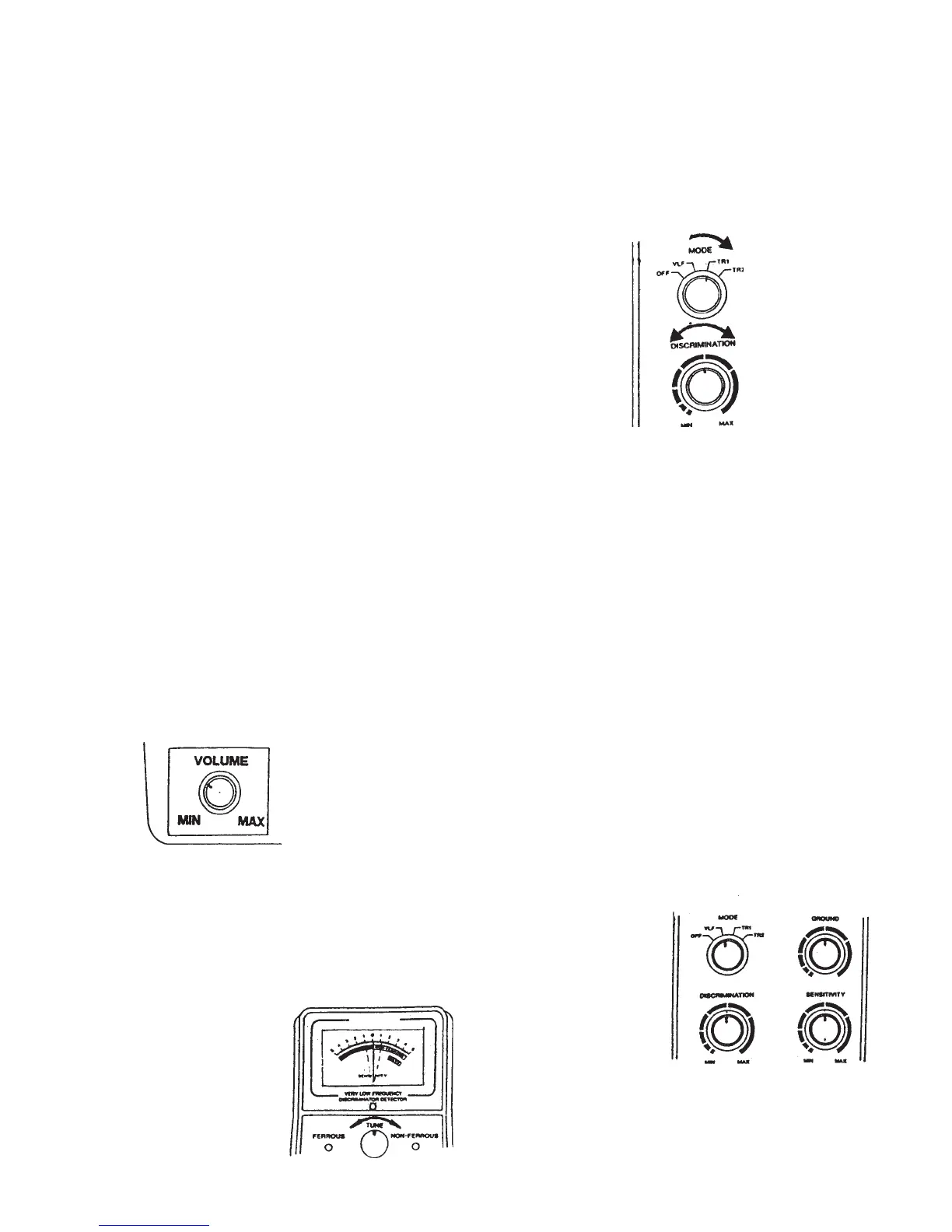
2. Hold the detector comfortably, then as shown in Figure 13,
rotate MODE to the desired position.
Set it to VLF to test the
battery power and adjust TUNE and GROUND
(see directions below and on page 8 ).
Set it to TR1 to detect extreme differences in metals, such
as between gold and iron. The difference shows on the meter (iron as a ferrous metal, gold as a
non-ferrous metal).
Set it to TR2 to detect finer distincions between metals. For example, between aluminum and
gold.
Tuning the Metal Detector:
TUNE fine tunes the balance between the metal detector’s receiver and the transmitter circuitry, to
provide consistent pointer and tone indications.
To set the TUNE, please do the following and see Figure 14 and 15:
1. Rotate VOLUME to the 10 o’clock position.
2. Set MODE to VLF.
3. Set GROUND, DISCRIMINATION, and SENSITIVITY to mid-
range.
4. Hold the search coil at least 1 foot away from the ground and any
metal object. Hold down the red button on the handle and slowly
rotate TUNE until the viewmeter pointer rests at or near 0 (see Figure 16).
Figure 13
Figure 14
Figure 15
Figure 16
#43149 Page 6



 To Next Page