28 HARGASSNER Heating technology for Biomass A 4952 Weng OÖ Tel.: +43/7723/5274-0 Fax: +43/7723/5274-5 office@hargassner.at
III
8 Settings menu
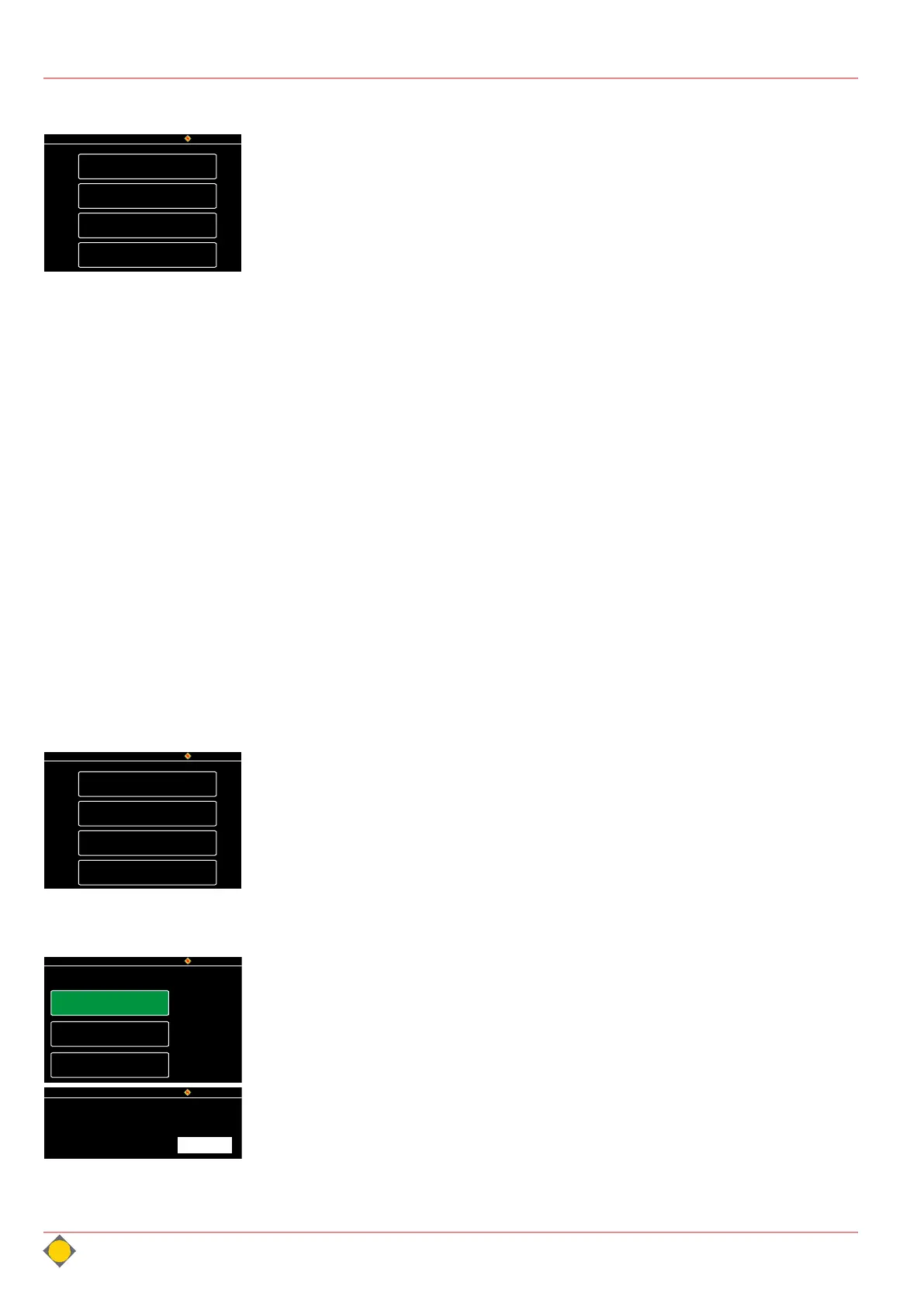
Press the Set button in the standard display to access the
Settings menu.
• Customer
• Installer
• Service
• Setup
8.1 Customer
This button leads to configuration pages, which are also
available via the Standard menu
See „Settings menu“ on page 31.
8.2 Installer
Extended settings of the boiler. Only available for the registered installer and
Hargassner service personnel. The parametrisation depends on the heating
system configuration.
Code: 33
See „Installer settings“ on page 37.
8.3 Service
Enables trained service personnel to change parameters. The parametrisation
depends on the heating system configuration.
Note: Installer and Service menu are protected by a PIN code. Only service
personnel may change them, as the parameters may impair the functionality of
the heating system if poorly selected.
8.4 Setup
The following setting options are available:
• Display settings
• Network settings
• Parameter download (SD)
• Data recording (SD)
8.4.1 Display settings
No. 01 Display standby
Activates or deactivates the standby mode.
No. 01a Display settings
Display switches to standby mode after preset time
Display settings
Mo, 15/10/18 Setup HARGASSNER
Settings
Standard
Auto
Function
Network settings
Parameter download (SD)
Data recording (SD)
HARGASSNER
Do,22.11.18 08:41
Customer
Installer
Service
Setup
HARGASSNER
Do,22.11.18 08:41
Display settings
Data recording
SD
Network
Parameter download
SD
HARGASSNER
Do,22.11.18 08:41
AUTO
DISABLED
Acc. Status
No. 01 Display standby
No. 01a Display settings
Display standby for
Default: 10 min.
10 Min



 To Next Page