myHARGRAY
DVR USER GUIDE
24
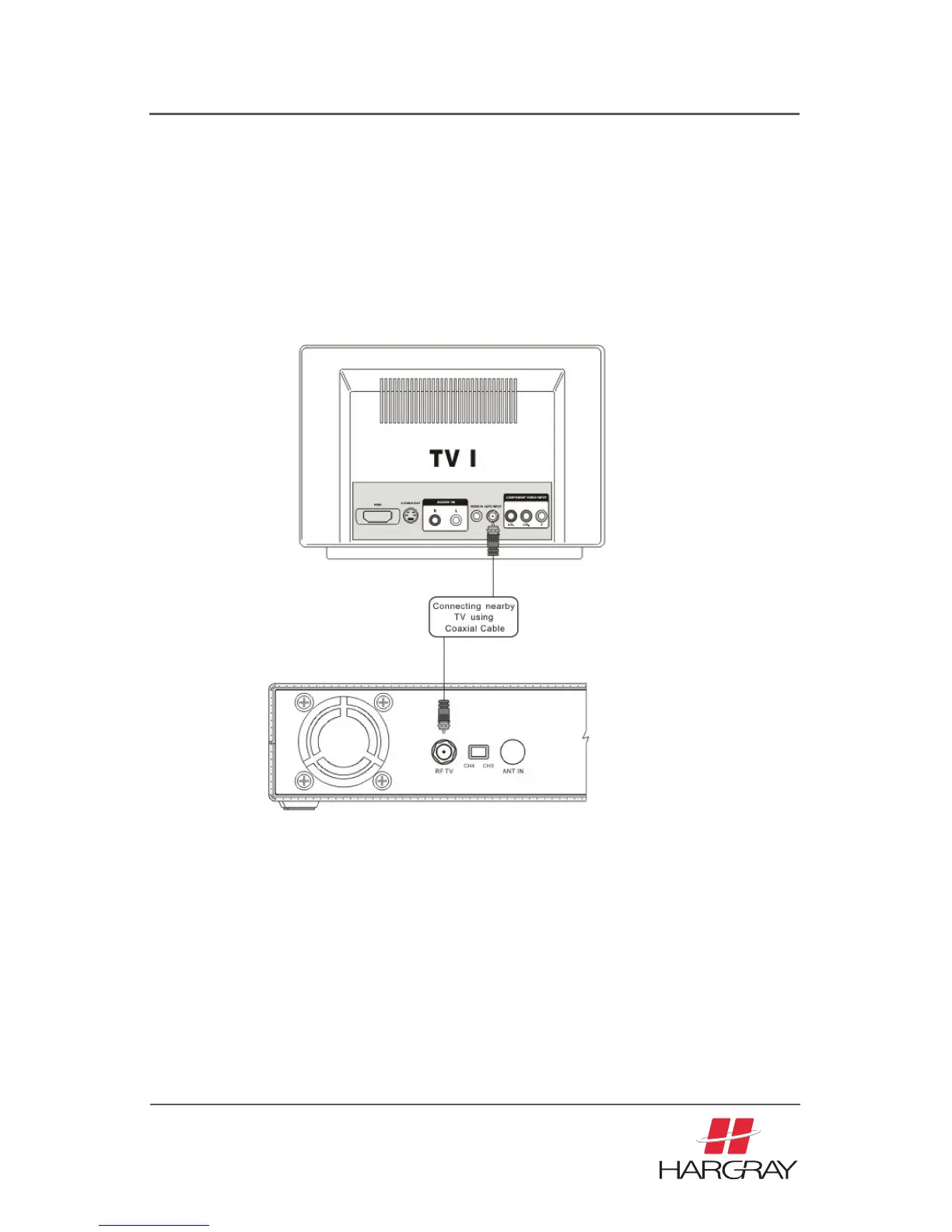
Connecting the TV using Coaxial Cable
1. Use the coaxial cable that comes packaged with Set Top Box to connect your
TV’s antenna input to the Set Top Box RF TV.
2. You can either select to use CHANNEL ID 3 or CHANNEL ID 4. You can change
the channel ID by toggling the CH3/CH4 SWITCH at the rear panel.
3. Tune your TV to channel 3 or channel 4 to view the output.
Setting up TV to use CATV
In order for the Set Top Box to feed video signal to TV using RF TV, your TV must be
configured to receive signal from CATV rather than from the antenna.
Most TVs use either a physical switch located on the rear of the TV or with on-screen
programming to configure to use CATV. Consult your TV owner’s manual for instruction
if required.



 To Next Page