myHARGRAY
DVR USER GUIDE
25
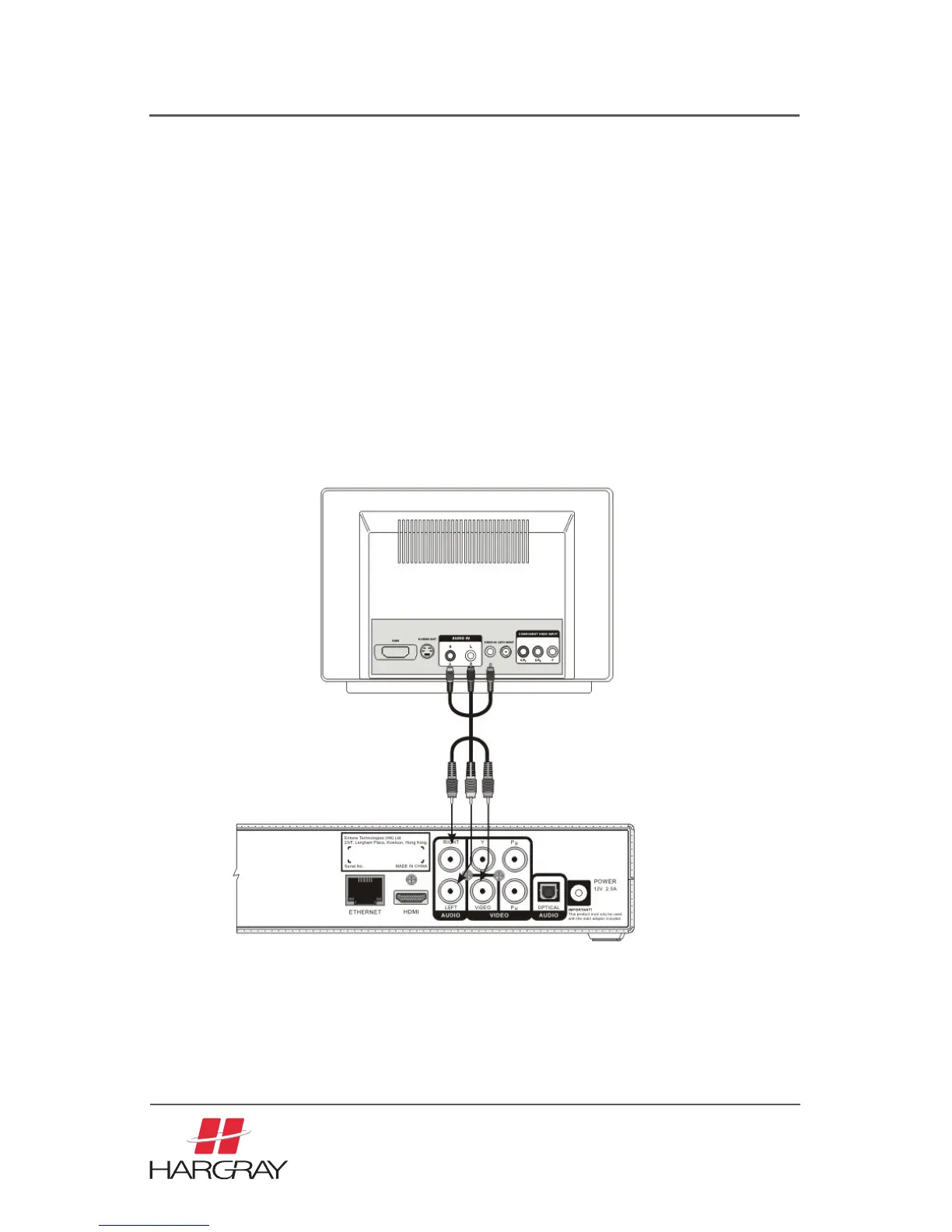
Connecting the TV using RCA composite
1. Acquire the required cable. RCA cable comes packaged with the Set Top Box.
2. Connect the video and audio cables to the Set Top Box.
3. Connect the opposite end of the video and audio cables to the matching input
in the TV.
4. Plug in your TV and turn on the power using your TV remote control. Use your
TV remote control to select the respective video input that has connected to
the Set Top Box. Consult your TV owner’s manual for instructions as required.
5. Plug in your Set Top Box and turn on the power.
6. You should now see the output from the Set Top Box on your TV screen.



 To Next Page