myHARGRAY
DVR USER GUIDE
Powering-Up Set Top Box
Follow these steps to power up the Set Top Box:
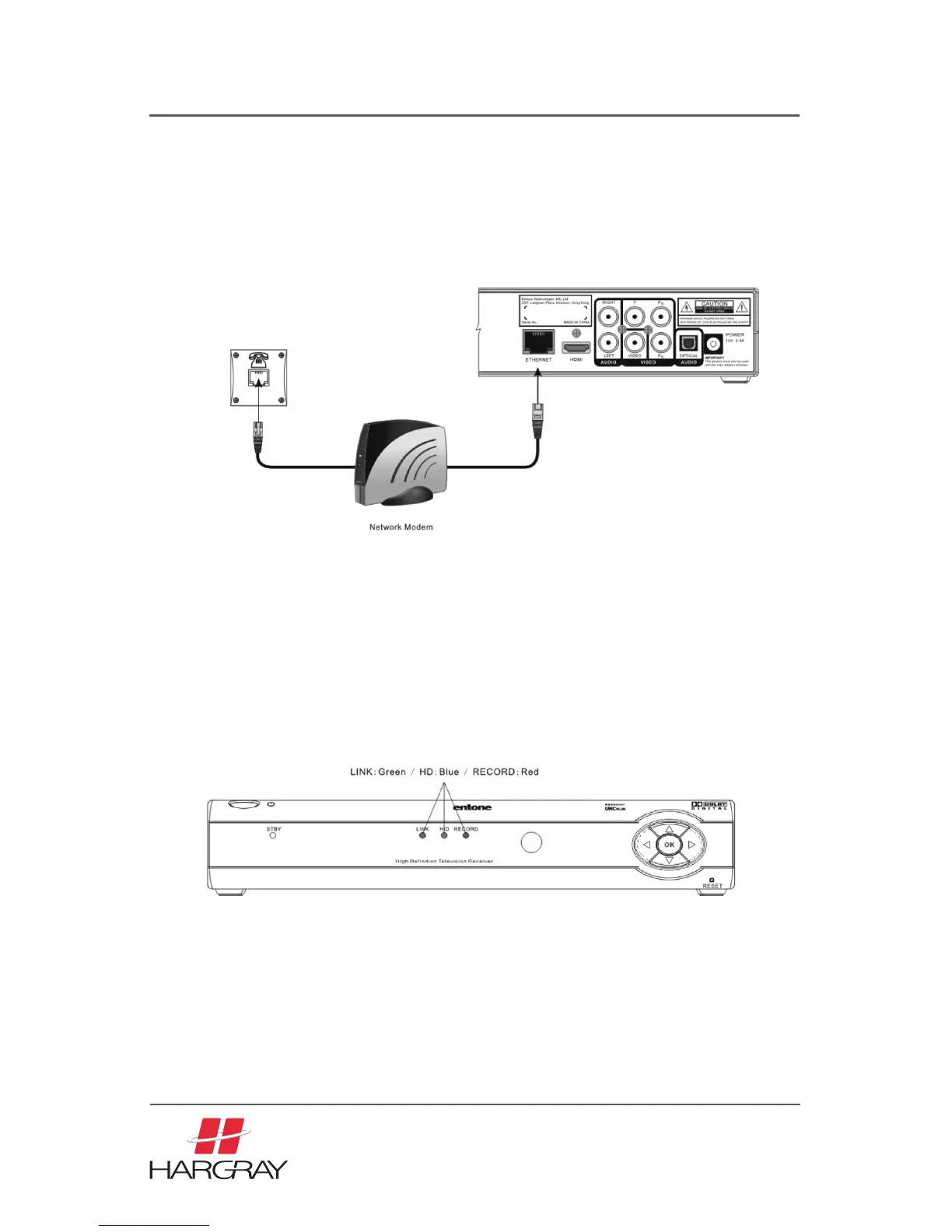
1. Follow your TV/Network instruction to connect the Set Top Box to your network
modem or network access unit using the Ethernet cable comes packaged with the
Set Top Box.
2. Plug the socket end of the AC/DC adapter into the wall socket and the DC jack into
the power connector on the Set Top Box.
3. The Set Top Box front panel power indicator will illuminate in orange color.
4. The LINK LED indicator will illuminate in green color
NOTE: The HD LED indicator will illuminate only if the output resolution is 720p
or higher. The RECORD LED indicator will illuminate only if the (PVR) is enabled
and recording assets to the hard disk drive.
5. Within 60 seconds splash screen will appear on the TV.
6. The total boot-up time may vary.
ATTENTION: Your Set Top Box is equipped with a hard drive, disk formatting may be
required when the Set Top Box boots up for the first time. Message will be showing in
the splash screen when the disk is being formatted. Do not power off the box during
the disk formatting.
31



 To Next Page