myHARGRAY
DVR USER GUIDE
URC PLUS supports both RF and IR signals. You need to follow below procedures to
program the URC PLUS to IR mode before controlling Set Top Box.
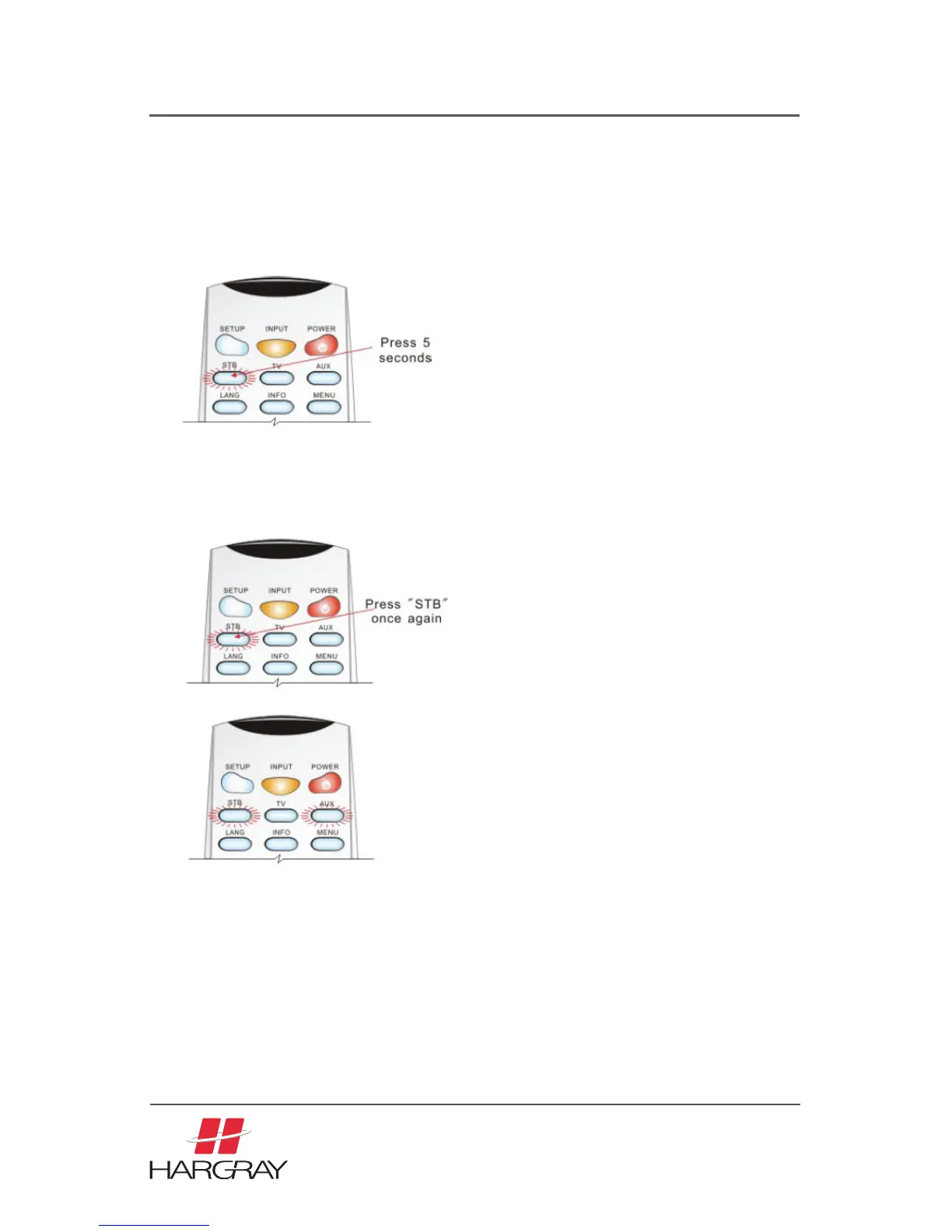
1. On the URC PLUS, press and hold the STB button for approx. 5 seconds. The STB
button backlight will illuminate. Now the URC PLUS is in registration mode.
2. On the URC PLUS, press STB once again. Both the STB and AUX button backlight
will illuminate.
3. Press 0 to set URC PLUS to IR mode only. The URC PLUS will not send
any RF signal.
The STB button backlight on the URC PLUS will blink twice to indicate that the
setting was successful.
Pressing a key other than 0 or a button is not pressed within 10 seconds,
the STB backlight will extinguish and the URC PLUS registration process
will be terminated.
33



 To Next Page