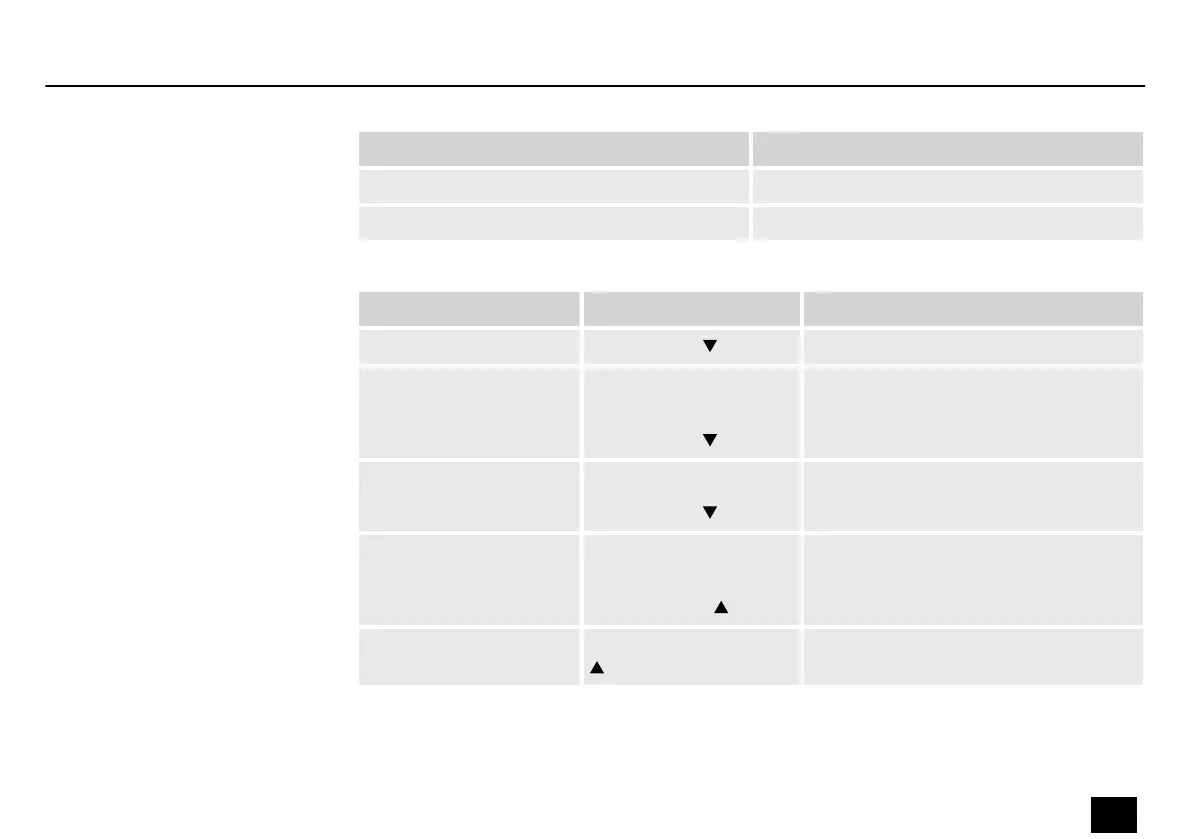
Submenu Description
‘PLAY VOL’ Adjusts the playback volume of the looper.
‘TIME’ Shows the recording time.
Submenu Trigger Description
‘REC’
Press [TUNER]
The recording is started.
‘PLAY’ With REC/DUB/STOP
activated:
Press [TUNER]
The playback is started.
‘DUB’ With PLAY activated:
Press [TUNER]
The dubbing is started.
‘STOP’ With PLAY/DUB acti‐
vated:
Press [LOOPER]
Playback or dubbing is stopped.
‘CLEAR’ Press and hold [LOOPER]
for one second
All audio tracks are being deleted.
Operating
DNAfx GiT
35
Multi Eects Unit


 To Next Page