2. Turn [VALUE] until the desired preset number is reached, under which you want to save
the settings.
3. Press [VALUE].
ð
The set value is applied.
4. Turn [VALUE] to select the desired letter for the preset name.
5. Press [VALUE].
ð
The set value is applied.
6. Repeat steps 4 and 5 until you have entered the desired name for the preset you want to
save.
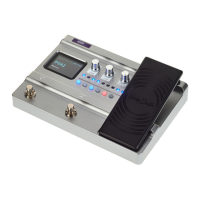
6.2 Expression pedal
1. Press [EXP].
ð
The menu for setting the expression pedal is called up.
2. Press [VALUE] until the display shows ‘Level/Volume/MST’ .
3. Press [VALUE].
ð
The set value is applied.
Setting the eects volume
Operating
28
DNAfx GiT
Multi Eects Unit


 To Next Page