8.7IGNITION SWITCH/FORK LOCK
GENERAL
The automatic-on headlamp feature provides increased
visibility of the rider to other motorists. Be sure headlamp
is on at all times. Poor visibility of rider to other motorists
can result in death or serious injury. (00030b)
Dyna model ignition/light/key switches are non-repairable. If a
switch is damaged, it must be replaced. Key switch functions
and locations are listed in Table 8-4.
FXD, FXDL, FXDB
TOOL NAMEPART NUMBER
IGNITION SWITCH/FORK LOCK
WRENCH
HD-47853
Removal
NOTE
FXD, FXDL and FXDB models have a combination ignition
switch/ fork lock. To replace the fork lock on FXDWG, FXDF
and FXDC models, follow this procedure.To replace the ignition
switch on FXDWG, FXDF and FXDC models, see 8.7 IGNITION
SWITCH/FORK LOCK, FXDWG, FXDC, FXDF Models (Ignition
Switch Only).
1. Remove seat.
To prevent spray of fuel, purge system of high-pressure
fuel before supply line is disconnected. Gasoline is
extremely flammable and highly explosive, which could
result in death or serious injury. (00275a)
2. Purge the fuel supply line of high pressure gasoline.
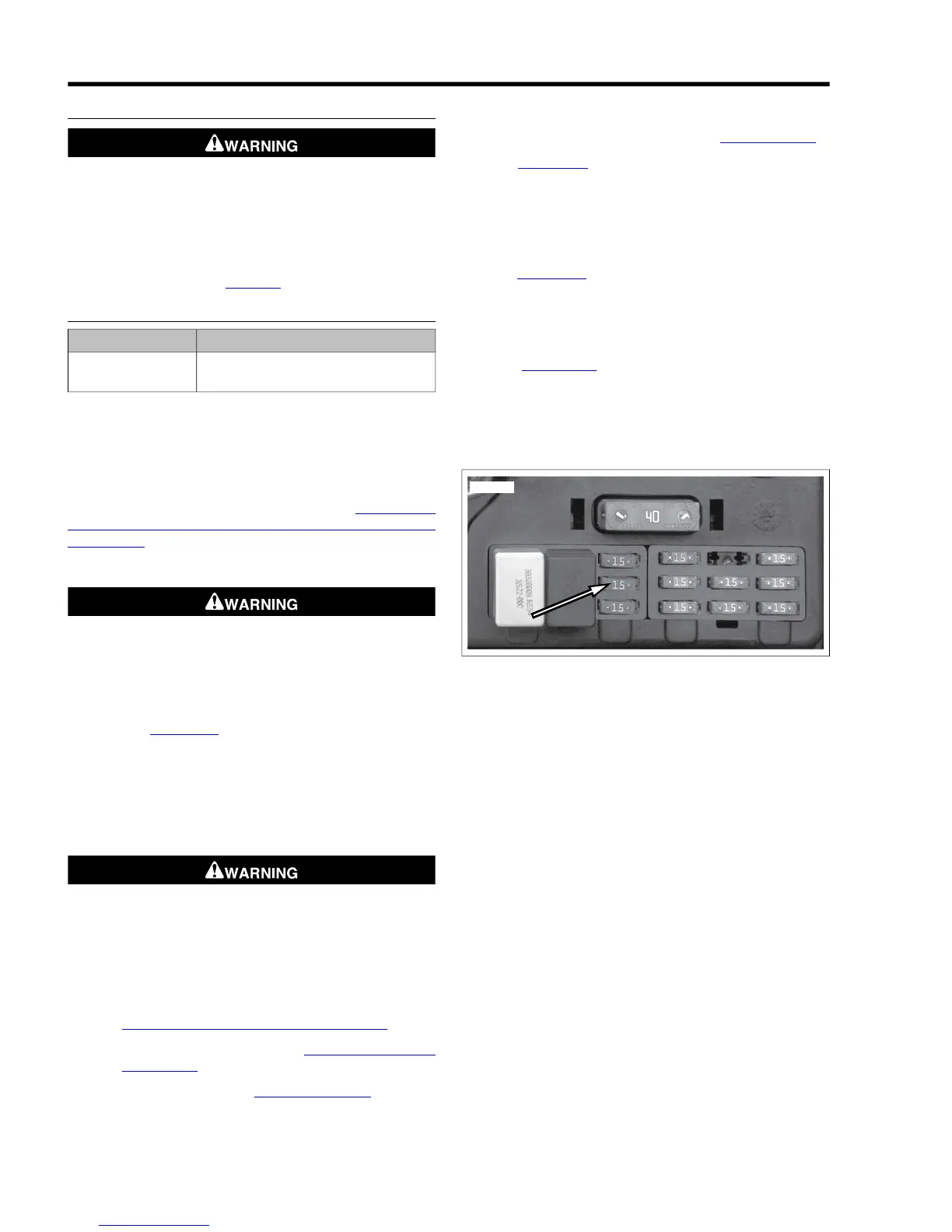
a. See Figure 8-11. Remove the fuel pump fuse located
in the electrical caddy.
b. Start the engine and allow the vehicle to run.
c. When the engine stalls, operate the starter for 3
seconds to remove any remaining fuel from the fuel
lines.
To prevent accidental vehicle start-up, which could cause
death or serious injury, disconnect negative (-) battery
cable before proceeding. (00048a)
3. Disconnect negative battery cable.
4. Remove instrument console.
a. For FXDWG, FXDC, FXDF models, see
8.17 INSTRUMENTS: FXDWG/FXDC/FXDF.
b. For FXDL, FXDB models, see 8.18 INSTRUMENTS:
FXDL/FXDB.
c. For FXD models, see 8.15 FUEL GAUGE.
5. Disconnect console wiring.
6. Gain access to the ignition switch fork/lock wiring by
removing fuel tank hardware and fuel line. Carefully pivot
tank upward and prop in position. See 4.5 FUEL TANK.
7. See Figure 8-12. Remove harness shield (1) by pushing
both tabs of shield in at the same time.
8. While leaving harness connectors engaged, pull harness
connectors from inside frame.
9. Remove decal (6).
10. See Figure 8-13. Place IGNITION SWITCH/FORK LOCK
WRENCH (Part No. HD-47853) (1) on face nut (2). Turn
ignition switch/fork lock wrench clockwise to loosen face
nut. Turn face nut clockwise until it bottoms on ignition
switch/fork lock.
11. See Figure 8-14. Rotate ignition switch/fork lock (2)
clockwise to allow fork lock boss (3) to clear fork lock cavity
(4). Remove ignition switch/fork lock from frame.
12. On FXD, FXDL, FXDB models, remove connector from
ignition switch/fork lock.


 To Next Page
 Loading...