EasyManua.ls Logo

Harman Kardon 800+ - SQ ALIGNMENT PROCEDURE; SQ Circuit Alignment; Changing Stereo;Quad Switch

Harman Kardon 800+
33 pages
Print Icon
To Next Page IconTo Next Page
To Previous Page IconTo Previous Page
Loading...
SQ
ALIGNMENT
PROCEDURE
INSTRUMENTS:
AF
Oscillator, 2-V.T.V.M.,
and
Oscilloscope
NOTE:
Set
MODE
selector
to
ENHANCE
STEREO.
Keep
AF
oscillator
output
to
1.0V
at
1
000Hz
during
alignment.
Step
SIGNAL
SOURCE
OUTPUT
METER
ADJUST
ADJUST
FOR
1
Connect
AFO
to
LT.
Connect
scope
and
VR201
1.0Von
V.T.V.M.
V.T.V.M.
to
LF
2
Same
as
above.
Connect
scope
and
VR202
1.0V
on
V.T.V.M.
V.T.V.M.
to
LB
3
Connect
AFO
to
RT
Connect
scope
and
VR203
1.0V on V.T.V.M.
V.T.V.M.
to
RF
4
Same
as above.
Connect
scope
and
VR204
1.0V on V.T.V.M.
V.T.V.M.
to
RB
CHANGING
THE
STEREO/QUAD
(4-CH) SWITCH
The
receiver
operates
22W x 4-CH
when
the
switch
is
set
QUAD (4-CH) side
and
44W
x 2-CH
when
the
switch
is
set
STEREO
side
at
rated
power.
The
switch
is
set
at
QUAD (4-CH) side.
If
you
want
more
output
with
stereo
signal, please change
the
switch
setting
from
QUAD (4-CH) side
to
STEREO
side.
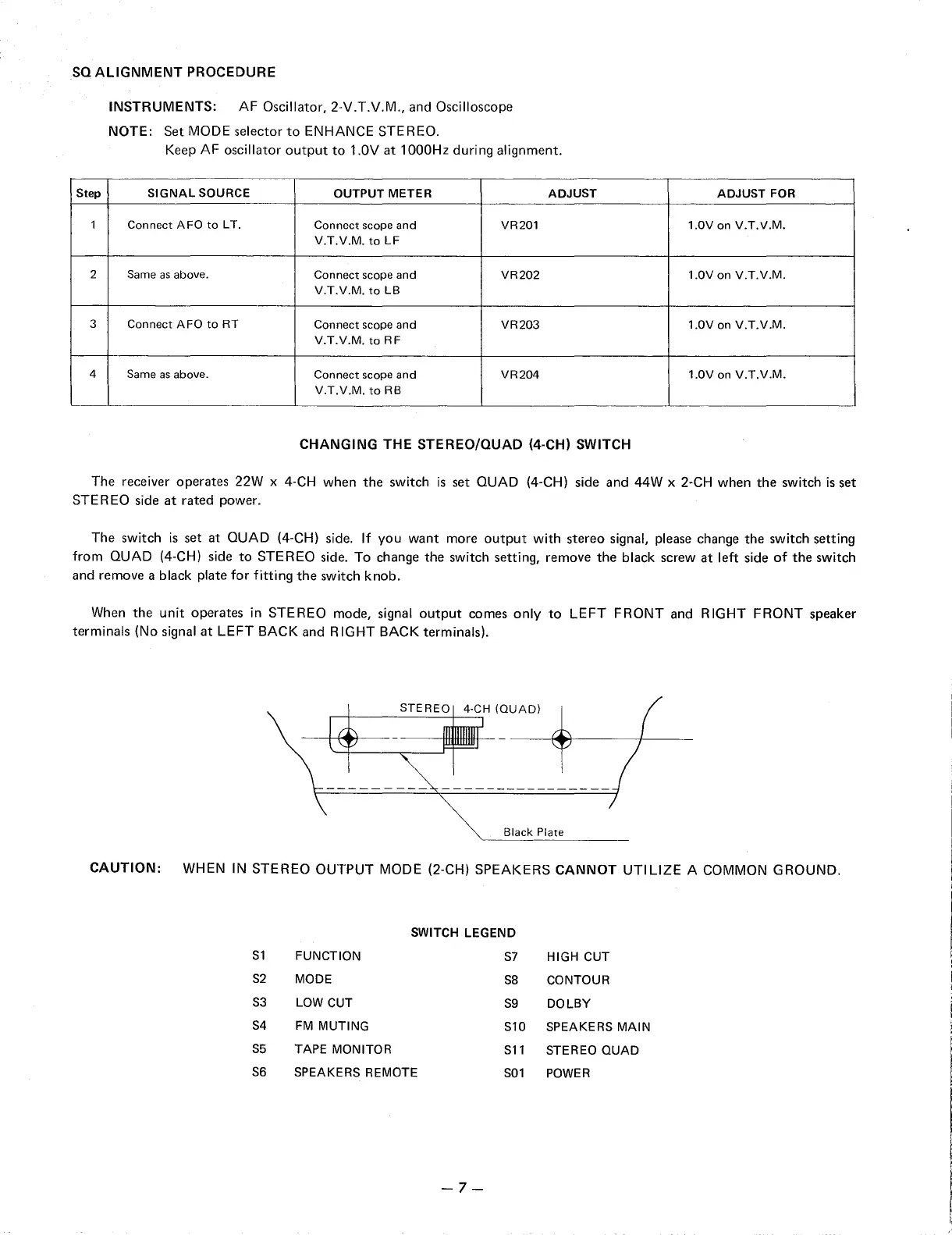
To
change
the
switch
setting,
remove
the
black
screw
at
left side
of
the
switch
and
remove
a black plate
for
fitting
the
switch
knob.
When
the
unit
operates
in
STEREO
mode, signal
output
comes
only
to
LEFT
FRONT
and
RIGHT
FRONT
speaker
terminals
(No signal
at
LEFT
BACK
and
RIGHT BACK terminals).
STEREO
4-CH (QUAD)
---------
----------------
Black Plate
CAUTION:
WHEN
IN
STEREO
OUTPUT
MODE (2-CH)
SPEAKERS
CANNOT
UTILIZE
A COMMON
GROUND.
SWITCH LEGEND
S1
FUNCTION
S7
HIGH CUT
S2
MODE
SB
CONTOUR
S3
LOW CUT
S9
DOLBY
S4
FM
MUTING
S10 SPEAKERS
MAIN
S5
TAPE MONITOR
S11
STEREO
QUAD
S6
SPEAKERS REMOTE
S01
POWER
-7-

Related product manuals