EasyManua.ls Logo

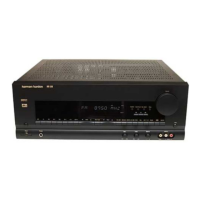
Harman Kardon AVR 5000 - User Manual

Harman Kardon AVR 5000
58 pages
Print Icon
To Next Page IconTo Next Page
Loading...
AVR 5000 Audio/VideoReceiver
OWNER’S MANUAL
COAXIAL
THEATER
5 CH STEREO
HALL 12
3
-
STEREO
PRO LOGIC
DIGITAL
DTS
DOLBY D
PCM
MP3
NIGHT
MULTI
OPTICAL
ANALOG
OSD
LFE
0
CL
0
1 2 3
1 2 3
5.1 LOGIC 7 CM
VMAx NF
O
O
R
O
O
LS
O
O
RS
O
O
MEMORY PRESET
SLEEP
AUTORDS PTY RT TACT
MUTE
TUNED ST
Power for the Digital Revolution
®

Questions and Answers

  • J
    Joshua RossAug 15, 2025
    What to do if my Harman Kardon AVR 5000 does not respond to remote commands?
    • K
      Kelly RoseAug 15, 2025
      If your Harman Kardon Receiver isn't responding to remote commands, first, try changing the remote batteries. If that doesn't work, ensure that the AVR selector is properly pressed. Also, make sure the front-panel sensor on the receiver is visible to the remote or connect the remote sensor.
  • N
    nstephensAug 18, 2025
    Why is there no sound from any speaker connected to my Harman Kardon AVR 5000 Receiver?
    • L
      Luke VegaAug 18, 2025
      If you're not getting sound from any speaker connected to your Harman Kardon Receiver, it might be in protection mode. Check the speaker-wire connections for shorts at both the receiver and speaker ends. If there are no shorts, there may be internal problems with the unit, and you should contact your local Harman Kardon service depot.
  • A
    Andrea ScottAug 21, 2025
    What to do if my Harman Kardon Receiver display lights, but there is no sound or picture?
    • K
      Kevin GrayAug 21, 2025
      If you're experiencing a display that lights up but no sound or picture from your Harman Kardon Receiver, check that all input and speaker connections are secure. Also, ensure that the mute is off by pressing the Mute button and the volume is turned up.
  • K
    Kevin CookAug 25, 2025
    Why is there no sound from surround or center speakers on my Harman Kardon AVR 5000 Receiver?
    • S
      Samantha PalmerAug 25, 2025
      If you are not hearing sound from the surround or center speakers on your Harman Kardon Receiver, first, make sure that you have selected a mode other than Stereo. Then, check the speaker mode to ensure it is configured correctly. Note that with Stereo or Mono program material and (analog or digital) Dolby surround modes, the surround decoder may not create rear-channel information from nonencoded programs. Finally, check the speaker-wire connections or use a test tone to verify connections.
  • D
    derek12Aug 27, 2025
    Why doesn't my HDCD encoded disc trigger the HDCD indicator on my Harman Kardon Receiver?
    • K
      Kristina ThomasAug 28, 2025
      If the HDCD indicator on your Harman Kardon Receiver isn't triggered when playing an HDCD encoded disc, first, ensure that you select the 'Surround Off' mode. If you are using an analog feed, connect and select a digital connection to the CD player.
  • T
    Terry StewartAug 30, 2025
    How to fix a Harman Kardon AVR 5000 Receiver when sound is heard, but the front-panel display does not light?
    • L
      Laura RiveraAug 30, 2025
      If the front-panel display of your Harman Kardon Receiver does not light up but you can hear sound, follow the instructions in the Display Brightness section on page 36 to set the display to VFD FULL.
  • K
    Kenneth WhiteSep 2, 2025
    What to do if my Harman Kardon AVR 5000 does not function when the Main Power Switch is pushed?
    • J
      James MorganSep 2, 2025
      If your Harman Kardon Receiver unit does not function when the Main Power Switch is pushed, make certain the AC power cord is plugged into a live outlet. Also, check to see if the outlet is switch controlled.
  • B
    barrettmadisonSep 5, 2025
    How to stop intermittent buzzing in the tuner of my Harman Kardon AVR 5000 Receiver?
    • P
      pchandlerSep 5, 2025
      If you're experiencing intermittent buzzing in the tuner of your Harman Kardon Receiver, try moving the unit or antenna away from computers, fluorescent lights, motors, or other electrical appliances.
  • E
    Edward FloresSep 8, 2025
    What does it mean when letters flash in the Channel Indicator on my Harman Kardon AVR 5000 Receiver?
    • M
      Maria RodriguezSep 8, 2025
      If letters flash in the Channel Indicator of your Harman Kardon Receiver, resume play for the DVD.
  • N
    nunezshelleySep 12, 2025
    What to do if the digital audio stops on my Harman Kardon AVR 5000 Receiver?
    • S
      Steven LopezSep 12, 2025
      To solve the issue of digital audio stopping on your Harman Kardon Receiver, check that a Digital Signal is fed to the selected Digital Input.

Summary

Safety Information

Important Safety Guidelines

Covers essential safety precautions for operating and handling the audio/video receiver.

Installation and Handling Precautions

Details safety measures for unit placement, cleaning, moving, and unpacking.

Front Panel Controls and Display

Information Display Overview

Explains the various indicators and messages shown on the front panel display.

Rear Panel Connections

Main Remote Control Functions

Zone II Remote Control Functions

Installation and Connections

System Configuration

Speaker Selection and Placement Guidelines

Provides advice on selecting and positioning speakers for optimal sound.

Initial Setup and OSD Usage

Guides the first power-on, OSD modes, and basic system configuration.

Speaker Configuration and Bass Management

Defines speaker types (Large/Small) and subwoofer settings for bass management.

Delay and Night Mode Adjustments

Covers setting delay times and night mode for Dolby Digital and Pro Logic surround.

Output Level Calibration (EzSet & Manual)

Explains using EzSet remote and manual methods for speaker output level calibration.

Operation

Digital Audio Playback Modes

Explains playback for Dolby Digital, DTS, PCM, HDCD, and MP3 audio formats.

Tuner and RDS Operation

Covers using the FM tuner, station selection, presets, and RDS features.

Output Level Trim Adjustment

Details fine-tuning speaker output levels using program material or test signals.

Advanced Features

Multiroom System Operation

Guides setup and operation of the multiroom audio system.

Programming the Remote

Direct Code Entry and Auto-Search

Explains methods for programming remote codes for various devices.

Macros and Device Functionality

Details programming macros and managing programmed device functions.

Troubleshooting Guide

Symptom-Based Problem Resolution

Lists common symptoms and their corresponding solutions for the receiver.

Processor Reset Procedure

Details the steps required to reset the unit's memory and configuration.

Technical Specifications

Harman Kardon AVR 5000 Specifications

General IconGeneral
TypeAV Receiver
Channels5.1
Total Harmonic Distortion (THD)0.07%
Input Impedance47k ohms
Input Sensitivity200mV
Signal to Noise Ratio100dB
BluetoothNo
Wi-FiNo
Speaker Load Impedance8 ohms
Digital Inputs2 Coaxial, 2 Optical
Video InputsComposite, S-Video
Video OutputsComposite
Power Output100 watts per channel into 8 ohms (stereo)
Frequency Response10Hz to 100kHz

Related product manuals