EasyManua.ls Logo

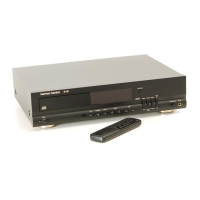
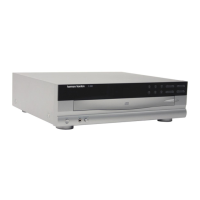
Harman Kardon FL8385 - User Manual

Harman Kardon FL8385
70 pages
Print Icon
To Next Page IconTo Next Page
Loading...
harman/kardon
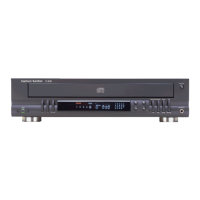
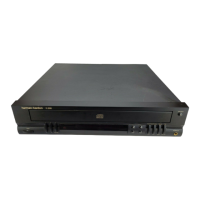
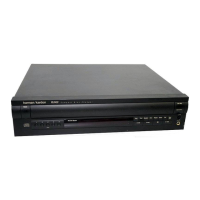
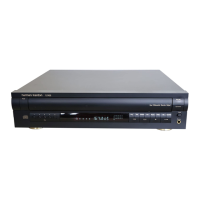
Model FL8385
5 Disc Compact Disc Changer
SERVICE MANUAL
CONTENTS
LASER BEAM SAFETY PRECAUTIONS………2
OTHER PRECAUTIONS …...................…....… 3
SPECIFICATIONS .........................….….......... 4
FRONT PANEL CONTROLS……….. ... .…...... 5
REAR PANEL CONNECTIONS...........……...... 8
REMOTE CONTROL FUNCTIONS……….…….9
BASIC TROUBLESHOOTING GUIDE………...10
GENERAL UNIT EXPLODED VIEW ….. .….. ..11
5 CD MECHANISM EXPLODED VIEW ……….12
BLOCK DIAGRAM …………………….………...13
TEST PROCEDURE…................…..……....… 14
CIRCUIT DESCRIPTION……….. ... ……........ 16
DETAILED TROUBLESHOOTING …………… 20
SEMICONDUCTOR IDENTIFICATION..……... 26
MECHANICAL PARTS LIST .......…..……….... 49
ELECTRICAL PARTS LIST .......…………….... 51
PRINTED ClRCUlT BOARDS .....……… …..... 60
SCHEMATIC DIAGRAMS..................….…...... 64
PACKAGE …………………………………..……70
harman/kardon, Inc.
250 Crossways Park Dr.
Woodbury, New York 11797 Rev1 3/2004

Questions and Answers

  • M
    Mrs. Dana WeissAug 1, 2025
    Why does my Harman Kardon FL8385 CD Player sound skip or stutter?
    • N
      Nicole JuarezAug 1, 2025
      If your Harman Kardon CD Player exhibits skipping or stuttering during playback, the disc you are using might be damaged, so try another disc. Alternatively, the unit may be subject to surface vibrations. To resolve this, isolate the unit from vibration by placing it on a firm surface or move it further away from speakers.
  • T
    Thomas MendezAug 7, 2025
    Why does the Harman Kardon FL8385 remote not work?
    • V
      Vanessa RobertsAug 7, 2025
      If the remote for your Harman Kardon CD Player doesn't seem to be working, there are a few potential reasons. First, check if the Main Power Switch is turned off and turn it on. Second, weak batteries can cause the remote to malfunction, so install fresh batteries, making sure to observe the correct polarity. Finally, ensure that nothing is blocking the sensor on the front panel. If there are obstructions, remove them, or consider connecting a remote sensor to the Remote Control Input jack on the rear panel.
  • B
    Brianna JuarezAug 11, 2025
    What to do if Harman Kardon CD Player lights are on but the CD doesn't play?
    • H
      hjonesAug 11, 2025
      If your Harman Kardon CD Player's front panel lights are on, but the CD won't play, there are a couple of things to check. First, make sure the disc is loaded correctly with the label side facing up. If the disc is correctly oriented, there may be moisture inside the unit. Leave the unit turned ON for 30 minutes to allow any moisture to evaporate.
  • B
    Brittney GreenAug 16, 2025
    Why is the sound distorted on my Harman Kardon CD Player?
    • B
      bobbywilsonAug 16, 2025
      If the sound from your Harman Kardon CD Player is continually distorted, it might be connected to the wrong input. Make certain that the CD player is connected to a line-level audio input, and NOT a digital audio or phono input.
  • M
    Maria HuangAug 22, 2025
    What to do if my Harman Kardon FL8385 CD Player has play indicator lights but no sound?
    • L
      littlerebeccaAug 22, 2025
      If you're experiencing a situation where the play indicator lights are on but you can't hear any sound from your Harman Kardon CD Player, there might be a few things to check: 1. Ensure that your receiver or preamp and amp are turned on. 2. Verify that all connections are secure and properly connected to the correct input (e.g., CD). 3. Make sure that you've selected the CD source on your receiver or preamp.
  • C
    Christian FischerAug 27, 2025
    How to fix a Harman Kardon FL8385 CD Player with no lights on the front panel?
    • C
      chris84Aug 27, 2025
      If there are no lights on the front panel of your Harman Kardon CD Player, the most likely cause is that it's not receiving power. Make certain that the AC power cord is plugged into a live outlet.

Summary

Laser Safety Precautions

Laser Beam Safety Precautions

Essential safety guidelines for handling laser components.

Electrical, Moisture, and ESD Warnings

Warnings about electric shock, moisture, and static discharge protection.

Laser Pickup Handling and Repair Prep

Procedures for safely handling the laser pickup and workbench setup.

Technical Specifications

Audio and Unit Specifications

Details on signal format, analog output, headphone, and general unit specs.

Test Disc Performance

Specifications related to performance on various test discs.

Unit Controls and Display

Front Panel Controls

Explanation of buttons and functions on the front panel.

Front Panel Information Display

Description of indicators and data shown on the unit's display.

Connectivity and Remote Operation

Rear Panel Connections

Details on the rear panel input and output ports.

Remote Control Functions

Operation and functions of the remote control unit.

Troubleshooting and Diagnostics

Troubleshooting Guide

Common symptoms, causes, and solutions for operational issues.

Diagnostic Flowcharts

Step-by-step diagnostic procedures for common problems.

Internal Components and Diagrams

Exploded Views and Parts Lists

Visual breakdown of unit and mechanism parts with lists.

Block Diagrams

Overall system architecture and signal flow representation.

Integrated Circuit Datasheets

Datasheets, pin assignments, and block diagrams for key ICs.

Testing Procedures

Audio Characteristics Tests

Procedures for testing frequency response, THD, SNR, etc.

Packaging and Contents

Harman Kardon FL8385 Specifications

General IconGeneral
TypeCD Player
ManufacturerHarman Kardon
ModelFL8385
Channels2 (Stereo)
Frequency Response20Hz - 20kHz
Weight5.5 kg
Output Voltage2V RMS

Related product manuals