EasyManua.ls Logo

Harman Kardon HD760 - User Manual

Harman Kardon HD760
20 pages
Print Icon
To Next Page IconTo Next Page
Loading...
Harman Kardon
HD760
Compact Disc Player
Owner’s Manual
ear SearchPause PhonesPhones Level
Display
HDCD
Time
Program
Program
Check
Random
Repeat
Skip
Open/Close
Tape
Size
Edit
Question and Answer IconNeed help?

Do you have a question about the Harman Kardon HD760 and is the answer not in the manual?

Summary

Harman Kardon HD760 Introduction

Key Features and Technologies

Overview of digital outputs, programming, and advanced audio technologies.

RLS-II Audio Conversion

Explanation of RLS-II technology for enhanced audio clarity and dynamics.

HDCD Digital Filtering

Details on HDCD technology for superior sound resolution.

Product Information and Safety

Essential Safety Precautions

Critical safety guidelines for electrical hazards, handling, and environment.

Installation Location and Care

Recommendations for unit placement, ventilation, and cleaning methods.

Unpacking and Moving Procedures

Guidelines for safely unpacking, storing, and moving the device.

Manual Formatting Conventions

Explanation of symbols, button types, and text formatting in the manual.

Front Panel Controls Overview

Front Panel Button Identification

Visual guide to all buttons, indicators, and the display on the front panel.

Front Panel Button Functions

Detailed explanation of how each front panel button operates.

Rear Panel Connections

Audio and Digital Output Ports

How to connect external DACs and audio systems using various output jacks.

Remote and Power Connections

Instructions for connecting remote control systems and the AC power cord.

Remote Control Operations

Remote Control Button Identification

Identifies each button on the remote control for easy access.

Remote Control Button Functions

Explains the specific action of each button on the remote.

Installation and Setup

Connecting Components Safely

Safety measures for connecting the CD player with other audio equipment.

Audio System Integration

Steps for connecting the HD760 to receivers or preamplifiers.

Remote Control Battery Installation

Guide on how to insert batteries into the remote.

AC Power Connection Guide

Instructions for connecting the unit to a power source.

CD Player Operation

Loading and Unloading Discs

Procedures for inserting and removing CDs from the player.

Disc Handling Best Practices

Tips for preventing disc and player damage.

Normal Playback Mode

Step-by-step instructions for playing a CD.

Headphone Listening Setup

How to connect and adjust headphone volume.

Display Brightness Adjustment

How to control the front panel display's brightness.

Time Display Functions

Options for viewing track and disc remaining time.

Program Search Functions

Scanning Discs with Search

Using search buttons to find specific song sections.

Navigating Tracks with Skip

Using skip buttons to move between tracks.

Intro Scan Feature Operation

Previewing the beginning of each track.

Programmed Playback Features

Creating Track Playback Programs

Guide to setting custom track playback orders.

Reviewing Programmed Tracks

How to check the order of programmed tracks.

Clearing Programmed Tracks

Steps to remove tracks from a program.

Repeat Playback Modes

Options for repeating single tracks, all tracks, or specific sections.

Auto Play Function Setup

Configuring the player to start playback automatically.

Programmed Recording to Cassette

Automatic Cassette Programming

Automates track selection to fit desired cassette tape lengths.

Manual Cassette Programming

Manually selecting tracks for recording onto cassette sides.

Recording Process Steps

Detailed instructions for recording programmed tracks to tape.

Troubleshooting Common Issues

Troubleshooting Symptom Guide

A table listing common problems, their causes, and solutions.

Technical Specifications

Signal Format Specifications

Details on sampling frequency, D/A conversion, and HDCD.

Analog Output Performance

Specifications for frequency response, distortion, and output level.

General Unit Specifications

Physical dimensions, weight, and power consumption.

Summary

Harman Kardon HD760 Introduction

Key Features and Technologies

Overview of digital outputs, programming, and advanced audio technologies.

RLS-II Audio Conversion

Explanation of RLS-II technology for enhanced audio clarity and dynamics.

HDCD Digital Filtering

Details on HDCD technology for superior sound resolution.

Product Information and Safety

Essential Safety Precautions

Critical safety guidelines for electrical hazards, handling, and environment.

Installation Location and Care

Recommendations for unit placement, ventilation, and cleaning methods.

Unpacking and Moving Procedures

Guidelines for safely unpacking, storing, and moving the device.

Manual Formatting Conventions

Explanation of symbols, button types, and text formatting in the manual.

Front Panel Controls Overview

Front Panel Button Identification

Visual guide to all buttons, indicators, and the display on the front panel.

Front Panel Button Functions

Detailed explanation of how each front panel button operates.

Rear Panel Connections

Audio and Digital Output Ports

How to connect external DACs and audio systems using various output jacks.

Remote and Power Connections

Instructions for connecting remote control systems and the AC power cord.

Remote Control Operations

Remote Control Button Identification

Identifies each button on the remote control for easy access.

Remote Control Button Functions

Explains the specific action of each button on the remote.

Installation and Setup

Connecting Components Safely

Safety measures for connecting the CD player with other audio equipment.

Audio System Integration

Steps for connecting the HD760 to receivers or preamplifiers.

Remote Control Battery Installation

Guide on how to insert batteries into the remote.

AC Power Connection Guide

Instructions for connecting the unit to a power source.

CD Player Operation

Loading and Unloading Discs

Procedures for inserting and removing CDs from the player.

Disc Handling Best Practices

Tips for preventing disc and player damage.

Normal Playback Mode

Step-by-step instructions for playing a CD.

Headphone Listening Setup

How to connect and adjust headphone volume.

Display Brightness Adjustment

How to control the front panel display's brightness.

Time Display Functions

Options for viewing track and disc remaining time.

Program Search Functions

Scanning Discs with Search

Using search buttons to find specific song sections.

Navigating Tracks with Skip

Using skip buttons to move between tracks.

Intro Scan Feature Operation

Previewing the beginning of each track.

Programmed Playback Features

Creating Track Playback Programs

Guide to setting custom track playback orders.

Reviewing Programmed Tracks

How to check the order of programmed tracks.

Clearing Programmed Tracks

Steps to remove tracks from a program.

Repeat Playback Modes

Options for repeating single tracks, all tracks, or specific sections.

Auto Play Function Setup

Configuring the player to start playback automatically.

Programmed Recording to Cassette

Automatic Cassette Programming

Automates track selection to fit desired cassette tape lengths.

Manual Cassette Programming

Manually selecting tracks for recording onto cassette sides.

Recording Process Steps

Detailed instructions for recording programmed tracks to tape.

Troubleshooting Common Issues

Troubleshooting Symptom Guide

A table listing common problems, their causes, and solutions.

Technical Specifications

Signal Format Specifications

Details on sampling frequency, D/A conversion, and HDCD.

Analog Output Performance

Specifications for frequency response, distortion, and output level.

General Unit Specifications

Physical dimensions, weight, and power consumption.

Overview

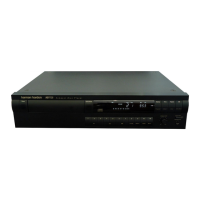
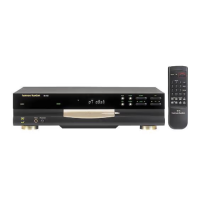
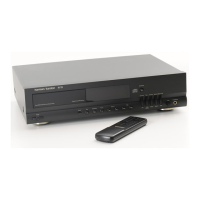
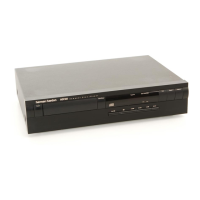
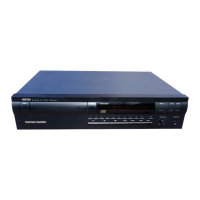
The Harman Kardon HD760 is a compact disc player designed for high-performance audio playback and ease of use. It incorporates advanced technologies such as RLS-II (Real-time Linear Smoothing) conversion and an HDCD digital filter to deliver superior sound quality from both HDCD-encoded and standard Compact Discs.

Function Description:

The primary function of the HD760 is to play audio compact discs. It features a disc drawer where a 12cm or 8cm CD is placed with the printed side facing upwards. Playback begins by pressing the Play button, which also automatically closes the drawer if it's open. The unit can play tracks in their original order, or in a random sequence using the Random button.

For those who wish to listen privately, the HD760 includes a Headphones Jack on the front panel, with an adjustable Headphones Level knob to control the volume independently of the main audio output.

The HD760 offers various search and skip functions to navigate through a disc. The Search buttons allow for high-speed scanning forward or backward to locate specific passages. The Skip buttons move playback to the next or previous track. An "Intro Search" feature plays the first 15 seconds of each track, allowing users to quickly preview selections.

A notable feature is its advanced programming capability, which allows users to create custom playback sequences. Tracks can be programmed in any desired order using the Program button and numeric controls. The Program Check button allows users to review the programmed track list. Programmed tracks remain in memory as long as the disc is in the drawer and the unit is not turned off.

The HD760 also supports repeat playback. Users can repeat all tracks on a disc, a single track currently playing, or a specific segment (A-B) within a track.

For recording CDs to cassette tapes, the HD760 provides "Programmed Recording" functions. This feature helps divide CD tracks onto cassette sides without breaks in the middle of tracks. It offers both automatic and manual programming modes. In automatic mode, the unit calculates how many tracks fit on each side of a specified cassette size (C-46, C-60, C-90, C-120). In manual mode, users can select tracks for each side. The Tape Size button helps select the appropriate cassette length for recording.

The unit's Information Display provides real-time feedback on its operation, including track numbers, elapsed time, remaining time for the track or disc, and indicators for various modes like Program, Random, Repeat, and Intro Search. The display brightness can be adjusted or turned off using the Display button.

Usage Features:

  • Power Control: The unit can be turned on or off using the front panel Power Switch. It also has a Standby mode, activated by the remote's Power Off button, where the Status Mode Indicator glows amber, indicating readiness for remote activation.
  • Disc Loading: Discs are loaded into the Disc Drawer, which opens and closes via the Open/Close button. The drawer can also be closed by pressing the Play button.
  • Playback Control: Standard Play, Stop/Clear, and Pause buttons are available on the front panel and remote for basic playback control.
  • Time Display Options: The Time button cycles through different time displays: running time of the current track, time remaining for the current track, and total time remaining for the disc.
  • Autoplay: An Autoplay Switch on the rear panel allows the HD760 to automatically begin playing a disc when the unit is powered on, provided a disc is in the drawer.
  • Remote Control: A comprehensive remote control provides access to all functions, including numeric controls for direct track selection, programming, and various playback modes.
  • Digital Outputs: Coaxial and Optical Digital Outputs allow direct connection to external digital-to-analog converters or receivers with digital signal decoding capabilities.
  • Remote Control Input/Output: These jacks allow integration with external infrared sensors or other Harman Kardon remote-controlled devices for expanded control systems.

Maintenance Features:

  • Cleaning: The unit should be cleaned with a soft, dry cloth. For stubborn dirt, a soft cloth dampened with mild soapy water can be used, followed by a clean, damp cloth and then a dry cloth. Harsh chemicals, abrasive cleaners, or aerosol sprays should be avoided.
  • Battery Replacement: The remote control uses two AA batteries. It is recommended to replace both batteries at the same time. If the unit will not be used for an extended period, removing the batteries is advised to prevent corrosion.
  • Disc Handling: Discs should be handled by their edges to avoid scratches and fingerprints on the playing surface. Always ensure discs are centered in the tray to prevent damage to the disc or player.
  • Installation Location: The HD760 should be placed on a firm, level surface with adequate ventilation. It should be kept away from extreme temperatures, direct sunlight, heating equipment, and moist or humid locations. It should not be placed directly on carpeted surfaces.
  • Power Cord: The AC power cord should be handled gently, pulling the plug, not the cord, when disconnecting. If the unit is not in use for a long time, disconnect it from the AC outlet.
  • Internal Access: The cabinet should not be opened as there are no user-serviceable components inside. Opening the cabinet can void the warranty and poses a shock hazard. In case of accidental spills or foreign objects entering the unit, it should be disconnected from power and serviced by authorized personnel.
  • Packaging Retention: It is recommended to save the original carton and shipping materials for potential future transport or repairs.

Harman Kardon HD760 Specifications

General IconGeneral
TypeCD Player
Disc formatsCD, CD-R, CD-RW
Digital OutputOptical
Dynamic range100 dB
Weight4.5kg
Frequency response20 Hz - 20 kHz
OutputsAnalog RCA
Dimensions (W x H x D)440 x 300 mm

Related product manuals