EasyManua.ls Logo

Harman Kardon SB 16/230 - User Manual

Harman Kardon SB 16/230
29 pages
Print Icon
To Next Page IconTo Next Page
Loading...
harman/kardon Service Manual
SB 16/230
Active Soundbar with wireless subwoofer
Released EU2011 Harman Consumer Group, Inc. Rev 0, 06/2011
8500 Balboa Boulevard
Northridge, California 91329
CONTENTS
ESD WARNING 2
PACKAGE GUIDE AND PARTS, CENTER 3
PACKAGE GUIDE AND PARTS, SUB 4
EXPLODED VIEW AND PARTS, CENTER 5
EXPLODED VIEW AND PARTS, SUB 6
PARTS LIST, SUB 7
SCHEMATIC DIAGRAMS 8
ASSEMBLY AND DISASSEMBLY, CENTER 12
OWNERS MANUAL 16-29
www.audiodna.sk
Question and Answer IconNeed help?

Do you have a question about the Harman Kardon SB 16/230 and is the answer not in the manual?

Summary

Electrostatic Discharge Handling

Electrostatically Sensitive Devices

Procedures to reduce damage from static electricity to sensitive components.

Product Components and Packaging

Soundbar Parts List

Illustration and list of soundbar components and their part numbers.

Packaging Guide

Diagram and list of items included in the product packaging.

Soundbar Exploded View

Detailed exploded view of the soundbar components with part numbers.

Subwoofer Exploded View

Diagram illustrating the subwoofer's components and their respective part numbers.

Subwoofer Parts List

Subwoofer System Parts List

Comprehensive list of part numbers and descriptions for the SB15 subwoofer.

Technical Schematics

Pre-Amplifier Schematic

Circuit diagram for the pre-amplifier board, detailing electronic components and connections.

Wireless Board Schematic

Circuit diagram for the wireless control board, showing component layout and signal paths.

Power Amplifier Schematic

Circuit diagram for the power amplifier stage, detailing audio output circuitry.

Standby Power Supply Schematic

Circuit diagram for the standby power supply unit, illustrating its components and operation.

Soundbar Assembly and Disassembly

Soundbar Disassembly

Step-by-step visual guide for disassembling the SB 16 soundbar.

Soundbar Assembly: Part 1

Visual instructions for initial soundbar assembly stages.

Soundbar Assembly: Part 2

Visual instructions for intermediate soundbar assembly stages.

Soundbar Assembly: Part 3

Visual instructions for final soundbar assembly stages.

Owners Manual - Setup

Introduction, Features, and Included Items

Product introduction, description, features, and included items of the SB 16/230 system.

Soundbar Controls and Connections

Details on soundbar top and rear panel controls, switches, and ports.

Subwoofer Controls and Connections

Details on subwoofer rear panel controls, switches, ports, and power connections.

Speaker Placement

Guidance on positioning the soundbar and subwoofer for optimal audio performance.

Source Connections

How to connect analog and digital audio sources to the soundbar.

Power Connections

Instructions for connecting the soundbar and subwoofer power supplies to AC outlets.

Owners Manual - Operation and Adjustments

System Operation

Instructions for turning the system on/off, adjusting volume, muting, and selecting modes/sources.

Control Adjustments

Fine-tuning controls for subwoofer volume, crossover, phase, and soundbar trim.

TV Remote Programming

Instructions for programming the soundbar to respond to TV remote commands.

Troubleshooting

Troubleshooting Common Issues

Solutions for common problems encountered with the SB 16/230 system.

Product Specifications

Technical Specifications

Detailed technical specifications for the SB 16/230 system, including dimensions and performance.

Overview

The Harman Kardon SB 16/230 is an active soundbar system with a wireless subwoofer, designed to provide a home theater audio experience.

Function Description:

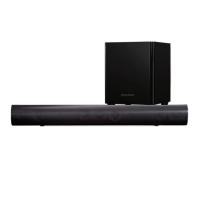
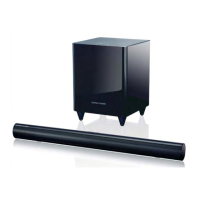
The system comprises a soundbar (SB 16 CTR) and a wireless powered subwoofer (SB 15/230 SUB). The soundbar integrates left and right speakers with a built-in stereo amplifier, utilizing digital signal processing to create a virtual 3D surround sound experience without additional speakers or wires. It can be placed on a table or wall-mounted. The wireless subwoofer receives its signal from the soundbar via wireless technology, allowing flexible placement within a room. The system is designed for use with flat-panel TVs, enhancing their audio output for movies and music.

Important Technical Specifications:

SB 16/230 System:

  • Frequency Response: 50Hz – 20kHz

SB 16 CTR Soundbar:

  • Midrange Transducers: Two x 3" (75mm) cones per channel, video-shielded
  • High-Frequency Transducer: One x 3/4" dome per channel, video-shielded
  • Amplifier Power: 25 watts x 2
  • Power Requirement: 24V DC, 2.5A – 2.7A
  • Dimensions (H x W x D): 110mm x 920mm x 89mm (4-5/16" x 36-1/4" x 3-1/2")
  • Weight: 3.6kg (8 lb)

SB 15/230 Subwoofer:

  • Woofer: 10" (254mm) cone
  • Enclosure Type: Ported
  • Power Requirement: 230V AC, 50Hz/60Hz, 100W
  • Dimensions (H x W x D): 480mm x 380mm x 380mm (18-7/8" x 13-3/8" x 13-3/8")
  • Weight: 15.4kg (34 lb)

Usage Features:

Soundbar Controls:

  • Top-Panel Controls: Power Button, Surround Mode Button, Volume Up/Down Buttons, Source Selector Button.
    • Power Button: Turns the system on/off (Standby mode indicated by amber, On by blue). Momentary press mutes the system (Power Indicator flashes blue). Holding for three seconds puts it into Standby.
    • Surround Mode Button: Toggles 3D Surround processing On (blue indicator) and Off (white indicator for normal stereo).
    • Volume Up/Down Buttons: Adjusts system volume. Holding the buttons adjusts volume continuously. The lowest setting mutes the system.
    • Source Selector Button: Switches between Source 1 (analog, white indicator) and Source 2 (digital, blue indicator).
  • Rear-Panel Controls: Wireless Code Switch, EQ Switch, Trim Switch, Source 1 Connection (analog), Source 2 Connection (digital - coaxial/optical), Power Connection, Power Switch.
    • Wireless Code Switch: Selects one of four channels for wireless subwoofer signal. Must match the subwoofer's setting.
    • EQ Switch: Adjusts soundbar bass for wall or table mounting. "Wall" position for wall-mounted soundbars, "Table" for table placement.
    • Trim Switch: Adjusts input sensitivity for different TV audio output levels (positions 1-3).
    • Source 1 Connection (analog): RCA inputs for stereo analog audio from TV, DVD player, etc.
    • Source 2 Connection (digital): Coaxial and Optical digital inputs for digital audio sources.
    • Power Connection: DC input for the included power supply.
    • Power Switch: Activates the soundbar. Normally left in "On" position.

Subwoofer Controls:

  • Rear-Panel Controls: Crossover Knob, Volume Knob, Phase Switch, Wireless Code Switch, Power Switch, AC Fuse, Power Cord.
    • Crossover Knob: Adjusts subwoofer crossover frequency between 50Hz and 150Hz to blend bass with the soundbar.
    • Volume Knob: Balances subwoofer volume with the soundbar.
    • Phase Switch: Determines if the subwoofer driver's action is in phase with soundbar speakers (0° or 180°).
    • Wireless Code Switch: Selects one of four channels for wireless subwoofer signal. Must match the soundbar's setting.
    • Power Switch: Activates the subwoofer. Normally left in "On" position.
    • Status Indicator (on top of unit): Blue when on, amber when in Standby, off when Power switch is off.

Connectivity:

  • Source Inputs: Analog stereo (RCA), Coaxial Digital, Optical Digital.
  • Wireless Subwoofer: Connects wirelessly to the soundbar. Maximum operating distance is approximately 15.3m (50 feet).

Placement:

  • Soundbar: Can be placed on a table in front of the TV or wall-mounted using included brackets. Wall-mount brackets come in shallow and extended versions (for optical digital audio input).
  • Subwoofer: Can be placed anywhere in the room, but corner placement often yields the strongest bass. Requires at least 150mm (6") clearance from the wall for its port tube opening.

Automation:

  • Auto Turn-On (Soundbar): Automatically turns on from Standby when an audio signal is detected, provided an IR remote signal has been sensed previously.
  • Auto Turn-Off (Soundbar): Enters Standby mode if no audio signal is detected for approximately 15 minutes.
  • Auto Turn-On/Off (Subwoofer): Automatically turns on with an audio signal and returns to Standby after 15 minutes of no signal.

Remote Programming:

  • The soundbar can be programmed to respond to your TV remote's power off, mute, volume up, volume down, and source commands. This allows control of the entire home theater system with a single remote.
  • Programming Steps:
    1. Ensure soundbar is on.
    2. Simultaneously press and hold Power and Source buttons until the Surround button flashes blue.
    3. Momentarily press the desired soundbar button (Power, Surround, Volume Down, Volume Up, Source) within 20 seconds.
    4. Aim the TV remote at the soundbar (300mm – 900mm away) and repeatedly press the corresponding button on the remote within 5 seconds until soundbar buttons flash and then return to constant illumination.
  • Mute Command Programming: Similar to above, but at step 3, press and hold the Power button until Surround and Source buttons illuminate constantly.
  • Erase Programming: Simultaneously press and hold the Surround Mode and Volume Up buttons until all lights flash.

Included Accessories:

  • Power adaptor
  • RCA cable
  • Optical cable
  • Wall brackets (standard and longer)
  • Corner protectors
  • EPE foam
  • Pearl Bag
  • Static foil
  • Dessicant
  • Beauty Box
  • Label of origin
  • Serial Number label
  • Two sets of wall-mount brackets (shallow and extended)
  • Two rubber feet
  • 1.5m (5-ft) optical digital audio cable
  • 2m (6.5-ft) stereo audio cable
  • 24V DC power supply and AC power cord for the SB 16CTR speaker

Maintenance Features:

Troubleshooting:

The manual provides a comprehensive troubleshooting guide for common issues such as:

  • Soundbar/subwoofer not turning on.
  • No sound from soundbar/subwoofer or just subwoofer.
  • Distorted sound.
  • System sound too quiet.
  • Insufficient bass output.
  • Soundbar not learning TV remote commands.
  • TV remote power button causing out-of-sync power states.

Fuse Replacement (Subwoofer):

  • The SB 15/230 SUB is equipped with a T1AL/250V 1A – 250V AC fuse.
  • Procedure: Unplug the power cord, use a screwdriver to remove the blown fuse, and replace with an identical fuse.

General Maintenance:

  • Ensure all connections are secure and verified before applying power.
  • Minimize bodily motions when handling unpackaged replacement ES devices to prevent static electricity damage.
  • Use only grounded-tip soldering irons and anti-static solder removal devices for servicing.
  • Do not use freon-propelled chemicals.
  • Replace components identified with the IEC symbol using only designated replacement parts or parts with the same ratings for safety.
  • Perform leakage-current or resistance measurements after servicing to ensure exposed parts are insulated from the supply circuit.
  • For extended periods of non-use, set the power switches to "Off."

The device is designed for ease of use and installation, with detailed instructions for setup, operation, and troubleshooting to ensure optimal performance.

Harman Kardon SB 16/230 Specifications

General IconGeneral
BrandHarman Kardon
ModelSB 16/230
CategorySpeaker System
LanguageEnglish

Related product manuals