EasyManua.ls Logo

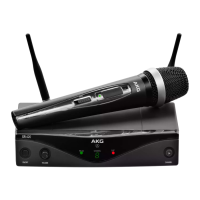
Harman AKG WMS420 - User Manual

Harman AKG WMS420
100 pages
Go to English
Print Icon
To Next Page IconTo Next Page
Loading...
WMS420
BEDIENUNGSANLEITUNG
.......................
2
Bitte vor Inbetriebnahme des Gerätes lesen!
USER INSTRUCTIONS .......................... 18
Please read the manual before using the equipment!
MODE D’EMPLOI ................................. 34
Veuillez lire cette notice avant d’utiliser le système!
ISTRUZIONI PER L’USO ........................ 50
Prima di utilizzare l’apparecchio, leggere il manuale!
MODO DE EMPLEO .............................. 66
¡Sirvase leer el manual antes de utilizar el equipo!
INSTRUÇÕES DE USO .......................... 82
Favor leia este manual antes de usar o equipamento!

Table of Contents

Other manuals for Harman AKG WMS420

Questions and Answers

  • T
    Tyler CarterAug 8, 2025
    What to do if my Harman AKG WMS420 Microphone system has noise, crackling, or unwanted signals?
    • N
      Nicole FaulknerAug 8, 2025
      If your Harman Microphone system is experiencing noise, crackling, or unwanted signals, the issue may be due to antenna position. Try moving the receiver to a different location. Another cause could be interference from other wireless systems, TV, radio, walkie-talkies, or defective electrical appliances or installations. In this case, switch off the interference sources or defective appliances or use a WMS420 tuned to a different frequency; have the electrical installation checked.
  • M
    Marcus LewisAug 18, 2025
    How to fix distortion in my Harman Microphone system?
    • M
      madisontorresAug 18, 2025
      Distortion in your Harman Microphone system could be due to several reasons. The GAIN control might be set too high or too low. Adjust the GAIN control until the distortion disappears. Another potential cause is interference from other wireless systems, TV, radio, walkie-talkies, or defective electrical appliances. Try switching off these interference sources or defective appliances, or consider using a WMS420 tuned to a different frequency. It's also worth having your electrical installation checked. Finally, the antenna position could be a factor. Move the receiver to a different location, and if dead spots persist, mark them and avoid them.
  • R
    Robert HallOct 29, 2025
    Why does my Harman AKG WMS420 have no sound?
    • W
      woodheatherOct 29, 2025
      If your Harman Microphone system has no sound, consider these potential causes: * The AC adapter might not be properly connected to the receiver or power outlet. Ensure it's securely connected. * The receiver might be turned off. Turn the receiver on using the ON/OFF switch. * The receiver might not be properly connected to the mixer or amplifier. Make sure the receiver output is connected to the mixer or amplifier input. * The volume control on the receiver might be set too low. Increase the volume. * The microphone or instrument might not be connected to the pocket transmitter. Ensure they are properly connected. * The transmitter and receiver might have different frequency ranges or be tuned to different frequencies. Use a transmitter with the same frequency range as the re...

Summary

Safety and the environment

Safety

General safety guidelines for using the equipment.

Environment

Guidelines for environmental protection and disposal.

Description

Introduction

Welcome message and advice on reading the manual.

Scope of delivery

Lists the contents of the WMS420 system sets.

Optional Accessories

Lists available accessories for the WMS420 system.

Receiver SR420

Details the SR420 receiver, its front and back panels.

HT420 handheld transmitter

Explains the HT420 handheld transmitter's controls and operation.

PT420 pocket transmitter

Details the PT420 pocket transmitter, its controls, and connectivity.

Setting up

Receiver Setup

Positioning, antenna, and power connection for the receiver.

Transmitter Configuration

Battery insertion, frequency setting, and setup for HT420/PT420.

PT420 Connection and Soundcheck

Connecting mics/instruments to PT420 and pre-soundcheck checks.

Microphone technique

HT420 Handheld Transmitter Techniques

Essential tips for optimizing vocal performance with the HT420.

PT420 Pocket Transmitter Microphone Usage

How to connect and use lavalier/headset mics with PT420.

Microphone Windshield and Moisture Shield

Attaching and using windshields for wind/pop noise and moisture protection.

Cleaning

Surfaces

Instructions for cleaning the external surfaces of the equipment.

Internal windshield of handheld transmitter

Steps for cleaning the foam windshield inside the HT420.

Troubleshooting

No sound

Identifies causes and solutions for no audio output from the system.

Noise, crackling, unwanted signals

Addresses issues of interference and signal degradation.

Distortion

Explains causes and remedies for audio distortion in the system.

Technical data

Harman AKG WMS420 Specifications

General IconGeneral
System TypeWireless Microphone System
RF Frequency BandUHF
ModulationFM
Power Supply12 VDC
Microphone ElementDynamic
Polar PatternCardioid
Transmitter Power10 mW
Transmitter Battery Life10 hours
Total Harmonic Distortion< 0.5%
ConnectorsXLR, 1/4"
Dimensions (Transmitter)255 x 50 mm
Operating Range100 m
Audio OutputXLR and 1/4"
Receiver TypeDiversity
Transmitter TypeHandheld
Transmitter Battery TypeAA
Audio Frequency Response40 Hz to 20 kHz
Signal-to-Noise Ratio100 dB

Related product manuals