EasyManua.ls Logo

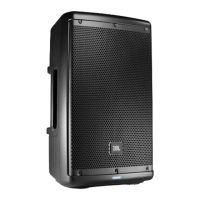
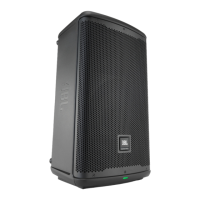
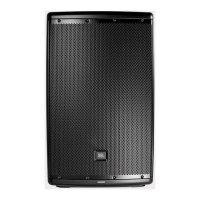
Harman JBL EON600 Series - User Manual

Harman JBL EON600 Series
28 pages
Print Icon
To Next Page IconTo Next Page
Loading...
User’s Guide
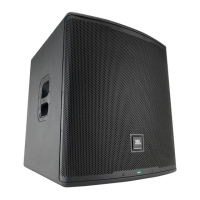
EON 618S

Questions and Answers

  • M
    Melissa JohnsonAug 16, 2025
    What to do if Harman speaker is connected to power but won’t come on?
    • S
      Sarah SanchezAug 16, 2025
      If your Harman speaker is connected to working AC power but won’t come on, the speaker power cable may be faulty or improperly connected. Try these solutions: * Re-seat the power cable at both ends. * Substitute a known-good power cable.
  • Y
    ypopeAug 19, 2025
    What to do if Harman speaker comes on but has no sound?
    • D
      David DavisAug 19, 2025
      If your Harman speaker comes on but produces no sound, consider these possible causes: * Signal source (mixer, instrument, etc.) is not sending: Check VU meters on the source mixer, verify that the tape or CD is playing, and use headphones to verify that the instrument is actually sending an audio signal. * Faulty cables and connections: Disconnect and re-seat signal cables. Replace suspected cable with a known-good cable.
  • L
    Larry TaylorAug 22, 2025
    Why does my Harman speaker signal sound distorted and very loud?
    • N
      nbondAug 22, 2025
      If the signal from your Harman speaker sounds distorted and very loud, and the PEAK light is frequently lit, it's likely due to an excessive input signal trying to exceed the speaker's capabilities. To resolve this: * Reduce the output level of the source. * Turn down the level controls on the speaker. * Consider using additional EON speakers.
  • R
    reidjohnathanAug 26, 2025
    How to fix hum or buzz in Harman JBL EON600?
    • A
      Andrea Garcia DDSAug 26, 2025
      Hum or buzz in Harman speakers can stem from a few causes: * Improper A/C grounding or ground loops: Try 'lifting' the audio ground using an XLR/F to XLR/M adapter on one end, or re-route audio cables away from AC power and lighting cables. * Excessively long unbalanced cable run: Use the balanced outputs (if available) of your mixer or source equipment to drive your EON speakers, or use a 'DI' (direct injection) box to convert your unbalanced equipment output to a balanced output. * Improper system gain structure: Reduce the INPUT level controls and increase the output level of your source devices.
  • E
    Elizabeth LittleAug 28, 2025
    What to do if Harman speaker has no sound?
    • D
      Danielle JenningsAug 28, 2025
      If your Harman speaker has no sound, start by checking these potential issues: * Speaker not connected to active AC power: Verify that the speaker is properly connected and that the circuit is on. * Power not switched on: Switch on the power and confirm that the power LED is illuminated.
  • H
    Hannah SotoAug 31, 2025
    Why is my Harman speaker signal distorted at moderate volumes?
    • L
      Lawrence SmithAug 31, 2025
      If your Harman speaker signal sounds distorted even at moderate volumes, and the LIMIT light is not lit, the mixer or other source might be overdriven. To fix this, review the owner’s manual for your mixer and adjust controls as needed, paying attention to input sensitivity (gain), channel faders, and master faders. After adjusting the mixer, review the instructions in the Quick Start section of this guide.
  • A
    Abigail HuffmanSep 3, 2025
    How to troubleshoot noise or hiss heard at Harman speaker output?
    • K
      Kimberly CameronSep 3, 2025
      To troubleshoot noise or hiss heard at the output of your Harman speaker, disconnect the devices that are connected to your speaker one at a time. If the noise goes away, the problem is with the source or the connecting cable.
  • A
    Anthony MortonSep 6, 2025
    Why is there lots of hiss in the sound from my Harman speakers?
    • S
      Samuel FullerSep 6, 2025
      If you are experiencing a lot of hiss in the sound from your Harman speakers, and the mixer controls are at very low settings, it may be due to an improper gain structure. Here’s what you can do: * Make sure that the MIC/LINE switch is in the LINE (disengaged) position. * Reduce the level settings at the speaker. * Review the Owner’s Manual for your mixer and adjust controls as needed, focusing on input sensitivity (gain), channel faders, and master faders.
  • L
    leegregorySep 9, 2025
    What causes hum or buzz when moving mixer level controls on Harman speakers?
    • J
      Justin HendersonSep 9, 2025
      If you hear a hum or buzz that increases or decreases when the mixer level controls are moved on your Harman speakers, it could be due to: * Improper A/C ground or faulty equipment connected to the mixer input: Disconnect or mute channels one at a time to isolate the problem. Refer to the owner’s manual of the faulty equipment for troubleshooting help. * Faulty cable between source equipment and mixer: Substitute a known-good cable for the suspected faulty cable.
  • D
    Deborah ZimmermanSep 12, 2025
    What to do if a microphone connected to my Harman speaker has no sound?
    • A
      amy15Sep 12, 2025
      If you have no sound with a microphone connected directly to the MIC/LINE input on your Harman speaker, it may be because the microphone requires phantom power. The EON does not supply phantom power. Switch to a dynamic microphone, use a battery powered microphone (if possible), use an external phantom power supply for condenser type microphones.

Harman JBL EON600 Series Specifications

General IconGeneral
BrandHarman
ModelJBL EON600 Series
CategorySpeakers
LanguageEnglish

Related product manuals