Settings Main Menu
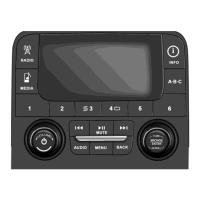
Press the
Settings hard-key
to
display
the
Settings
Main
Menu. The Settings Main Menu contains the following
options:
•
Display
— Refer to
“Understanding
Your Instrument
Panel”,
“Uconnect™
Access System” section in your
vehicle Owner
’s
Manual
on the DVD for details.
•
Clock — Refer to the
“Radio” section
for details.
•
Safety/Assistance — Refer to
“Understanding
Your
Instrument
Panel”,
“Uconnect™
Access System” sec-
tion in your
vehicle Owner
’s
Manual
on the DVD for
details.
•
Lights — Refer to
“Understanding
Your Instrument
Panel”,
“Uconnect™
Access System” section in your
vehicle Owner
’s
Manual
on the DVD for details.
•
Doors & Locks — Refer to “Understanding Your
Instrument
Panel”,
“Uconnect™
Access System” sec-
1
tion in your
vehicle Owner
’s
Manual
on the DVD for
details.
•
Heated Seats
—
Refer
to
“Understanding The
Features
Of Your Vehicle”, “Seats” section in your vehicle
Owner ’s
Manual
on the DVD for details.
•
Engine Off
Options
— Refer to
“Understanding
Your
Instrument
Panel”,
“Uconnect™
Access System” sec-
tion in your
vehicle Owner
’s
Manual
on the DVD for
details.
•
Compass Settings — Refer to
“Understanding
Your
Instrument
Panel”,
“Uconnect™
Access System” sec-
tion in your
vehicle Owner
’s
Manual
on the DVD for
details.
•
Audio — Refer to the
Operating Instructions
– Radio
section
in this
manual
for details.



 To Next Page