8
Copying a Loop
You can copy a saved loop from one memory location to another.
1. Choose the memory location of the loop you want to copy.
2. Short press the SAVE/DELETE button. The location number in the display will start to flash.
3. Press the PATTERN UP or DOWN buttons to select an empty memory location (remember to select
a memory location that does not have a dot in the lower right corner of the display).
4. Press the SAVE/DELETE button to confirm the selection and save the recording to the new memory
location.
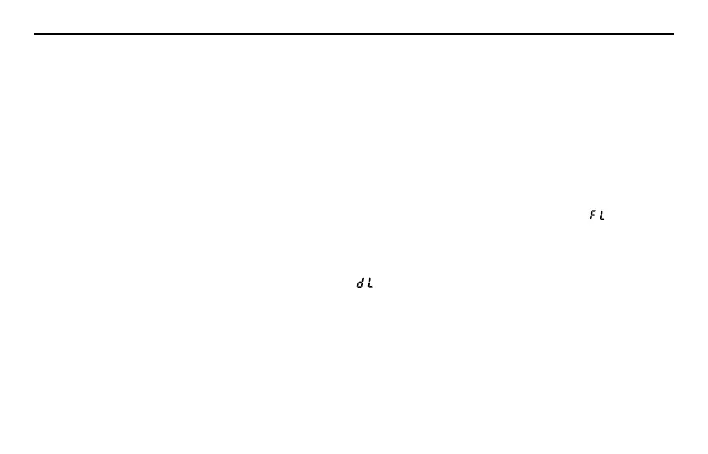
Note: If the remaining pedal memory is not enough to save the loop, the display will show “
”.
Deleting a Loop
To delete a saved loop:
Press and hold the SAVE/DELETE button for 2 sec, “
” will start flashing on the display.
Press the SAVE/DELETE button again to confirm deleting the recording. If you do not want to delete the
selected audio, press any other button beside the SAVE/DELETE to cancel.
Note: When deleting a loop, all the data including recordings, Stop Mode, tempo and selected rhythm
pattern will be deleted from the memory location.
Operating the HL77



 To Next Page