Publication 5390-001 Revision B
27
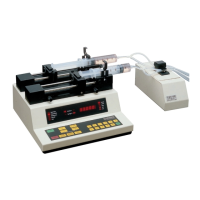
Harvard Apparatus Model 33 Twin Syringe Pump User's Manual
Appendix H: Troubleshooting
RS-232 Difficulties
Verify that the baud rates and data framing parameters on all devices are the same.
With a pump chain, a “Communication timeout”error on a computer is usually caused
by the computer errantly handshaking on the RTS, CS and/or DSR lines. Verify pins 4,
5 and 6, on the 25 pin connector, are jumpered on the computer side of the cable.
Display Messages:
All digits flashing
Pump has not received any commands since being powered on.
StALL
Also a syringe LED and Run LED flashing. This indicates that the pusher block travel
of the syringe corresponding to the syringe LED blinking has been impeded. This may
be caused by the syringe plunger hitting bottom, a kink in the tubing, syringe plunger
binding or any situation requiring more force to the head of the syringe than the pump
is capable of delivering. To restart the pump, remove the cause of stalling and press
RUN. The pump will continue the interrupted procedure where it stopped. Also note,
a large increase in the pumping rate while running could also stall the motor.
oor
Out of range. A value was entered or encountered in a pump program that was beyond
the pumps limits. Try using a different size syringe. Note that rates must be less than
42950. Express larger rates using different units.
- - - - -
Key pressed is not applicable.


 To Next Page