Faults
Identify if there is a fault: The button will flash red when there is a fault.
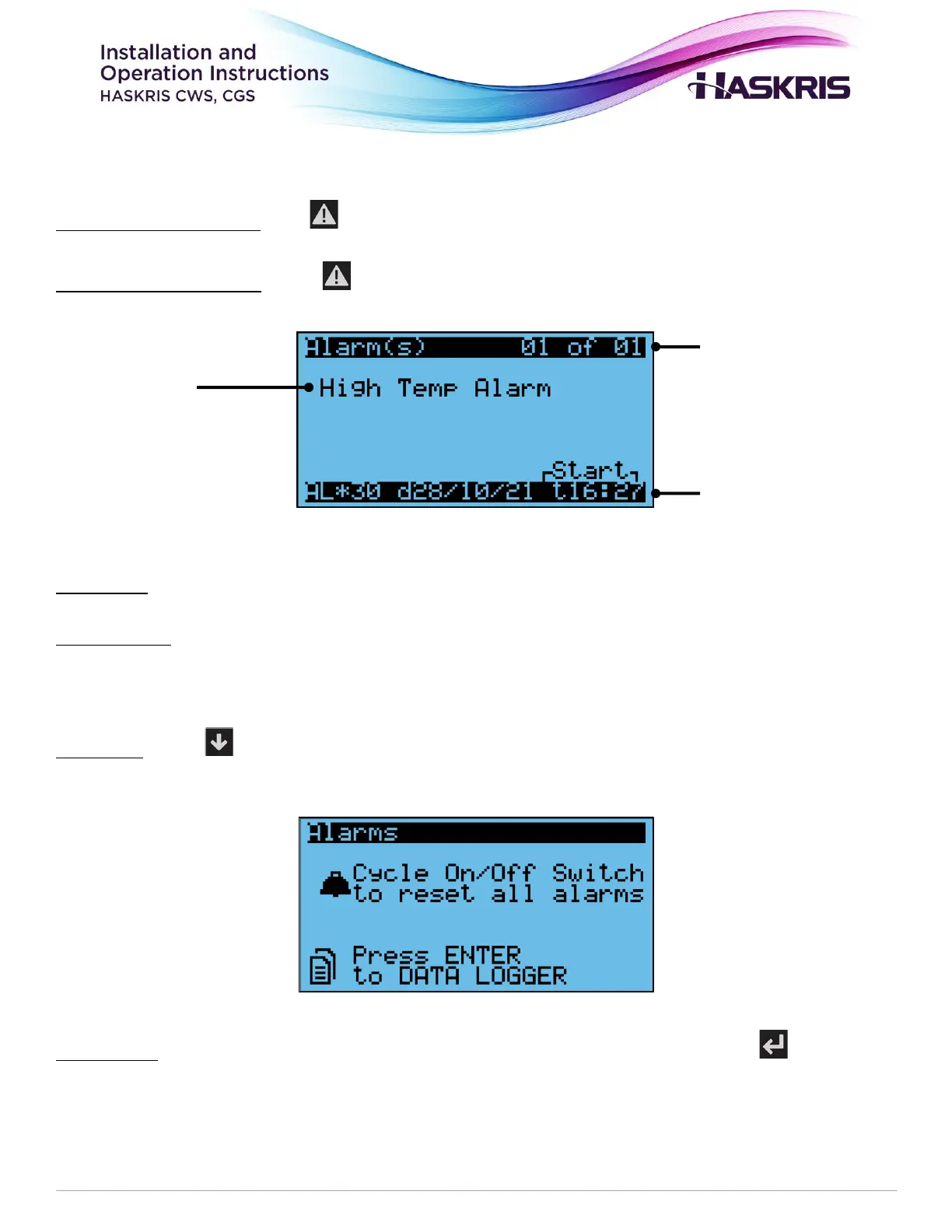
Display faults and details: Press to see fault descriptions.
Description: Provides information about the specific fault.
Multiple faults: If only 1 fault is active, you will see 01 of 01. If multiple faults occur before the faults
have been cleared, you will see ## of ## in the top right-hand corner. At the bottom you will see a
time and date stamp HH:MM DD/MM/YY
Fault reset: Press until you go past the last active fault, you will see this screen which explains
how to reset faults (Figure 9).
Fault history: When the screen says NO ALARMS, there are no faults currently. Press to see the
fault history if needed (Figure 10).



 To Next Page