www.havis.com • 1-800-524-9900
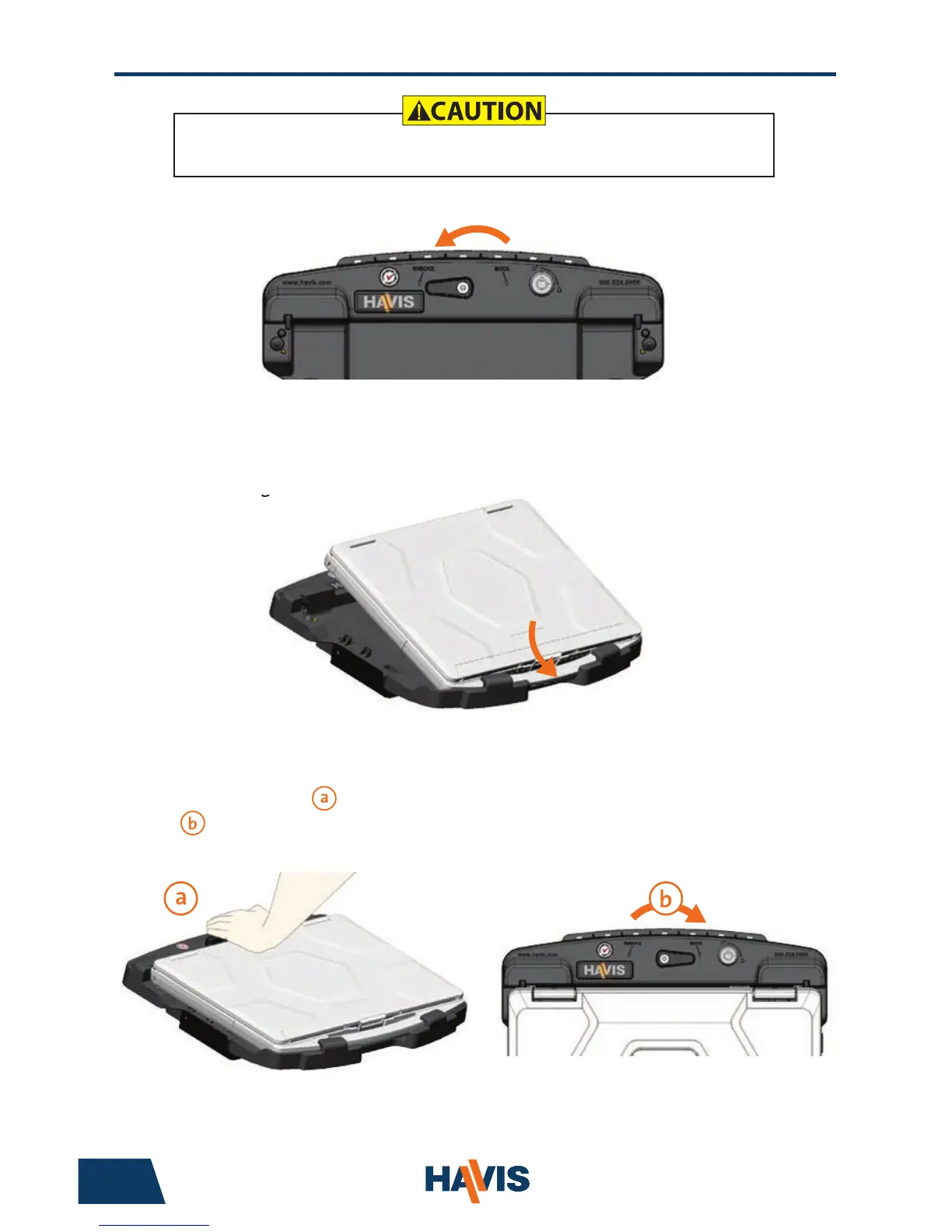
1) Ensure Docking Station is unlatched by positioning the Latch Handle to
the “UNDOCK” position.
2) With rear of computer elevated, load front of computer into Docking
Station ensuring the computer’s handle extends under the Front
Hooks. Take care to center computer in Docking Station
when lowering.
3) Lower back of computer onto Docking Station, ensuring computer properly
aligns with both Locator Posts in Docking Station. With computer seated
on Docking Station, apply light downward pressure to the rear of computer
and, rotate Latch Lever to DOCKED position.
8
5
Port Replication Capability
NOTE: Antennas only available on select Docking Station models (DS-PAN-421-2, DS-PAN-422-2, PKG-DS-PAN-422-2)
Antenna A Antenna B
USB 3.0
(x2)
SerialHDMIPower Input
Int / Ext
Antenna Switch
VGAEthernet
RJ45
Antenna Identication (DS-PAN-421-2, DS-PAN-422-2, PKG-DS-PAN-422-2)
Docking Station Antenna Interface
Operation - Docking
DO NOT FORCE LAPTOP ONTO DOCKING STATION. IF THERE IS RESISTANCE,
CHECK ALIGNMENT OF COMPUTER ON DOCKING STATION.
To expand your available USB & Ethernet peripheral requirements, there
are provisions for mounting a Havis Rugged Communications Hub
(part number DS-DA-602) directly to the DS-PAN-420 Series
Docking Station. (See Page 10 for more information)


 To Next Page