Need help?
Do you have a question about the Haylou GT7 Neo and is the answer not in the manual?
Switch between stereo and mono modes by placing one earbud in the case.
Handles incoming calls while on an active call, including call switching and holding.
Steps to reset earbuds to factory defaults and clear pairing records.
Troubleshooting guide for common problems like mute earbuds or charging failures.
Lists the items included in the product package.
Details technical specifications for the earbuds, including battery and Bluetooth version.
Details technical specifications for the charging case, including battery and input/output parameters.
Important warnings regarding product usage, environment, temperature, and handling.
Key notes for first-time use, charging, and proper storage of the earbuds.
Information regarding compliance with FCC rules and conditions for operation.
Instructions for cleaning and maintaining the earbuds to ensure longevity.
Details the warranty duration and the process for obtaining free exchange service.
Conditions under which free exchange service will not be provided, such as unauthorized disassembly.
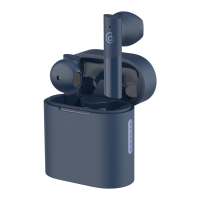
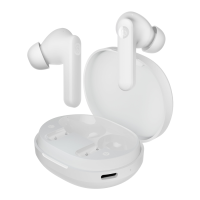
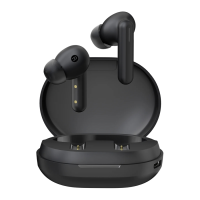
The HAYLOU GT7 Neo True Wireless Earbuds are designed to provide a seamless audio experience with intuitive controls and comfortable wear. These earbuds offer both mono and stereo modes, adapting to your listening preferences, and come with a portable charging case for extended use.
The HAYLOU GT7 Neo earbuds are true wireless earbuds that allow for audio playback and hands-free calling. They connect to your device via Bluetooth, offering a wireless and untethered listening experience. The earbuds feature a Multi-Function Button (MFB) on each earbud, which serves as the primary interface for controlling various functions.
When taken out of the charging case, the earbuds automatically power on and enter a pairing state. If they have been previously paired, they will automatically connect to the last paired device, provided Bluetooth is enabled on that device. To power off, simply place the earbuds back into the charging case.
The earbuds support both stereo and mono modes. When both earbuds are successfully connected, they operate in stereo mode, providing a rich, immersive sound experience. If one earbud is placed back into the charging case, the remaining earbud will automatically switch to mono mode, allowing you to continue listening with a single earbud. To resume stereo mode, simply take the other earbud out of the case again.
The HAYLOU GT7 Neo earbuds are designed for ease of use, from wearing them to controlling your audio and calls.
To ensure optimal sound quality and comfort, gently insert each earbud into your ear canal and adjust it until it feels secure and comfortable. When making calls, it is recommended to adjust the microphone (Mic) towards your mouth to enhance talking clarity and experience.
Before the first use, it is crucial to remove the isolation film from the charging contacts of both earbuds. After removing the film, place the earbuds into the charging case and fully charge both the case and the earbuds. To charge, plug the provided Type-C charging cable into the charging port on the case. The charging indicator light on the case will illuminate solid white when the case is not fully charged and will turn off once fully charged, indicating that the charging process is complete.
To pair the earbuds with your device, take both earbuds out of the charging case simultaneously. Then, open the Bluetooth settings on your device and search for "Haylou GT7 Neo." Once found, click on it to establish the connection. If the connection fails, place the earbuds back into the charging case and repeat the pairing process. After the initial successful pairing, the earbuds will automatically connect to the last paired device whenever they are taken out of the case, as long as Bluetooth is enabled on the device. The two earbuds will automatically connect with each other within 5 seconds of being taken out of the charging case. The device will then enter a pairing state, indicated by a slow flashing indicator on a single earbud, signaling that it is ready to connect to your Bluetooth device.
The Multi-Function Button (MFB) on each earbud allows for various controls:
If you receive a new incoming call while already on a call, you can manage both calls using the MFB. Long touch the MFB button for 1.5 seconds to put the current call on hold and answer the second call. To switch between the two calls, quickly double touch the MFB button. This action will hold the current call and switch to the previous one. To end the current call and answer the call on hold, long touch the MFB button for 1.5 seconds.
If you encounter any issues or wish to reset the earbuds, follow these steps:
Proper maintenance ensures the longevity and optimal performance of your HAYLOU GT7 Neo earbuds.
By following these guidelines, you can ensure a safe, enjoyable, and long-lasting experience with your HAYLOU GT7 Neo True Wireless Earbuds.
 General
| Bluetooth Version | 5.2 |
|---|---|
| Water Resistance | IPX4 |
| Frequency Response | 20Hz - 20kHz |
| Connectivity | Bluetooth |
| Impedance | 32Ω |
| Microphone | Yes |
| Charging Port | USB-C |
| Weight (per earbud) | 3.9g |
| Voice Assistant | Yes |
| Touch Controls | Yes |
| Type | TWS (True Wireless Stereo) |
| Charging Time | About 2 hours |

 To Next Page