Need help?
Do you have a question about the Haylou T15 and is the answer not in the manual?
Describes automatic pairing process for stereo mode.
Describes manual pairing process for stereo mode.
Describes automatic connection process for mono mode.
Describes manual connection process for mono mode.
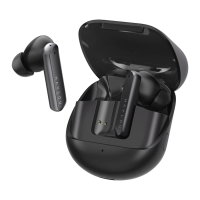
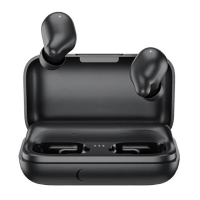
The Haylou-T15 TWS BT Earphones are a pair of true wireless stereo Bluetooth earbuds designed for a seamless audio experience. This user manual provides a comprehensive guide to their function, usage, and maintenance, ensuring users can maximize their enjoyment and prolong the lifespan of the device.
The Haylou-T15 earphones offer both stereo and mono modes, providing flexibility based on user preference and situation. In stereo mode, both earbuds are used together, automatically pairing with each other upon removal from the charging case. Once paired, they become connectable to a cellphone, appearing as "Haylou-T15" in the Bluetooth device list. If the earbuds fail to connect, users are advised to place them back in the case and repeat the process. The earbuds are designed to automatically reconnect to the last paired device, provided Bluetooth is active on the device. For manual pairing, users can power on both earbuds, and they will automatically pair, with one earbud's LED blinking white slowly to indicate readiness for connection to a cellphone.
In mono mode, either earbud can be used independently. When an earbud is taken out of the case, its LED will blink white slowly, indicating it's ready to connect to a cellphone. Similar to stereo mode, the earbud will automatically reconnect to the last device. Manual connection involves powering on a single earbud, waiting for its LED to blink white slowly, and then connecting it to the cellphone.
The earphones feature touch-sensitive panels for various functions, allowing for intuitive control without needing to access the connected device. These functions include:
The charging case is an integral part of the Haylou-T15 system, serving as both a storage unit and a portable charger for the earbuds. It features battery LEDs that indicate the remaining power level of the case itself. When the lid is opened or closed, the battery LEDs will blink three times, then glow solid for 30 seconds, showing the current battery level. A single blinking white LED indicates a low battery warning for the case. The case also has a micro USB input for charging and a USB output, suggesting it might function as a power bank for other devices.
To ensure optimal performance and comfort, proper usage of the Haylou-T15 earphones is emphasized. When wearing the earbuds, it's important to keep the microphone positioned outside. During calls, adjusting the microphone towards the mouth can significantly improve talking experience.
Before initial use, users must peel off a protective sticker covering the pogo pins on the earbuds. This ensures proper contact for charging within the case. The earbuds power on automatically when taken out of the case, indicated by a solid white LED. They can also be manually powered on by touching the panels for 1 second when not in the case. To power off, the earbuds can be placed back into the case, or manually powered off by touching both panels for 5 seconds, which will cause the LED to glow solid red for 2 seconds.
The charging case itself indicates its charging status. When the case is charging, its LED will glow solid red. Once fully charged, the LED will turn off. The battery level display on the case provides clear indicators: three solid LEDs mean top-up, two solid LEDs mean 2/3 charge, one solid LED means 1/3 charge, and one blinking LED means low battery.
Proper maintenance is crucial for the longevity and optimal performance of the Haylou-T15 earphones. Users are advised against showering with the earbuds or wearing them in rainy conditions. They should also not be left in a washing machine or other extreme environments. After use, the earbuds should be cleaned with a dry cloth to maintain their condition.
The manual also outlines several caveats to prevent damage and ensure safe operation:
For troubleshooting, a factory reset procedure is provided. If the earphones are not functioning correctly, users should take them out of the case, power them off, then touch both panels for approximately 15 seconds (the LED will blink red and white three times, twice). After this, the earbuds should be placed back into the case. It is also recommended to delete any existing connectivity records on the cellphone before attempting to pair again.
In rare cases where only one earbud outputs audio, a reset of the GT1 Pro (presumably a previous model or a generic term for the Haylou-T15 in this context) is suggested, followed by removing connectivity records from the cellphone and re-connecting the earphones.
Regarding charging, if the earbuds are topped up, the LED will glow solid white for 1 minute. If the carry case's battery drains, it cannot charge the earbuds. The LEDs on the carry case will turn off once it's topped up. If charged again, the LEDs may not give any notice, which does not mean the case is not charged.
The manual also provides general tips for usage:
The Haylou-T15 earphones are designed to be a user-friendly and reliable audio companion, with clear instructions for operation and care to ensure a long and satisfying experience.
 General
| Bluetooth Version | 5.0 |
|---|---|
| Charging Port | Micro USB |
| Water Resistance | IPX5 |
| Type | In-ear |
| Connectivity | Wireless |
| Standby time | 100 hours |
| Charging case battery | 2200 mAh |
| Driver Size | 6mm |
| Frequency Response | 20Hz - 20kHz |
| Battery Life | 60 hours with charging case |
| Weight | 3.7g (earbud) |

 To Next Page