EasyManua.ls Logo

Hayward PowerFlo VS 300 - User Manual

Hayward PowerFlo VS 300
20 pages
Print Icon
To Next Page IconTo Next Page
Loading...
IS1580X15VSP Rev-A
Hayward Pool Products
620 Division St, Elizabeth, NJ 07207
Phone: (908) 355-7995
www.hayward.com
PowerFlo
VS
300
Owner’s Manual
Model SP1580X15VSP
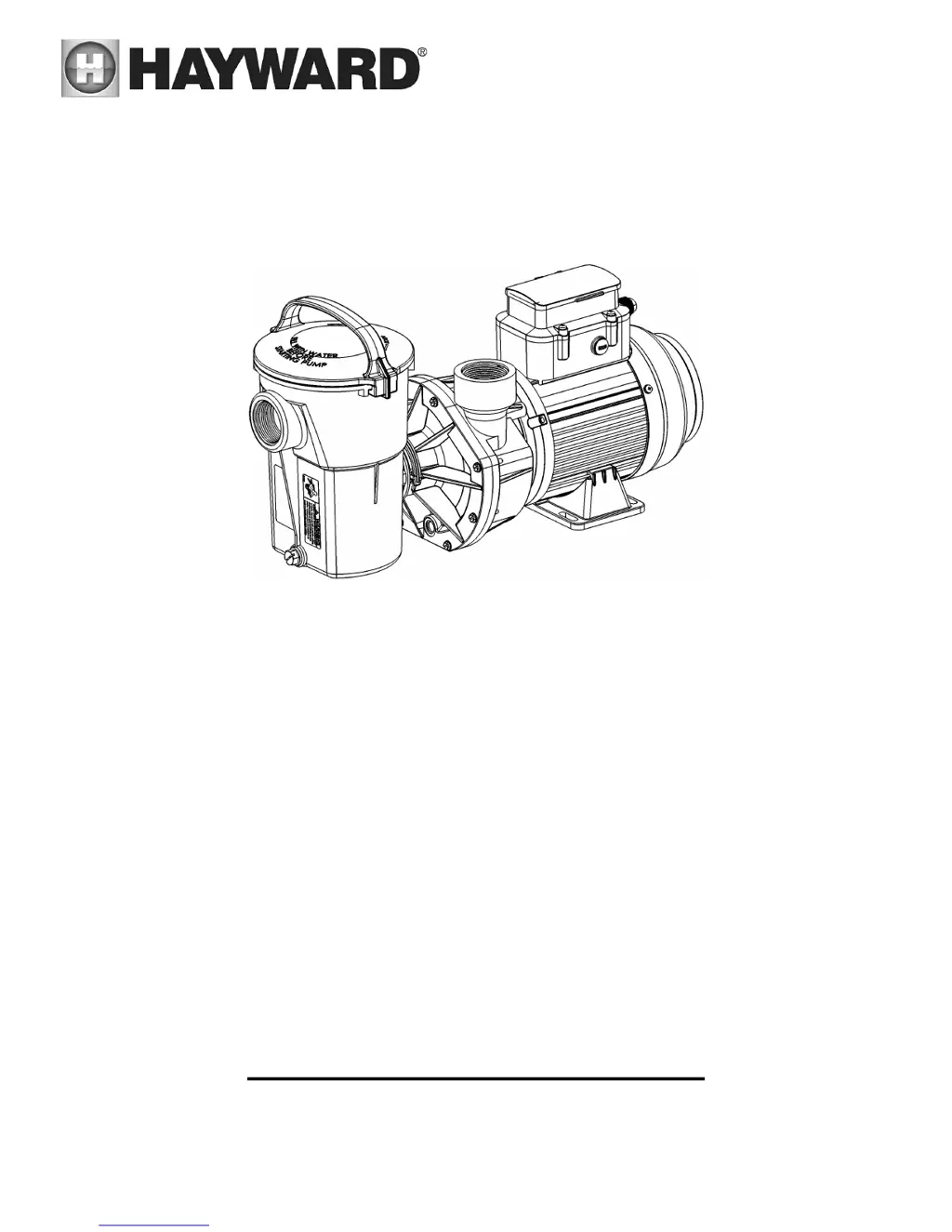
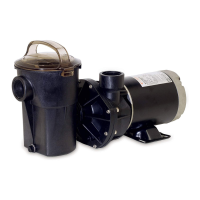
PowerFlo VS 300 Variable Speed Pump
Note: To prevent potential injury and to avoid unnecessary service calls, read this manual carefully and
completely.
SAVE THIS INSTRUCTION MANUAL

Other manuals for Hayward PowerFlo VS 300

Questions and Answers

  • D
    dianajonesAug 18, 2025
    What to do if my Hayward PowerFlo VS 300 Water Pump shows a motor over speed error?
    • M
      Michelle HinesAug 18, 2025
      If your Hayward Water Pump displays a motor over speed error, it's recommended to contact Hayward Technical Service at (908) 355-7995 for assistance.
  • C
    Colin RamosAug 21, 2025
    What to do if my Hayward PowerFlo VS 300 Water Pump has communication error with master?
    • N
      Nicole McclainAug 21, 2025
      In case of a communication error with the master on your Hayward Water Pump, it's best to contact Hayward Technical Service at (908) 355-7995 for further assistance.
  • A
    Amanda PierceAug 23, 2025
    What to do if my Hayward Water Pump is showing AC input over-voltage?
    • W
      williamsweeneyAug 23, 2025
      If your Hayward Water Pump is experiencing AC input over-voltage, you should contact Hayward Technical Service at (908) 355-7995 for assistance.
  • C
    cheryl94Aug 26, 2025
    What should I do if my Hayward PowerFlo VS 300 has AC input under-voltage?
    • S
      shannonarmstrongAug 26, 2025
      If your Hayward Water Pump reports AC input under-voltage, contact Hayward Technical Service at (908) 355-7995 for further assistance.
  • J
    Jeffrey SimpsonAug 27, 2025
    What to do if my Hayward Water Pump displays a DC – link under voltage error?
    • K
      kelli95Aug 28, 2025
      If your Hayward Water Pump displays a DC – link under voltage error, it's recommended to contact Hayward Technical Service at (908) 355-7995 for assistance.
  • J
    Joshua MurphyAug 30, 2025
    What to do if my Hayward PowerFlo VS 300 displays IPM over-current software protection error?
    • J
      Joy TurnerAug 30, 2025
      If your Hayward Water Pump displays an IPM over-current software protection error, it's recommended to contact Hayward Technical Service at (908) 355-7995 for assistance.
  • J
    James GilbertSep 1, 2025
    What should I do if my Hayward Water Pump shows Motor out of step?
    • C
      christina20Sep 1, 2025
      If your Hayward Water Pump indicates that the motor is out of step, contact Hayward Technical Service at (908) 355-7995 for assistance.
  • P
    Patricia WoodSep 3, 2025
    What should I do if my Hayward Water Pump displays PFC output DC low voltage?
    • L
      lauren31Sep 4, 2025
      If your Hayward Water Pump shows PFC output DC low voltage, contact Hayward Technical Service at (908) 355-7995 for assistance.
  • C
    crodriguezSep 6, 2025
    What to do if my Hayward PowerFlo VS 300 has a Motor Phase short circuit?
    • T
      Terry HarmonSep 6, 2025
      If your Hayward Water Pump is experiencing a Motor Phase short circuit, it's best to contact Hayward Technical Service at (908) 355-7995 for assistance.
  • M
    Michael JordanSep 8, 2025
    How to fix Current sensor circuit error in Hayward PowerFlo VS 300 Water Pump?
    • H
      Heather WilcoxSep 8, 2025
      If your Hayward Water Pump is displaying a Current sensor circuit error, it's recommended to contact Hayward Technical Service at (908) 355-7995 for assistance.

Summary

Important Safety Instructions

General Safety, Warnings, and Instructions

Covers safety symbols, manual adherence, installer duties, professional installation, and child safety.

Electrical Safety and Grounding

Details electrical shock hazards, grounding, bonding, GFCI requirements, and proper wiring practices.

Suction Entrapment Hazards and Prevention

Explains various suction entrapment hazards and necessary precautions for preventing injury.

General Information

Introduction

Provides an overview of the manual's purpose and the importance of following instructions.

Primary Features

Lists the key features of the Hayward PowerFlo VS 300 Variable Speed Pump.

Product Dimensions

Presents the physical dimensions of the pump with a diagram.

Installation and Wiring

Pump Location and Mounting

Covers optimal pump placement below water line and secure mounting procedures.

Plumbing and Piping Guidelines

Provides guidance on plumbing connections, pipe types, sealing, and flow efficiency.

Electrical Requirements and Safety

Details electrical safety, specifications, voltage, grounding, bonding, and wiring.

Storage; Winterization

Storing Pump For Winterization

Provides instructions for draining and storing the pump to prevent freezing damage during winter.

Shaft Seal Change Instructions

Shaft Seal Change Procedure

Step-by-step guide for safely replacing the shaft seal assembly on the pump.

Replacement Parts

Parts Diagram

Illustrates the pump components with reference numbers for identification.

Parts Listing

Lists all replacement parts with part numbers, descriptions, and quantities.

Troubleshooting

General Problems

Addresses common pump issues like 'Motor Will NOT Start', 'Motor Shuts OFF', 'Motor Hums', 'Low Flow', and 'Noisy Pump'.

Hayward PowerFlo VS 300 Specifications

General IconGeneral
BrandHayward
ModelPowerFlo VS 300
CategoryWater Pump
LanguageEnglish

Related product manuals