EasyManua.ls Logo

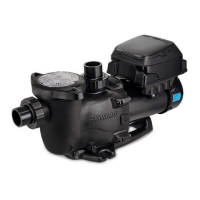
Hayward TriStar VS 950 - User Manual

Hayward TriStar VS 950
36 pages
Print Icon
To Next Page IconTo Next Page
Loading...
\
USE ONLY HAYWARD GENUINE REPLACEMENT PARTS
Hayward Pool Products
620 Division Street, Elizabeth NJ 07207
Phone (908)-355-7995
www.hayward.com
Operation Manual
092693 RevC
Contents
Introduction............................................2
Favorites................................................17
Themes.................................................22
Cong...................................................24
Upgrade................................................27
Simple Mode........................................30
Web Enabled Control..............................33
Warranty................................................34
VS Omni
Pool Automation Control
HL32950VSP HL32900VSP
HL2350020VSP HL2670020VSP

Other manuals for Hayward TriStar VS 950

Questions and Answers

  • K
    Kyle GrayAug 20, 2025
    Why is the flow generally low in my Hayward TriStar VS 950 Water Pump?
    • R
      Robert ThompsonAug 20, 2025
      If you're experiencing low flow with your Hayward Water Pump, retighten the suction and discharge connections using Teflon tape and inspect other plumbing connections, tightening as needed. Also, address any plugged or restricted discharge lines, ensuring valves are fully open, and manage filters according to the manufacturer's instructions for backwashing or cleaning. Replacing the impeller, including a new seal assembly, might be necessary. Correct the piping size.
  • D
    Dawn JohnsonAug 22, 2025
    What to do if my Hayward TriStar VS 950 motor will not start?
    • Z
      Zachary RobinsonAug 22, 2025
      If your Hayward Water Pump motor won't start, ensure the terminal board connections match the wiring diagram on the pump data plate label and that the pump is wired for the correct voltage (230VAC). Also, check for loose wiring, open switches or relays, tripped circuit breakers, or blown fuses. Manually check the motor shaft for free movement and remove any obstructions if necessary.
  • R
    rogerstylerAug 25, 2025
    Why does my Hayward Water Pump keep shutting off?
    • G
      glenn54Aug 25, 2025
      Your Hayward Water Pump may be shutting off due to undersized wiring, leading to low voltage or power drop at the motor. It's advisable to check the voltage and have a qualified professional inspect the electrical connections.
  • M
    Michael HuberAug 27, 2025
    Why is my Hayward TriStar VS 950 so noisy?
    • D
      Daniel HaleyAug 28, 2025
      A noisy Hayward Water Pump could be due to an air leak in the suction piping, which can be corrected by addressing the suction condition or throttling return lines. Ensure the pump is mounted on a level surface and securely fastened to the equipment pad. Clean the pump housing. If the motor bearings are noisy due to wear, rust, overheating, or chemical damage to the seal, replace any leaking seals immediately.
  • L
    lawrencewatsonAug 30, 2025
    What to do if my Hayward TriStar VS 950 motor hums, but does not start?
    • D
      dylanbeckerAug 30, 2025
      If your Hayward Water Pump motor hums but doesn't start, the impeller may be jammed with debris. It's recommended to have a qualified repair professional open the pump and remove any obstructions.
  • J
    jessicabrownSep 1, 2025
    How to fix interference with home automation equipment caused by Hayward TriStar VS 950?
    • L
      Lori WeissSep 1, 2025
      To resolve interference with home automation equipment caused by your Hayward Water Pump, ensure the terminal board connections match the wiring diagram on the pump data plate label and check for any improper or loose wiring connections. Consider installing a noise filter from your home automation/power line communication equipment vendor to prevent equipment interference.
  • N
    nsextonSep 3, 2025
    What to check if AC voltage is too high in Hayward TriStar VS 950 Water Pump system?
    • M
      Mia CooperSep 3, 2025
      If the AC voltage in your Hayward Water Pump system is too high, verify that the line voltage is within 10% (207-253 VAC) of the pump's rated voltage at the terminal block.
  • S
    Sandra KochSep 4, 2025
    What to check if AC voltage is too low in Hayward Water Pump system?
    • V
      Victoria MillerSep 5, 2025
      If the AC voltage in your Hayward Water Pump system is too low, verify that the line voltage is within 10% (207-253 VAC) of the pump's rated voltage at the terminal block. Also, verify that power supply connections are properly made at the circuit breaker as well as at the terminal block.
  • L
    Larry TuckerSep 6, 2025
    What to check if Drive is overheated in Hayward Water Pump system?
    • T
      Troy WardSep 7, 2025
      If the drive in your Hayward Water Pump system is overheated, check the motor airflow path for obstructions and clear them if present. Also, check the ambient temperature and compare it against the motor nameplate (50°C/122°F).
  • V
    vstephensSep 8, 2025
    What to check if Heatsink is overheated in Hayward TriStar VS 950 Water Pump system?
    • C
      Crystal MeyersSep 9, 2025
      If the heatsink in your Hayward Water Pump system is overheated, check the motor airflow path for obstructions and clear them if present. Also, check the ambient temperature and compare it against the motor nameplate (50°C/122°F).

Summary

IMPORTANT SAFETY INSTRUCTIONS

Introduction

Using the Control Pad

Explains the touchscreen interface and remote control capabilities.

Idle Screen

Describes the screen displayed after user inactivity.

Home Screen Overview

Power Button Functions

Details the 4 functions accessible via the power button.

Service Mode Options

Explains standard and timed service modes for maintenance.

Device Operation Modes

Features Off Function

Quick way to turn off most equipment with a single touch.

Simple Mode Overview

Customizable screen for quick access to Favorites.

Body of Water Selection

How to select and navigate between pool and spa.

Controlling Body of Water

Accessing and controlling features for a selected body of water.

Home Screen Navigation Elements

Left Side Features Access

Buttons related to initial configuration and equipment settings.

Right Side Favorites Access

Buttons for universal control of equipment and backyard features.

General Navigation Guide

Overview of commonly used buttons for intuitive navigation.

Features and Control Screens Explained

Common Button Functions

Explains common buttons like Save, Cancel, Advance, Back, Add, Delete, On/Off.

Equipment Control Details

Filter Pump Control Interface

Details manual control, speed setting, scheduling, and diagnostics.

Filter Pump Scheduling Process

Adding a Pump Schedule

Process to add new schedule items for the pump.

Setting Schedule Time Parameters

How to set start and end times for pump operation.

Setting Schedule Frequency Options

Configuring how often the schedule should run.

Pump Schedule Management

Setting Pump Speed in Schedules

Selecting pump speed for scheduled operation.

Editing Pump Schedules

Modifying times, speed, and frequency of a schedule.

Schedule Management Functions

Temporarily Disabling Schedules

Disabling a schedule temporarily via the On/Off switch.

Deleting Pump Schedules

Removing unnecessary schedules from the system.

Specialized Equipment Operations

Countdown Timer Functionality

Setting a timer for equipment operation.

Heater Control Interface

Enabling/disabling, setting temperature, and scheduling the heater.

Heater Operation and Priority

Heater Enable;Disable Settings

Adjusting setpoint, saving changes, and enabling/disabling the heater.

Solar Heating Priority Management

Managing priority between solar and conventional heaters.

Advanced Heater and Light Controls

Heater Source Selection Options

Enabling/disabling solar or heat pump sources.

ColorLogic Lights Introduction

Introduction to controlling ColorLogic lighting effects.

Lighting and Feature Controls

ColorLogic Lights Functionality

Shows how to select shows, colors, synchronize, and set schedules.

Other Lights Management

Managing other types of lights like deck lights.

Pool Equipment Management

Cleaner Operation Controls

Controls for cleaners, including scheduling and pump speed.

Water Features Operation

Managing water features like fountains.

Accessory Control Functions

Operating and scheduling various pool accessories.

Specialized Pool Functions

Schedule Button Usage Explained

Accessing and managing schedules for equipment.

Spillover System Control

Managing spillover functions, including scheduling.

Freeze Protection Override Procedure

Temporarily overriding freeze protection for the pump.

Favorites and Alarms Management

Favorites System Overview

Accessing and controlling equipment via Favorites.

Alarm System Notifications

Understanding and viewing system alarms.

Daylight Viewing Mode

Adjusting screen contrast for daylight viewing.

Features;Lights;Heaters;Backyard Access

Quick access to specific equipment control screens.

Favorites Screen Operations

Editing Equipment Features

Navigating to and modifying specific equipment settings.

Favorites Screen Interface

Understanding the layout and access to Favorites.

Creating and Customizing Favorites

Adding New Favorites

Step-by-step guide to creating new Favorites.

Managing Favorites Display

Moving Favorites on Screen

Rearranging the order of Favorites on the Home Screen.

Deleting Favorites from System

Removing unwanted Favorites from the system.

Simple Mode Favorites Integration

Adding Favorites to Simple Mode

Integrating Favorites for quick access in Simple Mode.

Deleting Favorites from Simple Mode

Removing Favorites from the Simple Mode display.

Themes Functionality

Creating and Running Themes

Saving and executing custom equipment state combinations.

Theme Management Procedures

Theme Customization Options

Selecting icons, naming, and adding themes to Favorites.

Starting a Saved Theme

Procedures for initiating a saved Theme.

Theme and Configuration Management

Stopping an Active Theme

Procedures for ending an active Theme.

System Configuration Access

Accessing system configuration settings.

System Configuration Tools

Config Wizard Setup

Adding, removing, and configuring pool equipment.

System Information Display

Viewing MSP ID, HUA, and component versions.

Backup and Restore Procedures

Saving and restoring system settings and schedules.

Display and Network Settings

Display Customization Settings

Adjusting hour format, temp units, speed display, brightness.

Network Connection Management

Viewing IP address and managing network connection.

Date;Time and Language Settings

Setting the current date/time and selecting system language.

Data Log Operations

Options for clearing or viewing system operational logs.

Firmware Upgrade Process

Determining Firmware Availability

Checking for and comparing current firmware versions.

Firmware Upgrade Steps

Upgrading Firmware via USB Drive

Step-by-step guide for updating VS Omni firmware.

System Language and Mode Setup

Installing New Language Files

Process for adding new language options via USB.

Simple Mode Introduction and Benefits

Overview of Simple Mode as an alternative to Standard Mode.

Simple Mode Interface and Entry

Simple Mode Screen Layout

Understanding the display and status indicators in Simple Mode.

Entering Simple Mode Procedure

Procedure to activate Simple Mode using the MSP ID.

Simple Mode Interaction and Exit

Exiting Simple Mode Procedure

Steps to leave Simple Mode and return to Standard Mode.

Web Enabled Remote Control

Creating HaywardOmniLogic Account

Steps to register and log in for remote web access.

Registering VS Omni Unit

Linking the VS Omni unit to the user account.

Limited Warranty Information

TriStar VS 950 Omni Warranty Terms

Details the 4-year limited warranty for the TriStar VS 950 Omni.

Other VS Omni Model Warranties

Details the 3-year limited warranty for other VS Omni models.

Hayward TriStar VS 950 Specifications

General IconGeneral
ModelTriStar VS 950
Pump TypeVariable Speed
Horsepower2.7 HP
Voltage230V
Energy EfficiencyEnergy Star Certified
Motor FrameNEMA 56J
ControlDigital
Port Size2"
Wet End MaterialThermoplastic

Related product manuals