EasyManua.ls Logo

Hayward TriStar VS 900 - User Manual

Hayward TriStar VS 900
36 pages
Print Icon
To Next Page IconTo Next Page
Loading...
IS32900VSP Rev-B
Hayward Pool Products
620 Division St, Elizabeth, NJ 07207
Phone: (908) 355-7995
www.hayward.com
TriStar
®
VS 900
Owner’s Manual
Model SP32900VSP
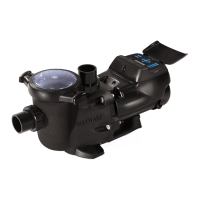
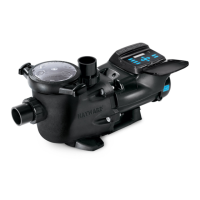
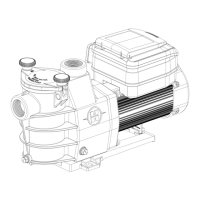
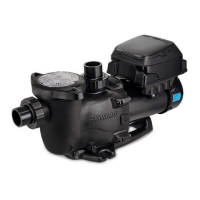
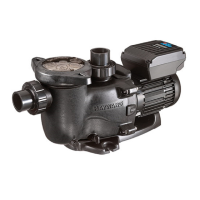
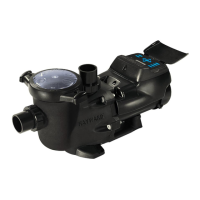
TriStar VS 900 Variable Speed Pump
Hayward’s TriStar VS 900 variable speed pump delivers incredible energy savings via its advanced
hydraulic design combined with a totally enclosed, permanent magnet motor. TriStar VS 900 is easily
installed either as a programmable stand-alone pump or with a Hayward or third party controller and
features an easy-to-use digital control interface that can be mounted in four different positions on the
pump or removed and mounted on the wall for total user convenience.
Note: To prevent potential injury and to avoid unnecessary service calls, read this manual carefully and
completely. Unless otherwise stated, instructions in this manual apply to both pump models.
SAVE THIS INSTRUCTION MANUAL

Questions and Answers

  • J
    Johnny DonaldsonAug 18, 2025
    What to do if my Hayward Water Pump has low flow?
    • W
      William SmithAug 18, 2025
      If you're experiencing low flow from your Hayward Water Pump, the strainer or suction line might be clogged or restricted. Other potential causes include undersized pool piping, a plugged or restricted discharge line or filter, or an air leak in the suction line. Also, a plugged, restricted, or damaged impeller can cause low flow.
  • C
    Cynthia MendozaAug 20, 2025
    Why does my Hayward Water Pump motor keep shutting off?
    • S
      Suzanne WilliamsAug 20, 2025
      If your Hayward Water Pump motor shuts off, this is frequently caused by undersized wiring. Check for low voltage or power drop at the motor. Contact a qualified professional to verify the electrical connections.
  • J
    James OwensAug 23, 2025
    Why is my Hayward TriStar VS 900 so noisy?
    • J
      John SuttonAug 23, 2025
      If your Hayward Water Pump is making excessive noise, it could be due to several factors. Check for air leaks in the suction piping or cavitations caused by a restricted or undersized suction line, or a leak at any joint. Ensure the water level in the pool is adequate and correct any issues with unrestricted discharge return lines. Also, verify the pump is mounted on a level surface and securely fastened. Inspect the pump housing for any foreign matter and clean it if necessary. Seal leaks should be replaced immediately, as they may be due to normal wear, rust, overheating, or chemical damage.
  • D
    diaznicoleAug 26, 2025
    How to troubleshoot a Hayward TriStar VS 900 motor that won't start?
    • B
      Bradley JonesAug 26, 2025
      If your Hayward Water Pump motor will not start, ensure the terminal board connections match the wiring diagram on the pump data plate label and that the pump is wired for the correct voltage (230VAC). Check for any loose or improper wiring connections, open switches or relays, tripped circuit breakers, or blown fuses, and correct them. Manually check the motor shaft for free movement and remove any obstructions.
  • B
    Brett BurnsAug 28, 2025
    What to do if my Hayward TriStar VS 900 Water Pump motor hums but does not start?
    • B
      Brent FloresAug 28, 2025
      If your Hayward Water Pump motor hums but doesn't start, the impeller might be jammed with debris. Have a qualified repair professional open the pump and remove the debris.
  • A
    Angela ArcherAug 30, 2025
    How to stop my Hayward TriStar VS 900 Water Pump from interfering with home automation equipment?
    • C
      Christine GreenAug 30, 2025
      If you're experiencing interference with home automation or power line communication equipment when using your Hayward Water Pump, ensure the terminal board connections match the wiring diagram on the pump data plate label. Check for and correct any improper or loose wiring connections. Consider installing a noise filter from your home automation/power line communication equipment vendor to prevent equipment interference.
  • P
    Paul Allen DDSSep 2, 2025
    What causes 'Check System DC voltage too high' on my Hayward TriStar VS 900?
    • E
      Erin MurraySep 2, 2025
      If the system DC voltage is too high on your Hayward Water Pump, verify that the line voltage is within 10% (207-253 VAC) of the pump's rated voltage at the terminal block.
  • J
    Jason LewisSep 4, 2025
    What does it mean when my Hayward Water Pump says 'Check System DC voltage too low'?
    • K
      Kristin SchmittSep 4, 2025
      If the system DC voltage is too low on your Hayward Water Pump, verify that the line voltage is within 10% (207-253 VAC) of the pump's rated voltage at the terminal block. Also, verify that power supply connections are properly made at the circuit breaker as well as at the terminal block.
  • N
    Nancy MartinezSep 7, 2025
    What to do if my Hayward TriStar VS 900 displays 'Check System Drive is overheated'?
    • D
      Deborah MartinSep 7, 2025
      If your Hayward Water Pump displays 'Check System Drive is overheated', check the motor airflow path for obstructions and clear them if present. Also, check the ambient temperature and verify it against the motor nameplate (50°C/122°F).
  • J
    Jessica CalderonSep 9, 2025
    What does 'Check System Drive overload' mean on my Hayward TriStar VS 900?
    • W
      William KnightSep 9, 2025
      If your Hayward Water Pump displays 'Check System Drive overload', inspect the impeller, diffuser, shaft seal, and motor for any issues or binding.

Summary

Important Safety Instructions

General Safety Warnings

Critical safety alerts, hazard symbols, and user precautions for safe operation.

Installation and Wiring

Electrical Safety and Grounding

Detailed warnings regarding electrical shock hazards, grounding, and bonding requirements.

Entrapment and Pressure Hazards

Safety measures to prevent suction entrapment, pressure, and separation risks.

Pump Location and Mounting

Guidelines for selecting an optimal location and securing the pump correctly.

Pipe Sizing and Plumbing

Recommendations for pipe diameter, flow rates, and proper plumbing connections.

Electrical Specifications and Wiring

Details on voltage, amperage, wiring, grounding, and bonding.

Remote Control and Interface Orientation

How to wire for remote control and orient the digital interface.

Interface Wall Mounting Procedure

Step-by-step guide for mounting the digital control interface on a wall.

General Installation Steps

Comprehensive procedure for installing the pump and connecting various controls.

Energy Efficiency Overview

Benefits of Low Speed Operation

Details the advantages of running the pump at lower speeds for energy savings and performance.

Wiring Diagrams

Input Power and Interface Wiring

Diagrams for connecting main power and the digital control interface.

Relay and Automation Control Wiring

Diagrams for connecting external relays and Hayward automation systems.

Startup and Operation

Pre-Startup Checks and Priming

Essential checks, safety precautions, and steps for starting and priming the pump.

Pump Priming and Operation

Detailed guide to priming the pump and initial operation procedures.

User Interface and Controls

Explanation of the pump's control interface buttons, status LEDs, and modes.

Menu Structure and Initial Setup

Overview of the pump's menu system and initial configuration steps.

Configuration Menu Settings

Detailed guide to setting up the pump's parameters like time, speed, and prime.

Timer Menu Configuration

How to program the pump's timer functions for automatic operation.

Preset Speed and Diagnostic Menus

Instructions for setting preset speeds and accessing diagnostic information.

Operation Modes: Stop;Resume & Quick Clean

Explanation of operating modes like stopping, resuming, and quick cleaning.

Maintenance and Storage

Routine Maintenance and Winterization

Recommended checks, cleaning, and procedures for safely storing the pump.

Shaft Seal Replacement

Disassembly for Shaft Seal

Steps to remove the motor assembly and access the shaft seal components.

Impeller, Diffuser, and Seal Installation

Procedures for replacing the impeller, diffuser, and installing the new shaft seal.

Replacement Parts

Parts Diagram and Listing

Visual guide and list of available replacement parts for the pump.

Troubleshooting

General Pump Problems and Solutions

Common issues like motor not starting, shutting off, or humming.

Pump Flow, Noise, and Interference

Troubleshooting low flow, noise issues, and communication interference.

System Error Messages and Resolution

Explains system error codes and their corresponding troubleshooting steps.

Warranty and Registration

Limited Warranty and Product Registration

Details on warranty coverage, registration, and terms.

FCC Compliance and Registration

FCC Statement and Warranty Card

Information on FCC compliance and warranty card registration process.

Hayward TriStar VS 900 Specifications

General IconGeneral
Voltage230V
Energy EfficiencyEnergy Star Certified
ModelTriStar VS 900
Maximum Flow Rate90 GPM
Speed Range600-3450 RPM
Motor TypePermanent Magnet, Totally Enclosed Fan Cooled (TEFC)
TypeVariable Speed Pump
Port Size2 in. x 2 1/2 in.
Maximum Head90 ft
Wet End MaterialReinforced Thermoplastic
Motor EnclosureTotally Enclosed Fan Cooled (TEFC)
Control InterfaceDigital
ControlProgrammable Digital Control Interface

Related product manuals