14
1
OPERATION
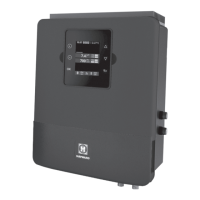
The SwimPure Plus is an automatic chlorine generation system for pool or spa sanita-
tion. The operation requires a low concentration of salt (sodium chloride) in the pool
water. These levels are low enough that it normally will not be tasted. The SwimPure
Plus automatically sanitizes your pool by converting the salt into free chlorine which
kills bacteria and algae in the pool. Chlorine will revert back to sodium chloride after
killing bacteria. These reactions will continuously recycle virtually eliminating the need
to add sanitizing chemicals to your pool. The only time you may need to add more salt
to the pool is when water is replenished due to backwashing, draining, or splashing (not
evaporation).
The SwimPure Plus is designed to handle the purification needs of most residential
swimming pools up to 40,000 gallons (150,000 liters), or the needs of most commercial
pools up to 25,000 gallons (95,000 liters). Check local codes for other restrictions. The
actual amount of chlorination required to properly sanitize a pool varies due to bather
load, rainfall, temperature, and the pool's cleanliness.
NOTE: Hayward does not recommend using the SwimPure Plus to generate bromine.
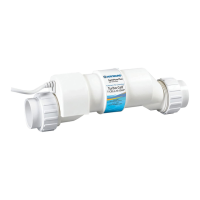
SwimPure Plus chlorine generators operating with software version 1.50 or later are
designed to use one of 3 different chlorinator cells that are available from your autho-
rized Hayward dealer. These cells are not included with the SwimPure Plus and must be
purchased before installation. Choose the appropriate cell based on the size of your
pool. The models are shown below:
T-CELL-15 - for pools up to 40,000 gallons
T-CELL-9 - for pools up to 25,000 gallons
T-CELL-3 - for pools up to 15,000 gallons
Note that the installation and mounting requirements are the same for all models.
NOTE: Before installing this product as part of a saline water purification system in a
pool or spa using natural stone for coping or for immediately adjacent patios/decking, a
qualified stone installation specialist should be consulted regarding the appropriate
type, installation, sealant (if any) and maintenance of stone used around a saline pool
with electronic chlorine generator in your particular location and circumstances.
NOTE: The use of dry acid (sodium bisulfate) to adjust pool pH is discouraged espe-
cially in arid regions where pool water is subject to excessive evaporation and is not
commonly diluted with fresh water. Dry acid can cause a buildup of by-products that
can damage your chlorinator cell.
4
1
3
2
1
GRN
BLK
YEL
RED
SwimPure
Plus
Eos
green
yellow
black
red
note
marked
on PCB
Polaris - Attach wires to proper screw terminals as shown below. Note that screw
terminal "1" is marked on the Polaris PCB.
Troubleshooting
Visit www.haywardnet.com for helpful information on operation, maintenance and trouble-
shooting your SwimPure Plus Electronic Chlorine Generator.
Diagnostic Displays
Sequential pushes of the small "diagnostic" button next to the LCD display will cause
the SwimPure Plus
to display the following information:
1. Pool temperature (xx degrees Fahrenheit or Celsius)
2. Cell voltage (xx.x volts)
3. Cell current (x.xx amps)
4. Desired Output % ("0P" -- "100P" depending on knob position or input from remote
pool automation controller)
5. Instant salinity ( -xxxx ppm or -x.xx grams/Liter)
6. Product name sent to the pool automation control display ("AL-0" which signifies
"SwimPure Plus")
7. Software revision level (r1.xx)
8. Chlorinator cell type (t-3, t-5, t-9, t-15)
On the 9th push of the button the display will revert back to the default salt display.
Also, if the button is not pushed for 30 seconds, the display will revert back to the
standard salt display.
Common Problems and Solutions
1. "Power" LED not on
Check to make sure either 120VAC or 240VAC input power is connected to the proper
screw terminals at the SwimPure Plus control. Verify input voltage with a voltmeter. If
there is input power, the fuse may have blown. The SwimPure Plus is protected by a 20
amp mini ATO fuse located on the circuit board above the cell connector.
2. "Generating" LED flashing
The temperature of the pool water is too high or low to operate. You can override this by
switching the main switch to SUPER CHLORINATE. The SwimPure Plus will run at
maximum output for the remainder of the current pump cycle or 24 hours, whichever
comes first.
3. "No Flow" LED illuminated
The SwimPure Plus has sensed a no flow condition and has stopped generating chlo-
rine. Check that the flow switch is plugged into the connector on the bottom of the
control unit and that the wire is not cut or damaged. Make sure you have at least 12" of
straight pipe before the flow switch. If there is adequate flow and the LED is still on,
check that the arrows on the flow switch (on top of hex) are pointing in the direction of
flow.


 To Next Page
 Loading...