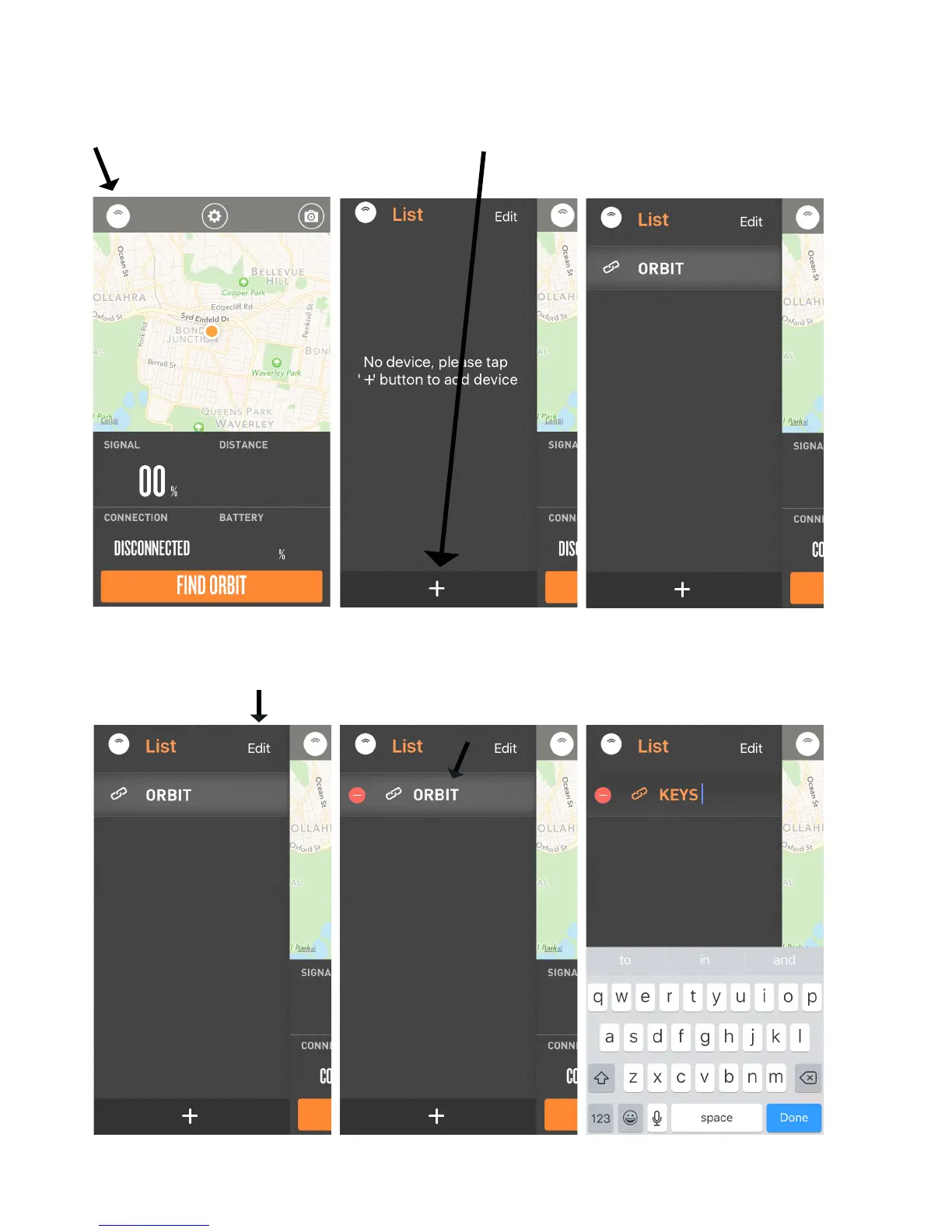
How to Connect your ORBIT to your Phone
How to Rename ORBIT
1. Tap on the top left icon (image of the orbit device).
Press the side button on ORBIT so it can be searched.
To activate your Orbit, hold down the side button for 5 seconds.
1. Tap on the top right “Edit” button. 2. Tap on the name of the device and rename.
2. Tap on the (+) icon to add device.
“ORBIT device” will appear in the list.
p5.



 To Next Page