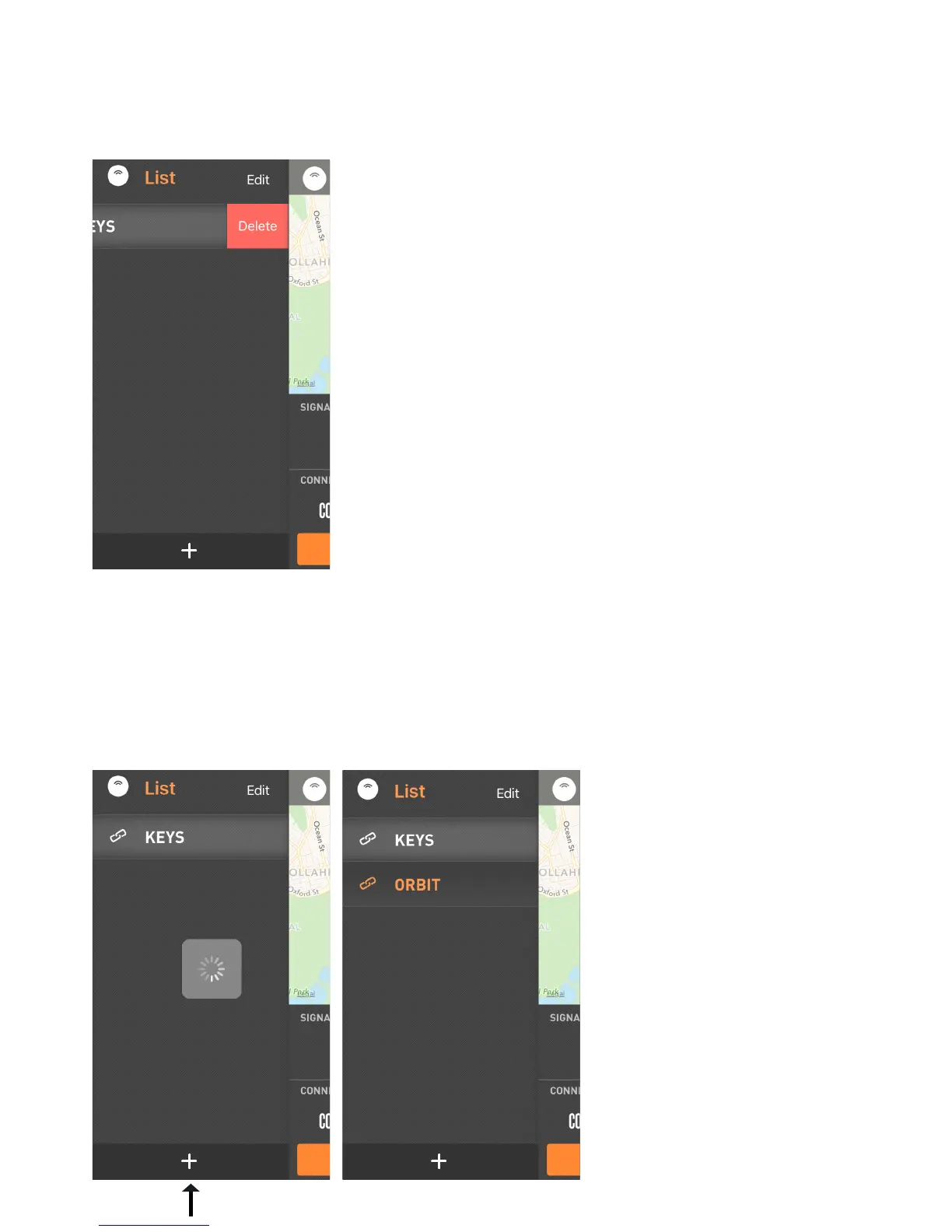
How to Disconnect ORBIT
How to add Multiple ORBITs
1. Tap on the (+) icon to add another device.
The Orbit app will search for a new device, once
found the “ORBIT device” will appear in the list.
2. Tap on the name of device you would like to search for.
1. Tap on the Name of your Orbit.
2. Swipe right on the name and the Delete box will appear.
p6.


 To Next Page