How to Locate ORBIT
How to Locate Your Phone
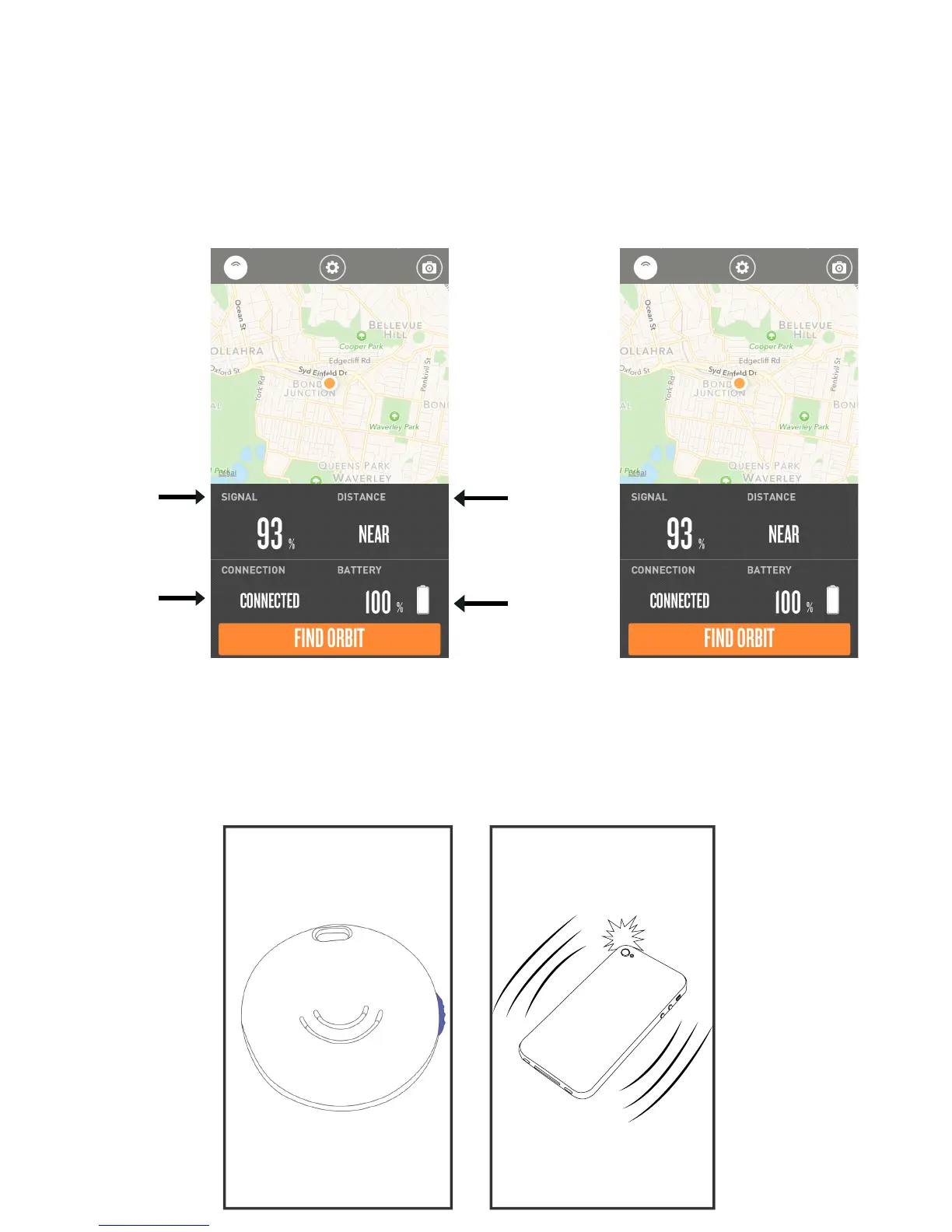
Tap on the Orange button at the bottom of the screen. ORBIT will ring if it is within range.
If no ring, a notication will appear the last known location of ORBIT.
Press the side button on ORBIT, and your phone will ring and ash* if it within range.
If no ring, the phone is out of range.
NOTE: This function also works if the app is not running. However, it can take a few minutes for the Orbit to connect to
your phone in this case.
How to Use ORBIT
Signal:
Shows how close
you are from Orbit
Distance:
Shows how near
or far you are from
Orbit
Connection:
Will notify you if
you are connect-
ed or disconnect-
ed from Orbit
Battery:
Shows you how
much charge is in
your Orbit
p7.


 To Next Page