© 2021 HBX Controls10
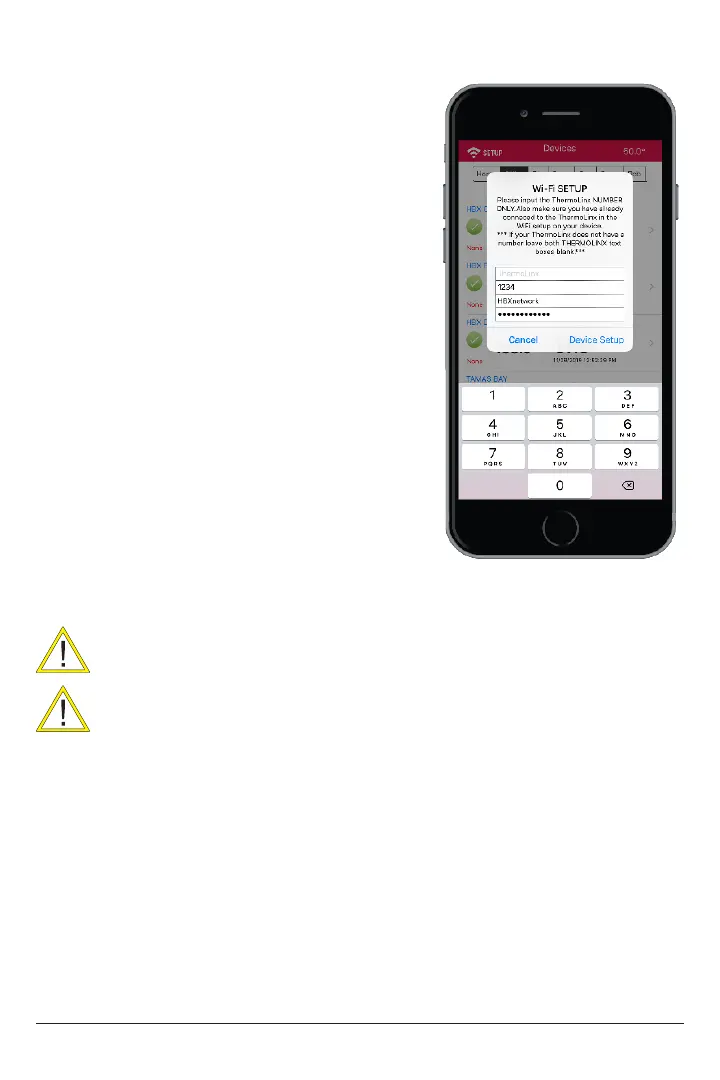
10. In the network SSID, type the network
name of the building Wi-Fi you are trying to
put the SensorLinx device on.
11. In the Password, type the password
foe the building Wi-Fi you are trying to put
the SensorLinx device on.
12. When nished press the Device Setup
button. This will connect to the TLBTUXXYY
device and send it the local network
information.
13. Once the App has sent all the
information it will reset the SensorLinx
device automatically and it will try to
connect to the local building Wi-Fi with the
SSID and password that you had provided.
14. Once the 120 second wait period
is up you should see all 3 LED’s on the
SensorLinx device stay on solid. RED, GREEN
and BLIUE.
15. At this point you are now ready to
add the SensorLinx device to your location.
CONNECTING TO A NETWORK (ANDROID)
Connections can only be made to a 2.4GHz network.
Home network name cannot contain more than 30 characters. The
password should not contain any special characters.



 To Next Page