User's Guide
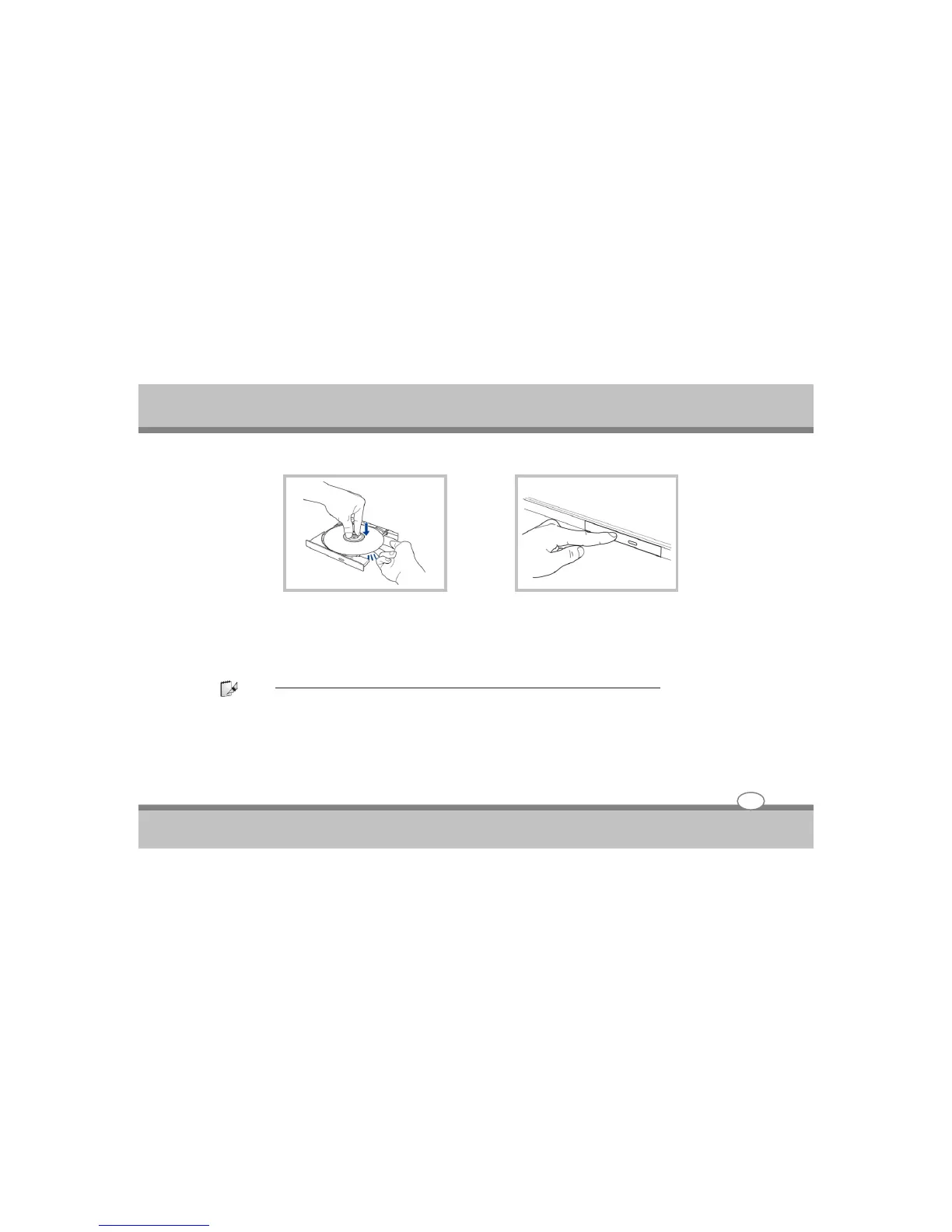
1. Hole the disc by the edge and face the disc's
printed side up. Push down on both sides of
the disc's center until the disc snaps onto the
hub. The hub should be higher than the
disc when correctly mounted.
2. Slowly push the drive's drive's tray back in.
The drive will begin reading the table of
contents (TOC) on the disc. When the drive
stops, the disc is ready to be used.
Note :
It is normal to hear as well as feel the CD spinning with great intensity in the CD drive while data is read.
Using the Notebook PC
4-12



 To Next Page