5
(4.0) Setup
(4.1) Quick Start
1. While the power is switched off, plug the included power cable into FRFR-GO, then plug the cable into a power
outlet.
2. Connect audio input sources (smartphone, tablet, etc.) to FRFR-GO. For best results, do not connect a guitar
directly to FRFR-GO’s input as the circuitry is designed to only be connected to an amp modeler’s line output.
3. Connect audio output devices (headphones, amp modeling pedal, etc.) to FRFR-GO. To avoid unwanted distortion,
set the output of your amp modeler’s line-level output as close to unity gain (0 dB) without going over. For
HeadRush modelers, set their main volume knob around “7”, depending on your rig’s setup. If you are unsure of
where the unity gain position of your amp modeler is, check your amp modeler’s User Guide.
4. Power on your connected audio devices, then power on FR
FR-GO.
5. Turn up the volume on your connected Bluetooth device, Aux input device, or instrument Input source.
6. Adjust the Input Volume knob on FRFR-GO to an appropriate level.
7. Finally, adjust the Main Volume on FRFR-GO to an appropriate level.
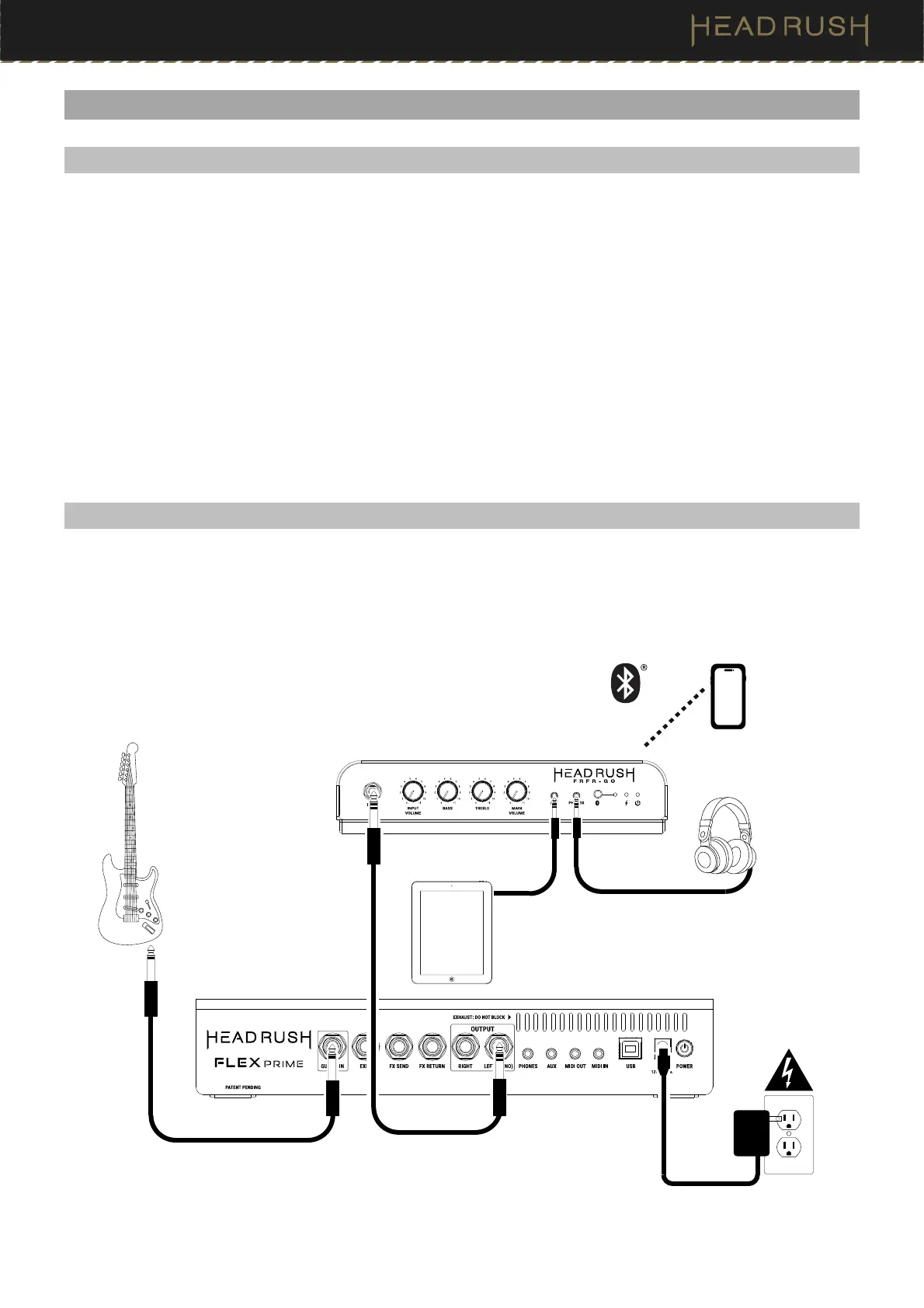
(4.2) Example A: One FRFR-GO (Mono)
Items not listed under (1.1) Introduction > Box Contents are sold separately.
Connect the Left (Mono) output of your guitar or bass multi-FX/amp modeling pedal to the input on a FRFR-GO.
Guitar
Multi-FX/amp modeling pedal
Power
Tablet
Headphones
Smartphone


 To Next Page