8
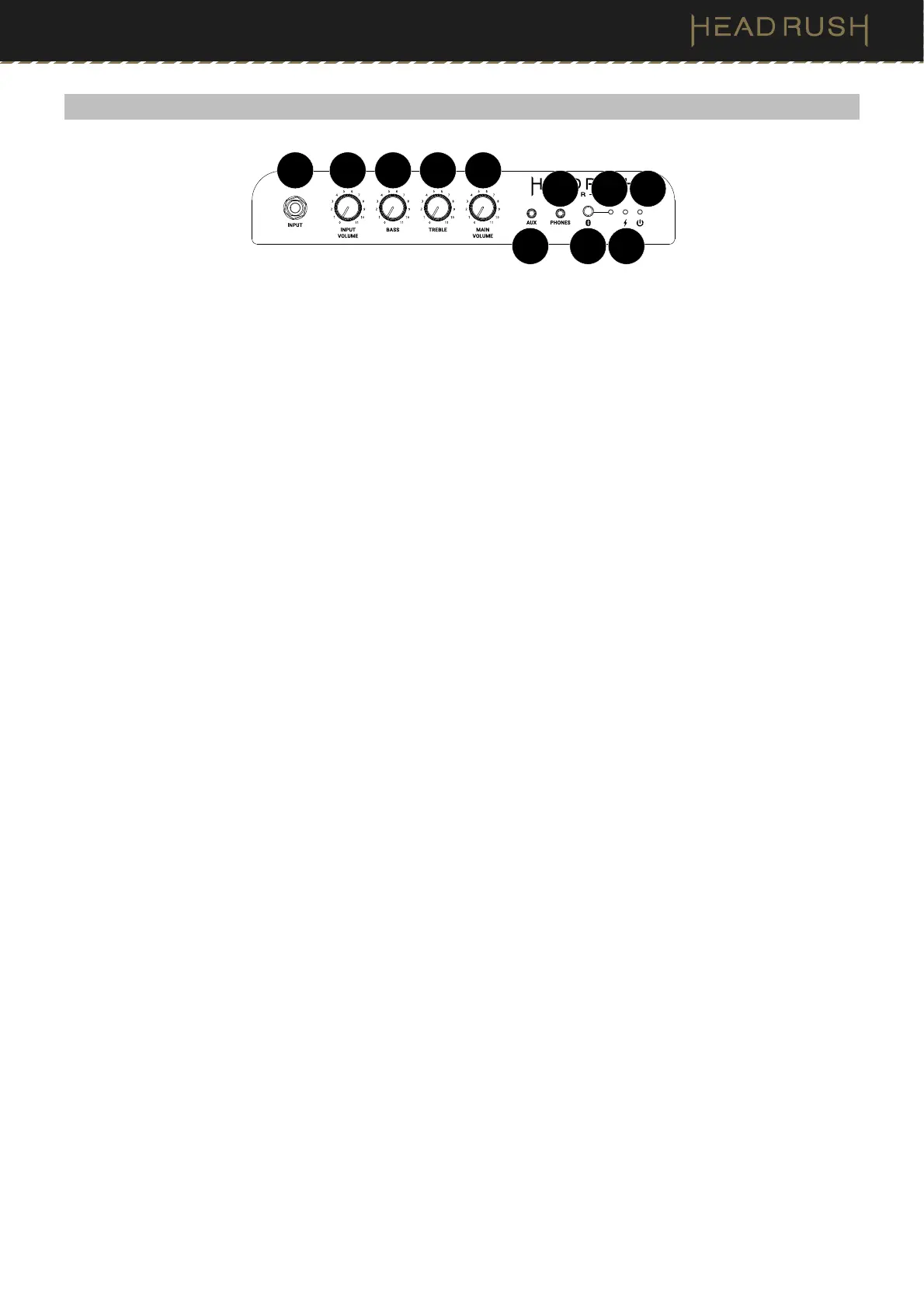
(5.2) Front Panel
C. Charge LED
This LED will be lit green when fully charged and lit red when charging.
D. Power LED
This LED will be lit green when the speaker is powered on.
E. Input
Use a 1/4” (6.35 mm) instrument cable (not included) to connect your amp modeler to this line-level mono input.
For stereo applications, connect to the Aux input.
F. Input Volume
Turn this knob to adjust the volume for the instrument input.
G. Bass
Turn this knob to adjust the low-end frequencies for the speaker output.
H. Treble
Turn this knob to adjust the high-end frequencies for the speaker output.
I. Main Volume
Turn this knob to adjust t
he overall volume of the speaker.
J. Aux
Connect an optional stereo audio source (e.g., tablet, drum machine, etc.) to this input using an 1/8” (3.5 mm)
stereo cable.
K. Phones
Connect standard 1/8” (3.5 mm) stereo headphones to this output. This will mute the internal speaker. Control
the level by using the MAIN VOLUME knob.
L. Bluetooth Pair
Use this button to enter Bluetooth Pairing Mode or disconnect a paired device.
M. Bluetooth LED
This blue LED will flash when the speaker is in pairing mode, be lit solid when a device is paired, and will be
unlit when a Bluetooth device is not paired.
C
D
M
E F
G
H
I
J
K
L


 To Next Page