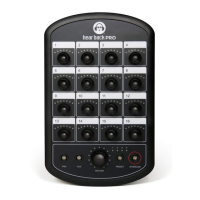
HOOK-UP DIAGRAM STEREO LIVE - ANALOG
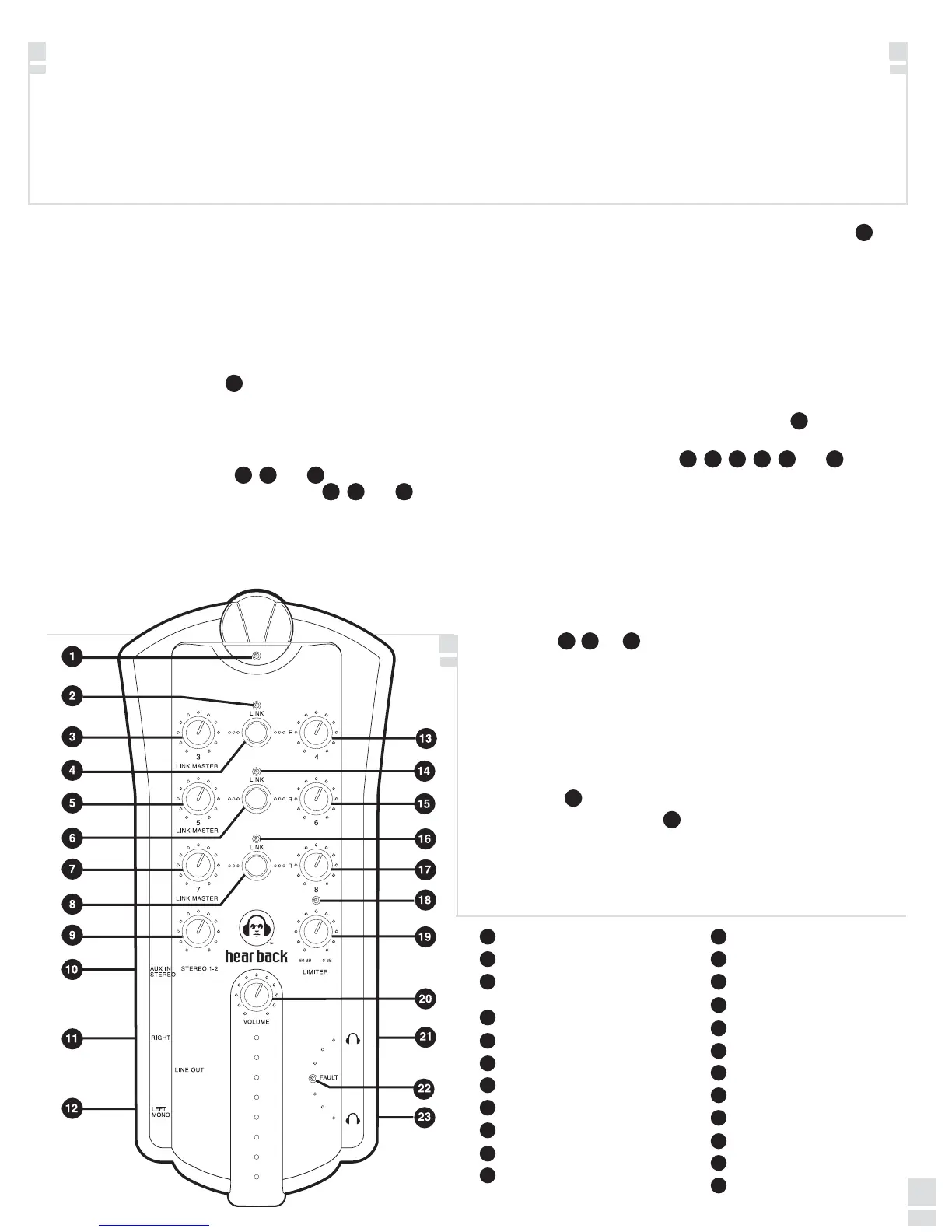
MIXER FEATURES
MIXER CONSTRUCTION
The Hear Back mixer is constructed of UV-stabilized ABS
and has a built-in mic stand mount. Two cable strain reliefs
greatly reduce stress on the CAT5E cable connectors and the
mixer RJ45 connector.
STATUS INDICATORS
The mixer has three types of status indicators:
1. BUS - The bus indicator (1) is a bi-color LED that is green
under normal operating conditions, indicating the
HearBus clock is present. In the absence of the clock, the
indicator turns red alerting the user a problem exists at
the hub or connection to the hub.
2. LINK - The link indicators (2),
(14) and (16) illuminate
whenever the associated link switch(es) (4), (6) and (8)
are pressed. Switch settings are stored in non-volatile
flash memory whenever power is removed.
3. HEADPHONE AMPLIFIER FAULT - The fault indicator
(22) is
normal off and only illuminates red if an over-current or short
circuit condition occurs. The circuit shuts down the
headphone amplifier and upon cooling returns to normal
operation. Continued cycling of the fault circuit is not
recommended as excessive cycling can degrade the
amplifier's performance and life.
LINK OPERATION
Normally, a stereo mix is connected to the hub channels 1 and
2. These are typically the front of house or control room mix and
are controlled using the mixer stereo input knob (9).
The "more me" inputs are typically mono and are controlled
using the mono control knobs (3),
(13), (5), (15), (7) and (17). The
mono signals are center-panned in the stereo field when the link
indicator is off.
When a pair of mono inputs are linked, three things occur;
1. The left channel becomes the link master volume control for
the stereo pair.
2. The two inputs are hard panned left and right. Inputs can be
adjusted at the source to have a stereo spread anywhere
desired. Stereo signals are realized by using a pair of the
mono inputs: 2/4, 5/6, and/or 7/8 by simply pushing the link
switch
(4), (6), or (8).
3. The right mono volume now becomes inactive.
LIMITER
The limiter gives the user ultimate control of his/her hearing
protection as well as headphones, in-ear and conventional
loudspeaker monitoring devices in the event of excessive input
levels. The two-stage DSP limiter is an :1 or "brick wall"
limiter. The limiter is controlled using simple threshold
adjustment
(19).
The limiter active blue LED
(18) illuminates when the limiter is
active. If the indicator operates during normal program material
the dynamic range and quality of sound will suffer. NOTE:
Limiter should only be active when excessive signals are
present. To set the limiter, see Hear Back Connecting and
Calibration on page 6.
• Local control of up to ten channels of audio
• Master volume
• Built-in DSP limiter
• 24-bit D/A converters
• Less than 1.5 millisecond total system delay
• Bus status indicator
• Headphone amplifier fault indicator
• Link indicators
• Standard CAT5E power and signal connection
• Balanced, mono/stereo, line outputs
• +4 dBu level TRS unbalanced stereo AUX in:
- Expand numbers of mixes
- Drum module/metronome or local mix input
L
L
L
Bi-Color Bus Status Indicator
Link Indicator - Channels 3/4
Mono Channel 3/Stereo Link Master
Level
Link Switch - Links Channels 3/4
Mono Channel 5/Stereo Link Master
Link Switch - Links Channels 5/6
Mono Channel 7/Stereo Link Master
Link Switch - Links Channels 7/8
Stereo Mix Level Control, Channels 1/2
Stereo Auxiliary Input
Right Line Output
Left/Mono Line Output
Mono Channel 4
Link Indicator - Channels 5/6
Mono Channel 6
Link Indicator - Channels 7/8
Mono Channel 8
Limiter Indicator
Limiter Threshold Control
Master Volume
Headphone Output
Headphone Amplifier Fault Indicator
Headphone Output
1
2
3
4
5
6
7
8
9
10
11
12
13
14
15
16
17
18
19
20
21
22
23
1
2
4 6 8
9
3 5 713 15 17
19
18
14 16
22
8
4 86
0516


 To Next Page