VER1.0B1 HeartCheck HANDHELD ECG MONITOR
- 18 -
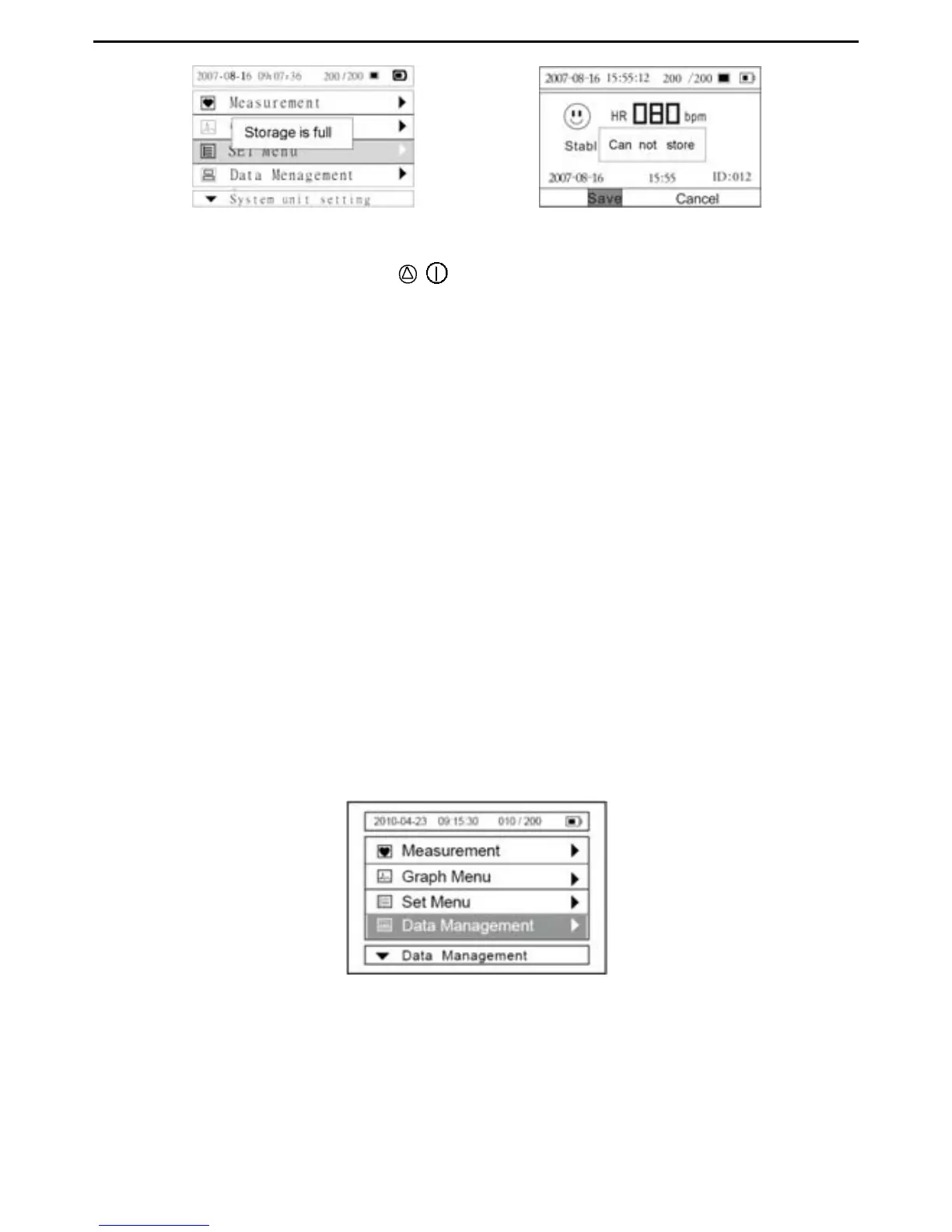
Picture 4-16 Picture 4-17
To turn off the device press the / button for three seconds
Note: If you forget to turn the device off, it will automatically shut down within one minute.
Users can set the auto power off time limit (1 minutes, 2 minutes…10 minutes) in
“System Settings”
Caution!
Please note that while the measurements from an ECG monitor are a useful guide for
your doctor, they cannot detect all changes in heart conditions. Always consult your
doctor if you notice any changes in your condition, regardless of the measurement
results, even if “Stable waveform” is displayed as the measurement result.
The values displayed by the device are the values at the time of measurement.
Medical conditions can change suddenly. If you notice any change in your condition,
consult your doctor, regardless of the prior measurement results.
4.3.2 Continuous Mode
The device must be connected to a computer prior to the start of a recording In the
“Measurement Mode” you can select the “Continuous Mode” for longer term monitoring.
New batteries are expected to support approximately 6 hours of recordings in
Continuous Mode.
Picture 4-18
Note: In Continuous Mode, the device must be connected to the computer as
Continuous Mode measurement results cannot be saved in the device. The
measurement results can be displayed in real-time on a computer by using the data


 To Next Page