This document is a user manual and safety instructions for the Heat Storm Infrared Wall Heater WX & WXG models (HS-1000-WX, HS-1000-WXG). It provides comprehensive information on the heater's function, usage, and maintenance.
Function Description:
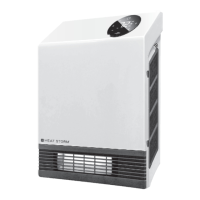
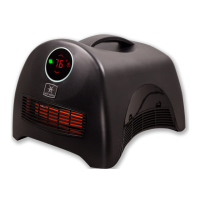
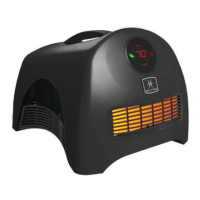
The Heat Storm Infrared Wall Heater is a 1000-watt quartz infrared heater designed for supplemental heating in various indoor environments such as bedrooms, family rooms, and offices. It operates on 120V standard outlets and is intended for wall-mounted use only. The heater utilizes infrared elements to generate heat, which is then distributed into the room by a fan. It features a thermostat to regulate the ambient temperature, with a default setting of 70°F or 21°C. The device includes a child lock feature to prevent unauthorized changes to settings and a thermostat calibration mode to match the heater's reading with a central HVAC system. It also has different working modes: Low, Auto, and High, which adjust power output based on the room temperature and desired setting. The heater is equipped with a display that shows the temperature and various status icons, and it can be set to display temperature in either Celsius or Fahrenheit. A timer function allows users to set delay on and delay off times for automated operation.
Usage Features:
The heater is designed for ease of use with a touchscreen control panel.
- Power On/Off: A single touch of the power icon turns the heater on or off.
- Child Lock: Pressing and holding the power icon for 5 seconds engages or disengages the child lock, indicated by a red lock icon and a beep sound. This feature prevents accidental changes to settings.
- Temperature Adjustment: The "+" and "-" icons are used to increase or decrease the desired temperature by 1°F or 1°C. Holding these icons allows for rapid incremental changes. The display blinks when in temperature setting mode.
- Working Modes: A single touch of the mode icon (lightning bolt) cycles through Low, Auto, and High working modes. In Low mode, the heater operates at 50% power when the room temperature is below the set temperature. In Auto mode, the power output varies between 50% and 100% depending on the temperature difference. In High mode, the heater operates at 100% power when the room temperature is below the set temperature.
- Beep Sound On/Off: Pressing and holding the mode icon for 5 seconds toggles the beep sound on or off.
- Celsius/Fahrenheit Toggle: Simultaneously pressing the "+" and "-" icons switches the temperature display between Celsius and Fahrenheit. This feature is available on the touchscreen and Smart Life app for Wi-Fi models, but not via the remote control.
- Display Brightness: A single touch of the sun icon changes the display brightness.
- Timer Function: The timer icon allows setting delay on and delay off times. In standby mode, both can be set. When the heater is on, only the delay off timer can be set. The display flashes when in edit mode, and "+" or "-" symbols are used to add or remove hours.
- Thermostat Calibration: To calibrate the thermostat, press and hold the ON/OFF button for 10 seconds. After two beeps, release the button, and use the "+" and "-" buttons to adjust the thermostat when the numbers flash. This helps match the heater's reading with a central HVAC system.
- Factory Reset: To reset the heater to factory settings, unplug and plug it back in. Within three minutes, press and hold the timer icon for 10 seconds.
Maintenance Features:
Regular maintenance is crucial for the heater's longevity and efficient operation.
- Filter Cleaning: The Heat Storm Infrared Heaters are equipped with a washable lifetime filter system. It is recommended to clean the filters regularly, about once a month or as needed.
- Locate the two filters on each side of the unit.
- Press both tabs to remove the filter cover and then remove the filter, noting the airflow direction.
- Run warm tap water over the filter in the opposite direction of airflow until the water runs clear. Mild dish soap can be used for soaking, followed by thorough rinsing.
- Shake the filter over a sink to remove excess water and allow it to drip dry completely before reinstalling. Do not force or speed up the drying process with alternative methods.
- Ensure the filter is completely dry before reinserting it into the air inlet and replacing the covers.
- Alternatively, the filters can be cleaned with a vacuum wand by gently running it over the filter cover without removing the cover or filter.
- Storage: Always unplug the heater when it is not in use for extended periods.
- Troubleshooting: The manual provides a troubleshooting guide for common issues such as the fan not blowing air initially, discrepancies in temperature readings, continuous fan operation after turning off, lack of warm air, burning plastic smell, and error codes ("EE" for temperature sensor error, "EO" for program setup error, "E1" for tilt-over error, "UH" for high voltage error, "LO" for temperature below 16°F, and "HI" for temperature above 99°F). For most error codes, unplugging the heater for 2 hours and performing a factory reset is recommended. If issues persist, customer service should be contacted.
- Element Replacement: The quartz infrared heating elements have an average life expectancy of 20,000 hours and are replaceable by an authorized service dealer.



 To Next Page

 General