• Fireye burner display should read LOCKOUT
3-P INTLK OPEN.
Re-adjust the high pressure switch to its previous
position and reset its manual reset button. Reinstall
its cover.
CHECKING LOW FUEL GAS PRESSURE
SWITCH
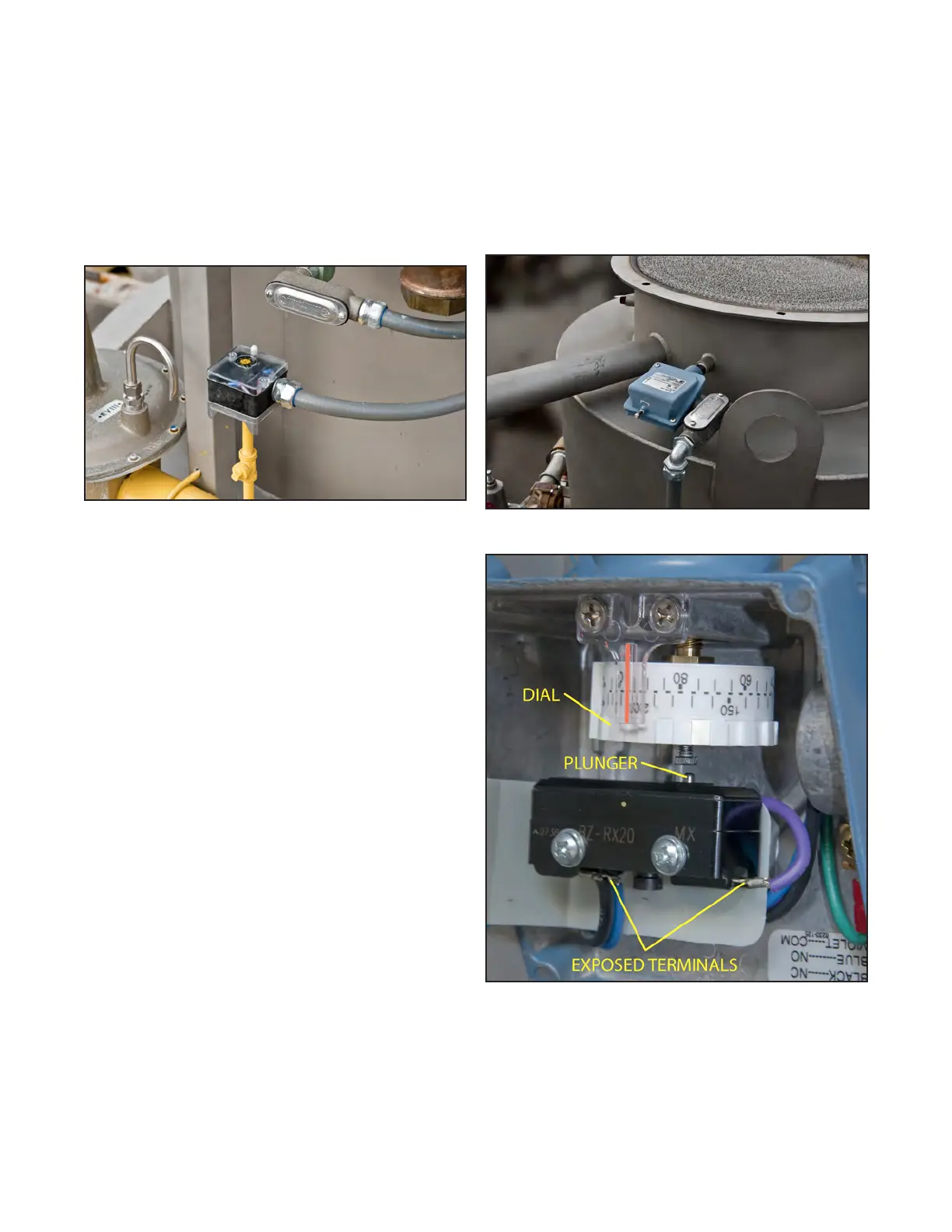
Figure 10. Low fuel gas pressure switch.
Shut off the main gas manual shutoff valve (Y, Fig.
3) and set BURNER switch (Fig. 4) to ON. Remove
the plug from the tee fitting below the pressure
switch allowing gas to escape. The following reac-
tions should occur, indicating that the switch is
operating properly:
• LOW FUEL GAS PRESSURE light on control
panel (Fig. 4) should be the first light to
go out. (Subsequent indicator lights on the
panel will also go out.)
• Fireye burner display (Fig. 4) should read
LOCKOUT 3-P INTLK OPEN.
Reinstall plug in tee fitting. Slowly re-open the
main gas manual shutoff valve.
Reset the low fuel gas pressure switch (Fig. 10)
using its manual reset button. Reset the Fireye
control.
CHECKING HIGH FLUE GAS STACK
TEMPERATURE SWITCH
WARNING
Do not touch the exposed terminals (FIG. 12)
inside the stack temperature switch. Touching the
terminals could cause electrical shock causing
serious injury or death.
Figure 11. High flue gas temperature switch.
Figure 12. Inside of high flue gas temperature switch.
Publication 1-10-218
Page 8


 To Next Page