EasyManua.ls Logo

Heath Zenith SL-6105 - User Manual

Heath Zenith SL-6105
12 pages
Print Icon
To Next Page IconTo Next Page
Loading...
Included are:
• The sensor switch
• Cover plate
• 3 wire connectors
• 2 large screws
• 2 small screws.
INSTALLATION
SELECT A LOCATION
The sensor is more sensitive to motion across the
front of the sensor than to motion towards the
sensor.
The detector senses heat in motion and possibly
heat sources that change temperature quickly.
Therefore, to avoid false triggering, avoid plac-
ing the sensor where it will be aimed at air
conditioners, heaters, and other sources of heat
or cold.
30 ft.
(9.1 m)
Features include:
150° motion detection angle
Adjustable on-time from 5 sec. to 20 min.
Adjustable photocell
Works with incandescent and rapid start
fluorescent lighting
Works with motors up to 1/8 hp
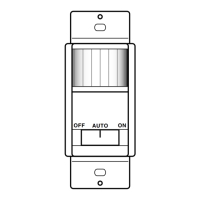
Slide switch selectable OFF, ON, and AUTO modes
AUTO
OFF ON
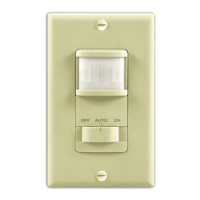
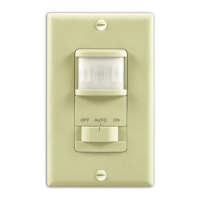
The SL-6105 Motion Sensor Wall Switch detects motion to turn on
lights for an adjustable amount of time. A built-in photo cell can be
set to keep lights off when the lights aren’t needed. The unit has
excellent sensitivity and a wide 150° detection range. It can be used
with incandescent lighting as well as rapid start fluorescent lighting.
Installation is as easy as replacing a wall switch. However, some
codes require installation by a qualified electrician.
Motion Sensor
Wall Switch
SL-6105
15 ft. (4.6 m) 0
Figure 1 - Typical Plan View of
Coverage
© 2003 DESA Specialty Products™ 595-4881-09

Questions and Answers

  • M
    malonejaredJul 31, 2025
    What to do if my Heath Zenith Switch light does not come on?
    • I
      Ian SalazarJul 31, 2025
      If your Heath Zenith Switch light isn't turning on, there are several potential causes. First, check if the circuit breaker or fuse is turned off. If the lamp has another switch, ensure it's in the ON position. The bulb might be defective, so try replacing it. Also, the LIGHT control might be set too far toward the dark position, so adjust it. Ensure the mode switch is set to AUTO, not OFF, and finally, check all wiring connections for any issues.
  • Z
    zburnettAug 8, 2025
    Why won't my Heath Zenith Switch light turn off?
    • D
      Daniel RobertsAug 8, 2025
      If your Heath Zenith Switch light remains on, several factors could be responsible. Check the wiring to ensure it's correct. Make sure the mode switch is set to AUTO, not ON. Verify that there is no motion in the detection area. Finally, the delay set by the TIME control might not have expired yet, so wait for the set delay to pass.
  • L
    Linda HoltAug 15, 2025
    How to keep my Heath Zenith Switch lights on in AUTO mode?
    • J
      jim30Aug 16, 2025
      If the lights on your Heath Zenith Switch aren't staying on in AUTO mode, it could be due to a couple of reasons. First, ensure there is continuous motion in the room, as the sensor might be turning off the lights due to inactivity. Also, check the TIME control setting; if it's set for too short a delay, adjust it for a longer delay to keep the lights on longer.
  • D
    David WilliamsAug 22, 2025
    What to do if Heath Zenith Switch light comes on for no reason?
    • A
      Ashley FreemanAug 22, 2025
      If your Heath Zenith Switch light is activating for no apparent reason in AUTO mode, it could be due to a few things. Heating or cooling objects, such as air vents or appliances, might be causing false triggering; try removing or adjusting these objects. If the switch on the sensor has been turned off and back on, reset the switch. It's also possible there was a momentary power interruption; in this case, wait for the light to turn off automatically once the 'on' time expires.

Summary

Installation - Select a Location

Installing Sensor

Removing Control Panel Cover

Procedure to detach the sensor's decorative cover plate for installation.

Adjustments

Time Adjustment

Setting the duration lights stay on, adjustable from 5 seconds to 20 minutes.

Light Level Adjustment

Adjusting sensitivity to ambient light for automatic light activation.

Photocell Adjustment

Calibrating the photocell to activate lights at a desired low light level.

Using Motion Sensor Wall Switch

Mode Selection Switch

Switch to select operation modes: OFF, AUTO, or ON.

Specifications

Troubleshooting

Light Does Not Come On

Common causes and solutions for the light failing to activate.

Light Does Not Turn Off

Possible reasons why the light remains on continuously.

Light Comes On For No Reason (AUTO Mode)

Troubleshooting false triggering in automatic mode.

Lights Do Not Stay On (AUTO Mode)

Resolving issues with lights turning off too quickly in AUTO mode.

Technical Service

Warranty Information

Heath Zenith SL-6105 Specifications

General IconGeneral
Voltage120 VAC
Load TypeResistive, Inductive
Bulb TypeIncandescent, LED
Power SourceHardwired
Maximum Load600W Incandescent
Time DelayAdjustable
MountingWall

Related product manuals