EasyManua.ls Logo

HEDD TYPE 05 - User Manual

HEDD TYPE 05
13 pages
Print Icon
To Next Page IconTo Next Page
Loading...
Heinz Electrodynamic Designs
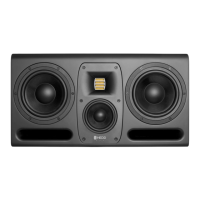
Type 05
Operation Manual
EN DE

Questions and Answers

  • J
    Jackson GarrettJul 27, 2025
    What to do if my HEDD Speakers have hum, buzz and noise?
    • M
      Michelle JonesJul 27, 2025
      If your HEDD Speakers are producing unwanted hum, buzz, or noise, try these steps: First, disconnect all signal cables. If the noise disappears, examine your audio cables and the equipment connected in your signal path to identify the source of the noise. Also, check for any electrical devices near the speakers that might be generating radio frequency interference (RFI), such as cellphones, switching power supplies, or radio equipment. Finally, attempt connecting the speakers to a different power socket to rule out power-related issues.
  • L
    laura25Aug 3, 2025
    What to do if my HEDD TYPE 05 Speakers have green “ON” LED but no audio output?
    • E
      emily03Aug 3, 2025
      If the “ON” LED is green on your HEDD Speakers but there's no audio output, consider the following: Begin by inspecting the wiring to ensure all cables are functional and correctly connected. Verify that you've selected the appropriate input using the SOURCE switch located on the speaker's back panel. Try connecting an audio source directly to the speaker to isolate the problem. If you get audio this way, the issue lies elsewhere in your signal path. Also, if the speaker's back panel feels excessively hot, the internal thermal protection might have disabled the audio output. In this case, turn the unit off, allow it to cool down, and then power it back on.
  • A
    allisontranAug 11, 2025
    What to do if 'SYNC' LED lights up but there is no audio on HEDD Speakers?
    • M
      melaniedavisAug 11, 2025
      If the “SYNC” LED is illuminated on your HEDD Speakers but you are not getting any audio, ensure that you have selected the HEDD BRIDGE input via the SOURCE switch on the back panel of the speaker. Also, verify that you have correctly routed the audio source to the HEDD BRIDGE output of your HEDD Bridge extension card.
  • S
    Shawn LongAug 19, 2025
    How to adjust volume differences in HEDD TYPE 05 Speakers?
    • R
      Richard GutierrezAug 19, 2025
      If your HEDD Speakers have differences in volume, use the GAIN control to compensate for any level differences.

Summary

Safety Instructions

Explanation of Graphical Symbols

Explains symbols like lightning flash and exclamation point for user alerts.

General Safety Guidelines

Covers electrical safety, handling, environment, and usage precautions for the equipment.

Introduction

Gain Control

Adjusts overall volume from -30dB to +6dB for signal chain adaptation.

Shelving Filters for Room Adjustments

Low Shelf (50Hz) and High Shelf (20kHz) adjust bass and treble for room acoustics.

Status LEDs

Front LED panel indicates operational status like power and sync.

HEDD Bridge

Modular input card system for digital protocols like USB2, AES3, AES67/Dante.

Speaker Placement

Vertical & Horizontal Setup

Align tweeters to ear height for vertical, ensure symmetry for horizontal placement.

Stereo Positioning

Form an equilateral triangle with listening position for optimal stereo panorama.

Stand;Wall Mounting

Utilizes rear M6 screw threads for mounting hardware attachment.

Troubleshooting

No Audio Output

Check wiring, source selection, and ensure the unit is not overheated.

Hum, Buzz, and Noise

Disconnect cables, check audio sources, RFI sources, and power outlets.

Speakers Vary in Volume

Check HEDD BRIDGE input selection and use GAIN control for level differences.

Technical Data

HEDD TYPE 05 Specifications

General IconGeneral
BrandHEDD
ModelTYPE 05
CategorySpeakers
LanguageEnglish

Related product manuals