EasyManua.ls Logo

HEDD TYPE 30 - User Manual

HEDD TYPE 30
13 pages
Print Icon
To Next Page IconTo Next Page
Loading...
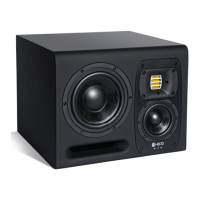
Type 30
Midfield Studio Monitor
Operation Manual
EN
Heinz Electrodynamic Designs

Questions and Answers

  • C
    Cindy BrowningJul 27, 2025
    Why are my HEDD TYPE 30 buzzing?
    • K
      Kelly BullockJul 27, 2025
      Buzzing or noise in your HEDD Speakers can stem from several factors. First, disconnect all signal cables to see if the issue persists. The noise could be due to the audio cables or equipment in your signal path, so check these components. Also, ensure that electrical devices that produce RFI (like cellphones or radio equipment) are not placed near the speakers. As a solution, try connecting the speakers to a different power socket.
  • S
    Sherri CraigAug 2, 2025
    What to do if HEDD TYPE 30 Speakers have no audio output but the power LED is on?
    • T
      Tamara GriffinAug 2, 2025
      If your HEDD Speakers power on (green LED) but produce no sound, begin by checking the wiring to ensure all cables are working and correctly connected. Next, verify that you've selected the correct input using the SOURCE switch on the speaker's back panel. Try connecting an audio source directly to the speaker. If the back panel is very hot, turn the unit off, allow it to cool, and then power it back on.
  • G
    gomezcoreyAug 8, 2025
    How to fix HEDD TYPE 30 Speakers when the “OL” LED is always on?
    • N
      Norma SimmonsAug 9, 2025
      If the “OL” LED on your HEDD Speakers remains constantly lit, it indicates an overload. Reduce the input audio level either at the source or by using the GAIN control on the speakers.
  • C
    cynthiarodriguezAug 14, 2025
    What to do if the “SYNC” LED is on but there is no audio from my HEDD TYPE 30 Speakers?
    • C
      Charles DelgadoAug 14, 2025
      If the “SYNC” LED is illuminated on your HEDD Speakers but you're not getting any audio, first check that you have selected the HEDD BRIDGE input via the SOURCE switch located on the back panel of the speaker. Also, verify that you have correctly routed the audio source to the HEDD BRIDGE output of your HEDD Bridge extension card.
  • P
    Paul NguyenAug 19, 2025
    Why do the volume levels vary between my HEDD TYPE 30 Speakers?
    • K
      Kathryn PhillipsAug 20, 2025
      If you notice that your HEDD Speakers have different volume levels, use the GAIN control to compensate for any level differences between them.

Summary

Safety Instructions

General Safety Precautions

Essential safety warnings and guidelines for operating the HEDD Type 30 monitor.

Operational Safety Guidelines

Provides further safety instructions for proper use, handling, and environment.

Maintenance and Handling Safety

Covers safe practices for cleaning, moving, and protecting the speaker.

Controls Overview

Speaker Placement

Stereo Positioning Guide

Recommendations for optimal speaker setup and listening position in stereo.

HEDD Air Motion Transformer Technology

Troubleshooting Guide

No Audio Output

Solutions for issues where the 'ON' LED is green but there's no sound.

Hum, Buzz, and Noise

Steps to diagnose and resolve hum, buzz, or noise issues.

LED Status Issues

Troubleshooting for 'OL' or 'SYNC' LEDs indicating specific problems.

Technical Data

HEDD TYPE 30 Specifications

General IconGeneral
TypeActive Studio Monitor
Driver Configuration3-way
Frequency Response32Hz - 50kHz
Amplifier Power300 W
Amplifier Power (Woofer)150 W
Amplifier Power (Midrange)100 W
Amplifier Power (Tweeter)50 W
AmplificationClass D
Woofer8"
Midrange4"
TweeterAir Motion Transformer (AMT)
InputsXLR, TRS

Related product manuals