EasyManua.ls Logo

HEITECH 10000012 User Manual

HEITECH 10000012
13 pages
To Next Page IconTo Next Page
Page #1 background imageLoading...
Page #1 background image
Operating Instructions, Type No. 10000012
Contents
1. Introduction
2. Controls
3. Changing / inserting batteries
4. Programming the Universal Remote Control (Code Setup)
4.1 Programming with the integrated manufacturer list
4.2 Programming with the automatic search function (DEV Search)
4.3 Manual programming (DEV Search)
5. Learning function
5.1 Learn key (Learn key)
5.2 Delete key (Delete key)
5.3 Delete all keys on a device (Delete DEV)
5.4 Delete keys on all devices (Delete all)
6. Macro function (Macro)
6.1 Create macro (Macro 1-3)
6.2 Delete macro (Macro 1-3)
7. Configuration (Configure)
7.1 Setting the time (Time-Setup)
7.2 Locking the volume (VOL Lock)
7.3 Lock / release code-numbers (DEV lock)
7.4 Background illumination (LIGHT)
7.5 Contrast (Contrast)
7.6 ShowView function (ShowView)
7.7 Switch off all devices (ALL OFF)
7.8 Factory reset (Clear all)
8. Disposal information
9. Guarantee
10. Technical data
11. Code list
1. Introduction
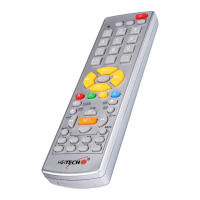
Thank you for choosing to purchase Remote Control No. 10000012. It is a programmable
universal remote control unit with LCD display and background illumination. The unit replaces lost
or damaged remote controls and can simultaneously control up to 8 devices.
The following types of devices can be controlled:
TV – television sets with teletext
VCR – video recorders
TAPE – cassette decks
CD – CD players
Tuner – Tuners/HiFi systems
DVD – DVD players
DVB – Satellite receivers, Freeview receivers, decoders
AUX – for other devices
Special functions such as menu control, teletext and Fast Text, AV-device switching. Suitable for
the European market.
Question and Answer IconNeed help?

Do you have a question about the HEITECH 10000012 and is the answer not in the manual?

HEITECH 10000012 Specifications

General IconGeneral
BrandHEITECH
Model10000012
CategoryRemote Control
LanguageEnglish

Summary

Introduction

Controls Overview

Power and Basic Controls

Controls for powering on/off, accessing menus, and shutting down devices.

Device and Function Selection

Keys for selecting devices, learning functions, and accessing menus.

Navigation and Input Keys

Buttons for channel/volume adjustment, menu navigation, and playback.

Information Display Button

Activates the remote's information display.

Battery Replacement

Programming Remote Control Codes

Programming via Manufacturer List

Method to program the remote using a pre-defined list of manufacturer codes.

Automatic Code Search (DEV Search)

Automatically searches for the correct device code by sending codes sequentially.

Manual Code Entry (DEV SETUP)

Allows manual entry of device codes from a provided list.

Learning Function

Learning Individual Keys

Transfers specific button commands from an original remote to this remote.

Deleting Learned Keys

Restores a learned key to its default function by deleting the learned command.

Deleting All Keys for a Device

Removes all learned commands for a specific selected device.

Deleting All Learned Keys on All Devices

Resets all learned key commands across all controlled devices.

Macro Function

Creating Macros (MACRO 1-3)

Step-by-step guide to create up to three custom command sequences.

Deleting Macros

Procedure to remove previously created macros from the remote.

Remote Configuration Options

Setting the Current Time

Instructions for setting the internal clock of the remote control.

Volume Lock Function

Locks the volume control to a specific device, preventing others from affecting it.

Locking Device Codes (DEV LOCK)

Prevents device codes from being accidentally changed or searched.

Background Illumination Control

Enables switching the LCD display's background illumination on or off.

LCD Contrast Adjustment

Allows adjustment of the LCD display's brightness and contrast.

ShowView Functionality

Lists available ShowView programmes and initiates searches.

Switch Off All Devices

Turns off all connected devices simultaneously with one button press.

Factory Reset (Clear All)

Resets the remote control to its original factory settings.

Disposal Information

Guarantee Information

Technical Data

Related product manuals