7.4 Background illumination (LIGHT)
You can switch the LCD display background illumination on or off.
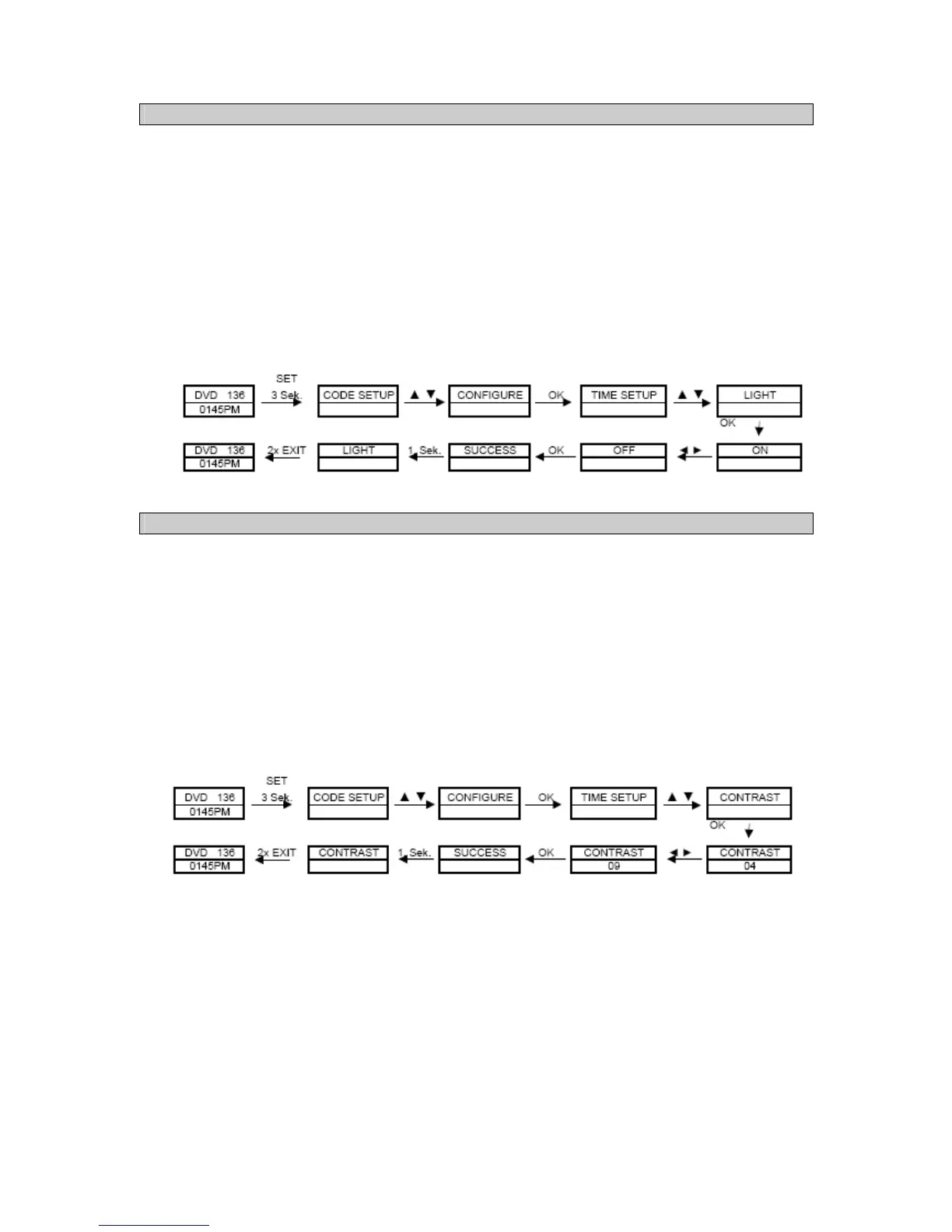
1. Press and hold the SET button for approx. 3 seconds until the system menu appears.
2. Navigate to the CONFIGURE menu item with the help of the ▲and ▼ keys and press the OK
button.
3. Subsequently select the LIGHT menu item with the help of the ▲and ▼ keys and press the
OK button.
4. The ◄and ► keys toggle between OFF and ON in order to switch the background illumination
on or between ON and OFF, in order to switch the background illumination off.
5. Subsequently confirm your entry with the OK key. SUCCESS appears on the display for
approx. 1 second, subsequently the menu quits automatically to the LIGHT menu. In order to
quit the menu, press the EXIT key twice.
7.5 Contrast (Contrast)
You can adjust the brightness of the LCD display to suit your needs.
1. Press and hold the SET button for approx. 3 seconds until the system menu appears.
2. Navigate to the CONFIGURE menu item with the help of the ▲and ▼ keys and press the OK
button.
3. Subsequently select the CONTRAST menu item with the help of the ▲and ▼ keys and press
the OK button.
4. The contrast of the LCD display can be adjusted with the ◄ button for darker and ► for
brighter. In doing so, 00 represents the lowest setting and 15 the highest.
5. Subsequently confirm your entry with the OK key. SUCCESS appears on the display for
approx. 1 second, subsequently the menu quits automatically to the CONTRAST menu. In
order to quit the menu, press the EXIT key twice.



 To Next Page